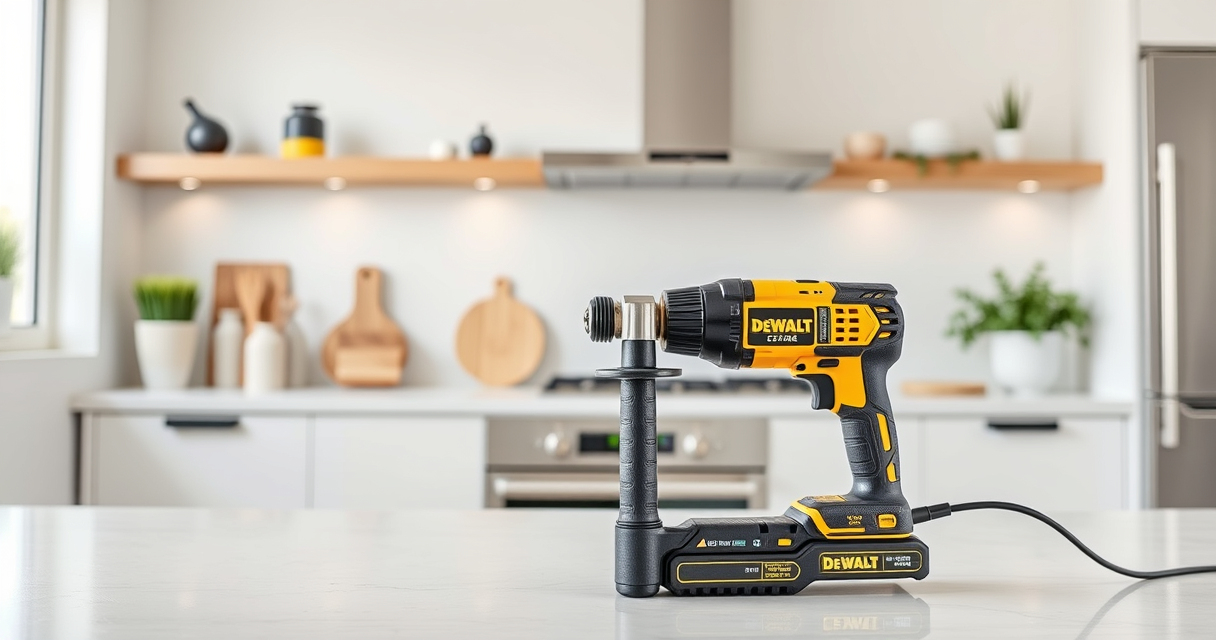
Maintaining your DEWALT power tools is essential for ensuring their longevity, safety, and optimal performance. Proper care prevents unexpected breakdowns and costly repairs. Whether you’re a professional contractor or a DIY enthusiast, understanding how to keep your tools in top condition can save you time and money in the long run.

Get business pricing on tools and workshop supplies
- Business-only prices and quantity discounts
- Tax-exempt purchasing
- Multiple users, one account, clear invoices
This comprehensive guide will walk you through practical maintenance routines, common troubleshooting steps, and safety tips specifically tailored for DEWALT power tools, with a focus on the DEWALT 20V MAX Cordless Drill and Impact Driver.
Key Takeaways
| Routine Inspection | Regularly check for wear, damage, or loose parts. |
| Battery Care | Keep batteries charged, clean, and stored properly. |
| Cleaning | Clean tools after every use to prevent debris buildup. |
| Lubrication | Lubricate moving parts as recommended. |
| Troubleshooting | Identify and fix common issues safely and efficiently. |
Routine Inspection and Cleaning
- Unplug or remove batteries before inspecting your tool.
- Check for any visible damage, such as cracks, corrosion, or loose screws.
- Ensure vents are free of dust and debris to prevent overheating.
- Use a soft cloth or brush to clean the exterior, avoiding harsh chemicals.
Regular inspections help catch minor issues before they become serious problems. Keeping your tools clean ensures optimal performance and reduces the risk of overheating or malfunction.
Battery Maintenance and Storage
- Charge batteries only with the original DEWALT charger to prevent damage.
- Keep batteries clean and dry; wipe with a dry cloth after use.
- Avoid storing batteries in extreme temperatures—ideally in a cool, dry place.
- Remove batteries if the tool will be unused for extended periods to prevent self-discharge.
Proper battery care extends its lifespan and maintains consistent power output, ensuring your tools are ready when needed.
Lubrication and Moving Parts Care
Follow the manufacturer’s guidelines for lubricating your power tools. For the DEWALT 20V MAX Cordless Drill and Impact Driver, check the user manual for specific lubrication points. Use only recommended lubricants and apply sparingly to gears or moving parts to reduce wear and prevent rust.
Regular lubrication ensures smooth operation and reduces strain on the motor, prolonging the tool’s lifespan.
Troubleshooting Common Issues
- Tool not turning on: Check the battery charge level, ensure the battery is properly seated, and inspect for any damage or corrosion.
- Reduced power or overheating: Clean vents and cooling areas, remove debris, and avoid overloading the tool.
- Chuck not gripping bits: Tighten the chuck or replace it if worn out.
- Unusual noise or vibration: Inspect for loose parts or damaged bearings and replace if necessary.
Always disconnect power before attempting any repairs. If issues persist, consult a professional or contact DEWALT service support.
Safety Tips for Maintenance and Troubleshooting
- Always unplug or remove the battery before maintenance.
- Wear safety gloves and eye protection when cleaning or inspecting the tool.
- Use only recommended lubricants and replacement parts.
- Do not attempt repairs beyond basic troubleshooting; seek professional help for complex issues.
- Follow manufacturer instructions for storage and battery handling.
Safety should always be your priority when maintaining or troubleshooting power tools. Proper procedures prevent accidents and further damage.
The Products in This Guide

DEWALT 20V MAX Cordless Drill and Impact Driver
- ✔ Dimensions: 7.6-inch length
- ✔ Number of Tools: 2
- ✔ Color: Yellow and black

DEWALT Drill Bit Set
- ✔ Set Includes: 14 bits
- ✔ Weight: Lightweight
- ✔ Color: Gold and black
DEWALT 20V MAX Cordless Drill and Impact Driver
The DEWALT 20V MAX Cordless Drill and Impact Driver (DCK277D2) is a versatile and reliable set ideal for various projects. Its compact, lightweight design and ergonomic grip make it comfortable for prolonged use, while features like the bright LED and quick-release hex chuck enhance usability. Regular maintenance ensures you get the best performance and longevity from this powerful combo.
Pros:
- Lightweight and ergonomic design
- Powerful brushless motor
- Includes 2 batteries and charger
- Bright LED for dark spaces
Cons:
- Battery life can vary with heavy use
- Charging time is around 60 minutes
- No variable speed control on impact driver
Best for: DIY enthusiasts and professionals needing a reliable cordless drill and impact driver combo.
Not ideal for: Heavy-duty industrial applications requiring more robust tools.
Bottom line: A dependable, lightweight combo perfect for a wide range of tasks.
DEWALT Drill Bit Set
The DEWALT Drill Bit Set offers 14 high-speed steel bits with a 135-degree split point, making it suitable for plastic, wood, and metal. Its black and gold coating resists rust and wear, and the 3-flats shank reduces spin-out, ensuring a secure fit in your drill. A perfect complement to your power tools for any project.
Pros:
- Durable high-speed steel construction
- Rust-resistant coating
- Includes a variety of sizes
- Secure 3-flats shank
Cons:
- Limited to compatible bits
- Not suitable for heavy industrial use
- Only for use with drills that accept 3-flats shank
Best for: Home improvement projects and DIY enthusiasts needing reliable drill bits.
Not ideal for: Heavy-duty industrial drilling applications.
Bottom line: A versatile drill bit set that enhances your drilling efficiency.
Frequently Asked Questions
How often should I clean my DEWALT power tools?
It’s best to clean your tools after each use to prevent dust and debris buildup, which can affect performance and cause overheating.
Can I use any batteries with my DEWALT tools?
Only batteries compatible with the 20V MAX system, like the DEWALT 5Ah Lithium-Ion batteries, should be used to ensure safety and optimal performance.
What should I do if my drill is not turning on?
First, check the battery charge level and ensure it is properly seated. Inspect for damage or corrosion and replace batteries if necessary. If issues persist, consult a professional.
How do I troubleshoot overheating problems?
Turn off and unplug the tool, clean vents and cooling areas, and avoid overloading the tool. Allow it to cool before resuming work.
Is it safe to lubricate my power tools myself?
Yes, but only use manufacturer-recommended lubricants and follow the instructions provided in the user manual to avoid damage or voiding warranties.
Maintaining Your DEWALT Tools for Peak Performance
Regular maintenance and prompt troubleshooting can significantly extend the life of your DEWALT power tools. By following proper cleaning, battery care, lubrication, and safety procedures, you ensure reliable operation and avoid costly repairs. Keep your tools in top shape, and they will serve you well on countless projects.
Remember, safety always comes first—wear protective gear and disconnect power before performing any maintenance or troubleshooting tasks. With proper care, your DEWALT tools will continue to be a dependable part of your toolkit for years to come.
Affiliate disclosure: As an Amazon Associate we earn from qualifying purchases. Prices and availability are accurate as of the time of publishing.