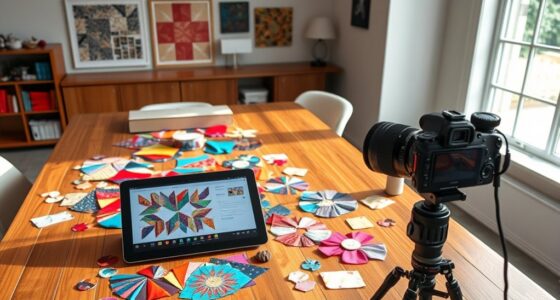
When choosing a tablet for PDF pattern editing, prioritize a high-precision stylus with pressure sensitivity to make accurate, detailed adjustments easily. Look for a high-resolution screen and quality display technology to see your patterns clearly and zoom in without losing detail. Good battery life and smooth performance help you work longer without interruptions. Combining these features guarantees your pattern work is precise and professional. Keep exploring further features that can boost your workflow even more.

Get business pricing on tools and workshop supplies
- Business-only prices and quantity discounts
- Tax-exempt purchasing
- Multiple users, one account, clear invoices
Key Takeaways
- A high-precision stylus ensures accurate tracing and editing of detailed PDF patterns.
- A high-resolution display allows clear viewing and zooming into complex pattern details.
- Responsive stylus input minimizes lag, reducing errors during pattern adjustments.
- Long battery life supports extended editing sessions without interruptions.
- Overall device quality, including display and performance, enhances pattern editing accuracy and ease.

Are tablets the perfect tool for working with PDF patterns? If you’re diving into sewing, crafting, or design projects that involve detailed PDF patterns, a tablet can be a game-changer. But not all tablets are created equal, so understanding which features matter most can help you choose the right device. Two vital aspects to consider are stylus precision and screen resolution. These features directly impact how accurately and comfortably you can work with intricate patterns.
Stylus precision is essential because it determines how well you can draw, trace, or make fine adjustments on your PDF patterns. A high-quality stylus with pressure sensitivity allows you to simulate traditional drawing tools, giving you control over line thickness and shading. When working on detailed patterns, this precision helps you make precise markings or corrections without frustration. Inaccurate or laggy stylus input can lead to mistakes, so investing in a tablet with a responsive stylus that offers high precision is worth it. This guarantees your edits are smooth, accurate, and effortless, saving you time and frustration. Additionally, stylus responsiveness significantly influences your overall editing experience, ensuring your work remains seamless and efficient. To maximize your workflow, selecting a tablet with a good balance of features can make a noticeable difference in your productivity. It’s also beneficial to consider display technology, which can further enhance your ability to view fine details clearly. A tablet with a high-quality display can reduce eye strain during extended work sessions and improve overall visibility. Moreover, a battery life that supports extended work sessions can be advantageous when working on large or complex patterns.
A responsive stylus with pressure sensitivity ensures precise, smooth edits on detailed PDF patterns.
Screen resolution is equally significant because it affects how clearly you see your patterns. A high-resolution display provides crisp, detailed visuals that make it easier to interpret complex pattern lines and markings. When working on PDF patterns, you want to zoom in without losing detail or clarity, and a higher resolution ensures every line remains sharp. This clarity reduces eye strain and helps you work more efficiently, especially during long editing sessions. A tablet with a good screen resolution also means colors and details are rendered accurately, which can be helpful if your patterns involve color coding or detailed illustrations.
Combine a high-resolution screen with a stylus that offers excellent precision, and you’ll find yourself working more accurately and comfortably. These features enable you to see every detail and make precise adjustments without struggling with lag or fuzzy visuals. The right tablet can streamline your workflow, making pattern editing faster and more enjoyable. Remember, investing in a device with these key features may cost more upfront, but it pays off in the quality of your work and the ease of use. So, when choosing a tablet for PDF patterns, prioritize screen resolution and stylus precision to enhance your crafting experience and produce cleaner, more professional results.
Popular right now

Breville Bambino Espresso Machine, Brushed Stainless Steel

KitchenAid Classic Series 4.5-Quart Tilt-Head Stand Mixer, Onyx Black

Philips 4400 Series Fully Automatic Espresso Machine with LatteGo Milk System
As an affiliate, we earn on qualifying purchases.
Frequently Asked Questions
How Long Does the Battery Last During Extended Pattern Designing Sessions?
During extended pattern designing sessions, your tablet’s battery life typically lasts between 8 to 12 hours, depending on usage. To maximize this, you should focus on effective power management, such as reducing screen brightness and closing unnecessary apps. Keep your device charged or use a portable charger for longer sessions. Choosing a tablet with a robust battery life guarantees you won’t be interrupted, making your pattern designing process smoother and more efficient.
Are There Specific Tablets Recommended for Professional Pattern Makers?
Finding the right tablet is like choosing a trusted partner in your craft. For professional pattern makers, I recommend tablets with excellent screen calibration to guarantee accurate color and detail. Look for devices compatible with your pattern software, like the iPad Pro or Samsung Galaxy Tab S8, offering high-resolution screens and stylus support. These features help you work precisely, making your pattern design process smoother and more efficient.
Can Tablets Handle Large PDF Files Without Lagging or Crashing?
Yes, tablets can handle large PDF files without lagging or crashing if they have good file compression and high screen resolution. Look for tablets with ample RAM and storage, as well as efficient processors. A high-resolution screen makes viewing detailed pattern files easier, reducing strain and improving clarity. Ensuring your device supports optimized file compression helps manage large files smoothly, giving you a seamless pattern-making experience.
What Accessories Improve the PDF Pattern Viewing and Editing Experience?
Using a stylus or screen protector can greatly enhance your PDF pattern viewing and editing. A stylus provides precise control, making detailed adjustments easier, while a matte screen protector reduces glare, improving visibility in bright environments. Additionally, enabling cloud synchronization ensures your files are always backed up and accessible across devices, streamlining your workflow and preventing data loss during edits.
Is a Stylus Necessary for Detailed Pattern Adjustments?
Is a stylus necessary for detailed pattern adjustments? Not always, but it can considerably improve your accuracy and control. A stylus enhances your ability to make precise edits, especially for intricate pattern details. If you often work on complex designs or small sections, investing in a good stylus is worth it. It makes pattern editing smoother and more intuitive, helping you achieve professional results with less frustration.
Conclusion
When choosing a tablet for PDF patterns, remember—it’s not just about size or speed, but about how seamlessly it fits into your crafting domain. Think of your device as a trusted companion, guiding your creativity with every swipe. The right features open endless possibilities, turning mere patterns into masterpieces. Don’t settle for less—because in the world of crafting, your tablet isn’t just a tool; it’s your canvas of endless inspiration.