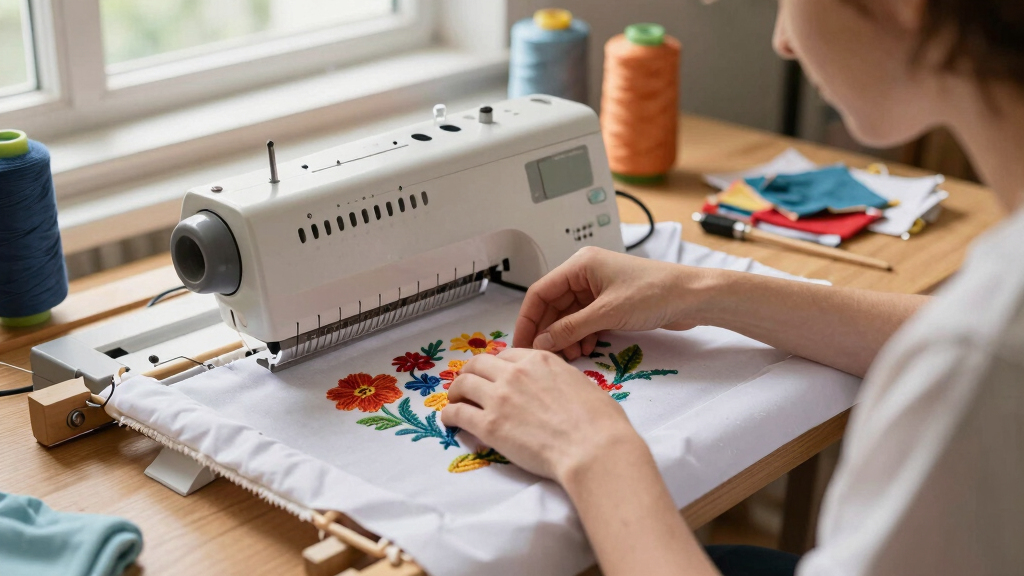

Finding the best embroidery machine for beginners can feel overwhelming, given the variety of options and features. The Brother SE700 stands out as the best overall choice thanks to its user-friendly interface and reliable performance. For those on a tighter budget, the PooLin EOC05 offers solid features without breaking the bank. Meanwhile, the Brother PE900 provides advanced connectivity for users who want to grow into more complex projects. Keep in mind that beginners often face tradeoffs between ease of use, feature set, and price. Continue reading for a detailed breakdown of each option to help you find the perfect fit.
Key Takeaways
- Top picks balance ease of use with feature variety, ensuring beginners don’t get overwhelmed.
- Connectivity features like WiFi and Bluetooth are common in higher-rated models, but often add cost.
- Larger embroidery areas are appealing for bigger designs, yet they tend to increase the machine’s price and complexity.
- Inclusion of pre-loaded designs and user-friendly interfaces are key for a smooth learning curve.
- Entry-level machines with dual functionality (sewing + embroidery) offer versatile value, but may sacrifice some embroidery-specific features.


More Details on Our Top Picks
PooLin EOC06 Computerized Embroidery Machine, 11″x7.9″ Embroidery Area, 7″ Touchscreen, 200 Built-in Designs, Wireless & USB Connectivity
The PooLin EOC06 stands out as the most versatile option for beginners who want more space and intuitive controls. Its large 11″x7.9″ embroidery area surpasses many entry-level machines, allowing for bigger projects without upgrading later. The 7-inch color touchscreen simplifies design editing, making it accessible for those new to embroidery. While it offers 200 built-in designs and multiple hoops, its primary tradeoff is that it doesn’t support sewing functions, limiting its use to embroidery only. Compared to the smaller Brother Skitch, the EOC06 provides more room for complex projects but requires some basic tech skills for wireless setup and design management. This makes it ideal for hobbyists ready to grow, but less suitable for those seeking an all-in-one sewing and embroidery machine.
Pros:- Large embroidery area accommodates bigger projects
- Intuitive 7-inch color touchscreen simplifies design editing
- Includes 200 built-in designs and multiple hoops for versatility
- Wireless and USB connectivity for easy file transfer
Cons:- Limited to embroidery functions only, no sewing capability
- Requires some familiarity with digital design transfer and setup
Best for: Beginners who want a large embroidery area and easy-to-use touchscreen for personal projects
Not ideal for: Crafters seeking an all-in-one sewing and embroidery machine or those with limited technical skills
- Embroidery Area:11″x7.9″
- Touchscreen:7-inch LCD color touch screen
- Built-in Designs:200
- Included Hoops:5.5″x5.5″, 8″x8″, 7.9″x11″
- Connectivity:Wireless LAN, USB
- Included Accessories:6 rolls of thread, bobbins, stabilizers, needles, instruction manual
Bottom line: This machine is perfect for beginners wanting a spacious, easy-to-operate embroidery-only device that can handle larger projects.
Poolin EOM 15-Needle Commercial Embroidery Machine, 14.2″x9.5″ Large Embroidery Area for Small Business
The Poolin EOM 15-Needle is built for those planning to produce embroidery professionally or in high volumes. Its 14.2″x9.5″ large embroidery area far exceeds typical beginner models like the PooLin EOC06, making it suitable for larger, more complex projects. The multi-needle setup allows for fast, multi-color embroidery with automatic color changes, which significantly speeds up workflow. However, this machine’s complexity and size make it less suitable for casual hobbyists or those new to embroidery, as it demands initial setup and some technical know-how. Compared with the PooLin EOC05, it offers far greater capacity but sacrifices portability and simplicity, making it ideal for small business owners ready to scale up.
Pros:- Large embroidery area supports bigger projects
- 15 needles enable fast multi-color embroidery
- Supports automatic color changes and laser alignment
- Built for continuous, high-volume production
Cons:- Requires significant initial setup and training
- Heavy and less portable, not suitable for casual use
- Higher price point for small-scale users
Best for: Hobbyists or entrepreneurs with experience seeking a reliable machine for high-volume embroidery
Not ideal for: Beginners looking for an easy, budget-friendly entry point or casual crafters
- Needles:15
- Embroidery Area:14.2″ x 9.5″
- Included Hoops:Multiple standard hoops, cap station, cap hoops
- Connectivity:WiFi, USB
- Built-in Features:Auto color change, thread trimming, laser alignment, thread break detection
- Warranty:1 year
Bottom line: This machine is best suited for experienced users or small businesses aiming for fast, multi-color embroidery at high volume.
Brother Skitch Single-Needle Embroidery Machine with Artspira App, 4″ x 4″ Embroidery Area, Bluetooth Enabled
The Brother Skitch is designed specifically for absolute beginners or those with limited space, thanks to its compact 4″x4″ embroidery area. Its Bluetooth connectivity and compatibility with the Artspira app make importing custom designs straightforward, especially for users unfamiliar with digital embroidery. Compared with larger machines like the PooLin EOC06, the Skitch offers less project size but excels in portability and ease of use. It’s limited to embroidery only, with storage for just 20 files, which might restrict creative flexibility over time. This pick makes the most sense for casual crafters or hobbyists who prioritize simplicity and space over large projects or advanced features.
Pros:- Compact size fits small craft areas
- Easy-to-use Bluetooth and compatible with Artspira app
- Supports importing custom designs in multiple formats
- Simple interface ideal for absolute beginners
Cons:- Limited embroidery area restricts project size
- No sewing functions, so less versatile
- Design storage capacity is limited
Best for: Beginners with minimal space seeking a simple, Bluetooth-enabled embroidery machine for personal use
Not ideal for: Users wanting to work on larger projects or combine embroidery with sewing functions
- Embroidery Area:4″ x 4″
- Connectivity:Bluetooth
- Design Import Formats:PES, PHC, PHX, DST
- Speed:Up to 400 spm
- Voltage:120V (US only)
Bottom line: This machine is perfect for beginners with minimal space who want a straightforward, wireless embroidery device for small projects.
PooLin EOC05 Embroidery Machine for Beginners, 7-Inch Touchscreen, 4×9.25 Inch Embroidery Area, WiFi Design Transfer, Home DIY
The PooLin EOC05 offers a well-rounded option for beginners interested in home embroidery projects. Its 7-inch touchscreen makes design selection and editing simple, while the 4″x9.25″ embroidery area provides enough room for most personal projects like clothing and décor. WiFi transfer simplifies design loading, and its included accessories make setup straightforward. Compared with the smaller Brother Skitch, the EOC05 provides a larger embroidery area at the expense of a slightly bulkier footprint. It is ideal for hobbyists who want a dedicated embroidery machine that’s easy to operate but not meant for commercial-scale work or large designs.
Pros:- Easy-to-use 7-inch touchscreen interface
- WiFi design transfer for convenience
- Decent embroidery area for personal projects
- Includes comprehensive accessories and free design software
Cons:- Limited to embroidery, no sewing functions
- Embroidery area may be small for larger designs
- More suitable for personal rather than commercial use
Best for: Home users and hobbyists focused on personal embroidery projects and small-scale craftwork
Not ideal for: Users seeking a combined sewing and embroidery machine or larger project capacity
- Embroidery Area:4″ x 9.25″
- Touchscreen:7-inch color touchscreen
- Connectivity:WiFi and USB
- Included Components:Hoops, threads, stabilizers, bobbins, manual
- Model Number:EOC05V2TSTAND-FBA
Bottom line: This machine suits home hobbyists wanting a straightforward embroidery device with WiFi transfer and a sizable screen for personal projects.
PooLin EOC05 2-in-1 Sewing and Embroidery Machine with 130 Designs and 207 Stitches
The PooLin EOC05 2-in-1 combines sewing and embroidery functions, making it an appealing choice for beginners who want an all-in-one machine. Its 7-inch touchscreen guides users through both sewing and embroidery modes, while the dual embroidery areas (4″x4″ and 4″x9.25″) provide flexibility for different project sizes. With 130 built-in designs and 207 stitches, it offers ample creative options, though it may feel complex for absolute beginners. The inclusion of a full starter kit makes it easier to begin, but the machine’s higher price and potential learning curve mean it’s best for users willing to explore both functions simultaneously. Compared to dedicated embroidery-only models, it offers more versatility but demands a bit more patience to master.
Pros:- Dual sewing and embroidery capabilities
- Includes a variety of stitches and designs
- User-friendly 7-inch touchscreen interface
- Complete starter kit with all supplies
Cons:- Higher price point for beginners on a budget
- Slightly more complex operation for new users
- Limited embroidery size options for larger designs
Best for: Beginners eager to learn both sewing and embroidery with a versatile machine suitable for personal projects
Not ideal for: Casual crafters who only want embroidery or those seeking a straightforward, dedicated embroidery machine
- Embroidery Size:4″x4″ and 4″x9.25″
- Built-in Designs:130
- Stitches:207
- Touch Screen:7-inch
- Connectivity:WiFi
- Included Components:starter kit, threads, bobbins, stabilizers
Bottom line: This machine is ideal for beginners wanting to explore both sewing and embroidery without needing multiple machines.
Brother SE2000 Computerized Sewing and Embroidery Machine
The Brother SE2000 stands out for combining sewing and embroidery functions in one machine, making it ideal for beginners who want to experiment with both crafts without buying separate units. Its large 5″ x 7″ embroidery area allows for bigger projects, and the color touchscreen simplifies editing, surpassing simpler models like the Brother PE545, which lacks sewing capabilities. However, the SE2000 requires a firmware update for full pattern access, adding a layer of setup complexity. Compared with dedicated embroidery-only machines, this model offers more versatility at the expense of slightly higher cost and a steeper learning curve. It’s perfect for beginners ready to explore both sewing and embroidery but who don’t mind some initial technical setup.
Pros:- Large embroidery area suitable for bigger projects
- Intuitive 3.7-inch color touchscreen for easy editing
- Wireless connectivity for seamless design transfer
- Over 190 built-in embroidery designs and 50 downloadable patterns
Cons:- Requires firmware updates and compatible app for full pattern access
- USB drive needed for firmware updates, which may be inconvenient
Best for: Beginners interested in both sewing and embroidery who want a flexible, all-in-one machine
Not ideal for: Purely embroidery-focused users who prefer a dedicated embroidery-only machine for simplicity
- Embroidery Field:5″ x 7″
- Built-in Embroidery Designs:190+
- Downloadable Embroidery Designs:50
- Built-in Sewing Stitches:241
- Embroidery Fonts:13
- Touchscreen:3.7-inch LCD color display
- Connectivity:Wireless LAN, USB
- Warranty:25 years limited
Bottom line: This machine is best for beginners seeking a versatile device that combines sewing and embroidery with advanced features.
PooLin EOC03 Embroidery Machine with 4×4 & 4×9.25 Inch Sizes, WiFi Transfer, 130 Built-in Designs, Beginner-Friendly
The PooLin EOC03 makes a strong case for newcomers due to its straightforward operation and multiple embroidery size options. Its easy-to-use interface and WiFi transfer feature simplify pattern sharing, outpacing more basic models like the Brother PE545, which lacks WiFi. While it covers essential needs well, it’s limited to beginner-level features and might require additional software for complex projects, making it less suitable for those wanting advanced design capabilities. The included starter kit and tutorials add value, but the support ecosystem is more limited than higher-end machines. This pick is ideal for beginners focused on simple, home embroidery projects without the need for extensive customization.
Pros:- User-friendly interface perfect for beginners
- Multiple embroidery sizes for diverse projects
- Includes a variety of built-in designs and fonts
- WiFi transfer simplifies pattern sharing
Cons:- Limited to basic features, not suitable for complex designs
- Community and support resources are fairly basic
Best for: Beginner hobbyists seeking an affordable, easy-to-operate embroidery machine with versatile sizing
Not ideal for: Experienced users or those needing advanced design options and extensive support
- Embroidery Area:4×4 inches and 4×9.25 inches
- Built-in Designs:130
- Fonts:8
- Connectivity:WiFi
- Included Accessories:Starter kit
Bottom line: This machine is well-suited for beginners who want straightforward functionality and value for money.
Brother PE900 5″ x 7″ Embroidery Machine with Accessories and Thread Set
The Brother PE900 is tailored for dedicated embroidery enthusiasts, featuring a generous 5″ x 7″ embroidery area and a broad selection of 193 built-in designs. Its user-friendly 3.7-inch touch screen simplifies editing, and the included bundle of hoops and threads makes starting projects easier than with more basic models like the PE545. While its focus on embroidery-only functions means it lacks sewing features, the comprehensive accessories and wireless design transfer via the Artspira app make it ideal for those who prioritize embroidery quality and variety. Its higher price point and bundle complexity might be overwhelming for absolute beginners, but it offers room to grow.
Pros:- Large embroidery area for versatile projects
- Wide range of built-in designs and fonts
- Intuitive touchscreen with editing tools
- Wireless design transfer via app
Cons:- Embroidery-only, no sewing functions
- Price and bundle complexity may be high for casual users
Best for: Beginners committed to embroidery, looking for a machine with a larger design library and advanced features
Not ideal for: Users who want a combined sewing and embroidery machine or prefer simpler setups
- Embroidery Area:5″ x 7″
- Built-in Designs:193
- Built-in Fonts:13
- Touch Screen:3.7 inch LCD
- Embroidery Speed:up to 650 stitches/min
- Included Threads:40 polyester, 500m each
- Design Transfer:Wireless via Artspira
Bottom line: This embroidery-specific machine suits beginners dedicated to expanding their design library with ease and quality.
Smartstitch S-1001 Upgraded Commercial Embroidery Machine with 10 Needles and 7″ Touch Screen
The Smartstitch S-1001 introduces advanced features like auto thread trimming and laser positioning in a relatively compact package, appealing to tech-oriented beginners who want professional-level capabilities. Its large 9.5″ x 14.2″ embroidery area far exceeds typical entry-level models, making it ideal for larger projects. Compared to simpler machines such as the Brother PE900, it offers more automation and speed, but requires a higher level of technical understanding to maximize its features. Its size and cost make it less suited for small home spaces or casual hobbyists. This machine is perfect for beginners eager to grow into more advanced, semi-professional embroidery work.
Pros:- Advanced automation features like auto thread trimming and laser positioning
- Large embroidery area for complex projects
- Supports various materials including denim and leather
- Supports DST/DSB files via USB and WiFi
Cons:- High price point for casual hobbyists
- Size and complexity can be intimidating for complete beginners
Best for: Hobbyists with basic technical skills seeking a machine with professional features and large capacity
Not ideal for: Absolute newcomers or those with limited space and a tight budget
- Needles:10
- Max Speed:1200 SPM
- Touch Screen:7 inches
- Embroidery Area:9.5″ x 14.2″
- Features:Auto thread trimming, auto color changing, laser positioning
- Memory:Up to 100 million stitches
- Supported Files:DST/DSB via USB/WiFi
Bottom line: This machine fits beginners ready to handle technical features and larger projects with a more professional approach.
Brother PE545 Embroidery Machine with Wireless Connectivity and 135 Built-in Designs
The Brother PE545 offers a compact, user-friendly embroidery experience with a 4″ x 4″ embroidery area and a broad selection of 135 built-in designs. Its straightforward 3.7-inch LCD touchscreen makes editing simple, and wireless connectivity allows for easy pattern transfer, rivaling larger models like the Brother PE900 but in a smaller footprint. While it lacks sewing functions, its compact size and ease of use make it ideal for beginners with limited space or those just starting out. The limited embroidery area and fewer design options compared to larger machines mean it’s best suited for small projects and decorative accents rather than large-scale embroidery.
Pros:- Compact size ideal for small spaces
- Wireless connectivity for easy design transfer
- Large, easy-to-use touchscreen
- Decent range of built-in designs and fonts
Cons:- Limited embroidery area restricts project size
- No sewing functions, limiting versatility
- Requires additional software for wireless file transfer
Best for: Beginners with limited space who want a simple, portable embroidery machine for small projects
Not ideal for: Those looking to do large or complex embroidery projects or sewing combined with embroidery
- Embroidery Area:4″ x 4″
- Built-in Designs:135
- Touchscreen:3.7-inch LCD
- Connectivity:Wireless LAN, USB
- Fonts:10
Bottom line: This machine is best for beginners needing a small, easy-to-use embroidery device for decorative projects in limited spaces.
Brother SE700 Combo Embroidery & Sewing Machine with 4 Embroidery Hoops, Embroidery Thread Set & Accessories
The Brother SE700 stands out for combining both sewing and embroidery in one machine, making it an ideal choice for beginners who want to explore both crafts without investing in separate units. Its extensive bundle—including multiple hoops, 40 embroidery threads, and a comprehensive accessory set—offers excellent value compared to standalone embroidery-only models like the Brother PE900. The built-in 135 designs and 103 stitches provide plenty of creative options, while the wireless connectivity and the Artspira app simplify design transfers and customization. However, the machine’s large bundle can be overwhelming for absolute beginners, and its weight makes it less portable. Compared to more streamlined models, this machine is better suited for those committed to exploring both sewing and embroidery deeply.
Pros:- All-in-one sewing and embroidery capabilities
- Extensive accessory bundle with multiple hoops and threads
- Wireless connectivity for easy design transfer
- Large LCD touch screen for intuitive operation
Cons:- Heavy and less portable for on-the-go use
- The extensive bundle may be intimidating for absolute beginners
Best for: Beginners who want a versatile machine capable of both sewing and embroidery with comprehensive accessories.
Not ideal for: Complete novices who prefer a lightweight, straightforward embroidery-only machine for simple projects.
- Embroidery Area:4″ x 4″ and 4″ x 6.75″ hoops
- Built-in Designs:135
- Built-in Stitches:103
- Connectivity:Wireless LAN, iBroidery compatibility
- Display:3.2 x 1.8 inch LCD color touch screen
- Accessories:Multiple hoops, threads, embroidery design cards
Bottom line: This machine is perfect for beginners serious about exploring both sewing and embroidery with comprehensive support and accessories.
Brother SE700 Sewing and Embroidery Machine, Wireless LAN Connected, 135 Built-in Designs, 103 Stitches, 4″ x 4″ Embroidery Area, 3.7″ Touchscreen, White
Compared with the Brother PE900, which offers a larger 5″ x 7″ embroidery area, the SE700 is more compact and focused on ease of operation, making it a better fit for beginners who prioritize simplicity over size. Its 135 built-in designs and 103 stitches provide enough variety for most hobbyists, while the wireless connectivity and large touchscreen simplify design editing and transfer, especially for users comfortable with digital tools. However, the smaller embroidery area limits larger projects, and the reliance on Wi-Fi might be frustrating for those with unstable internet. This model particularly suits those wanting a straightforward, connected experience without a steep learning curve.
Pros:- Compact size ideal for small spaces
- Wireless connectivity for effortless design transfer
- Large color LCD touchscreen for easy editing
- Good variety of designs and stitches
Cons:- Limited embroidery area size for bigger projects
- Requires Wi-Fi for full wireless features, which may not be reliable
Best for: Hobbyists seeking a user-friendly machine with wireless features and a manageable size for small projects.
Not ideal for: Users planning to do larger embroidery projects, or those who prefer a machine without wireless dependency.
- Embroidery Area:4″ x 4″
- Built-in Designs:135
- Built-in Stitches:103
- Display:3.7-inch color LCD
- Connectivity:Wireless LAN, USB
- Size:Compact
Bottom line: This machine offers an excellent balance of ease, connectivity, and size, perfect for hobbyists focused on small-scale embroidery projects.
D492 Embroidery Machine with 4.5″ x 7″ Area for Beginners, Home DIY Sewing & Embroidery Machine with Touchscreen, USB Import, Hoops, Auto Threader & Cutter
The D492 offers a large 4.5″ x 7″ embroidery area, making it more adaptable for bigger or more detailed designs compared to smaller models like the Brother SE700. Its 180 built-in designs and 7-inch touchscreen facilitate easy design preview and adjustment, appealing to beginners who want straightforward control over their projects. Its combination of embroidery and sewing functions adds versatility, especially for those looking to expand their skillset. The automatic threader and cutter simplify the process, but the machine’s primary focus on embroidery makes it less suitable for those wanting advanced sewing features or extensive customization options. It’s a good option for new users aiming for bigger embroidery projects with minimal fuss.
Pros:- Large 4.5″ x 7″ embroidery area
- Intuitive 7-inch touchscreen for design adjustments
- Automatic threading and cutting for convenience
- Combines embroidery and sewing functions
Cons:- Limited sewing features compared to dedicated sewing machines
- Designed primarily for embroidery, not ideal for advanced sewing
Best for: Beginners interested in larger embroidery projects and combined embroidery/sewing functionality.
Not ideal for: Complete beginners seeking a dedicated sewing machine or those who want extensive advanced features.
- Embroidery Area:4.5″ x 7″
- Built-in Designs:180
- Touchscreen:7-inch color
- Functions:Embroidery and basic sewing
- Automatic Features:Threader, cutter
- Included Components:Hoops, USB
Bottom line: This machine suits beginners eager to work on larger embroidery projects with ease and integrated sewing options.
Brother PE900 Embroidery Machine with WLAN
The Brother PE900 boasts a sizable 5″ x 7″ embroidery area, surpassing the smaller options like the SE700 and SE700 combo, making it ideal for larger, more ambitious projects. Its 193 built-in designs and 13 fonts—covering English, Japanese, and Cyrillic—offer extensive creative flexibility, especially with the ability to import custom patterns via wireless or USB. The 3.7-inch LCD touchscreen streamlines design editing, with features like rotate, mirror, and resize enhancing customization. However, this model is dedicated solely to embroidery, unlike the SE700 combo, which blends sewing and embroidery, making it less versatile for comprehensive crafting. It’s best suited for beginners ready to grow into more complex embroidery work.
Pros:- Large 5″ x 7″ embroidery area for bigger projects
- Wide selection of built-in designs and fonts
- Wireless transfer for seamless pattern import
- Intuitive touchscreen with editing tools
Cons:- Limited to embroidery only, no sewing functions
- Requires firmware updates and compatible app for full features
Best for: Beginners looking for a larger embroidery area and advanced design options to facilitate growing skills.
Not ideal for: Users needing a machine for sewing or those preferring a smaller, more portable setup.
- Embroidery Area:5″ x 7″
- Built-in Designs:193
- Fonts:13
- Connectivity:Wireless WLAN
- Display:3.7-inch LCD
- Additional Features:Automatic needle threader, tutorials
Bottom line: This machine is ideal for beginners eager to work on larger embroidery projects and expand their design repertoire with wireless ease.
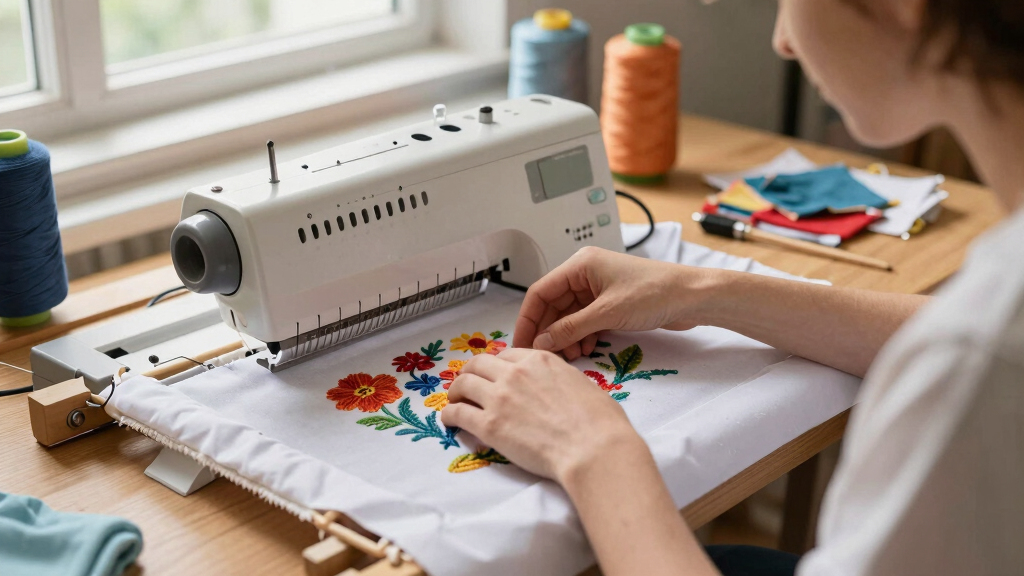
How We Picked
We evaluated these embroidery machines based on performance, ease of use, build quality, and value for beginners. Priority was given to models that feature intuitive interfaces, helpful preset designs, and straightforward setup. We also considered connectivity options, as wireless features can simplify design transfer for novices. Durability and brand reputation played roles in the ranking, but affordability remained a key factor since these are entry-level options. Machines that struck a balance between advanced features and user-friendly operation earned higher spots, while those with steep learning curves or limited support fell lower.Factors to Consider When Choosing Best Embroidery Machine For Beginners
Choosing the best embroidery machine for beginners involves weighing several factors to match your skill level and goals. While larger embroidery areas and extensive design libraries are appealing, they can also increase complexity and cost. Ease of use, including touchscreen interfaces and automatic features, can make a significant difference in your learning experience. Connectivity options like WiFi or Bluetooth simplify design transfers, saving time and frustration. It’s also wise to consider the machine’s build quality and support options, ensuring you have help if needed. Lastly, think about whether you want a machine that combines sewing and embroidery or specializes solely in embroidery, as this impacts both price and functionality.Ease of Use and User Interface
For beginners, an intuitive interface with a clear touchscreen or control panel is essential. Machines with fewer buttons and guided tutorials reduce the learning curve and help you start creating faster. Automatic features such as thread tension adjustment, automatic needle threading, and simple design loading are real time-savers that prevent frustration. While some models offer a wide array of features, overly complex interfaces can hinder your initial experience, so prioritize simplicity paired with helpful guidance.
Design and Embroidery Area Size
The size of the embroidery area determines the complexity and size of projects you can undertake. Larger hoops, like 5″ x 7″ or 6″ x 10″, enable bigger designs but often come with increased machine size and cost. Smaller areas, such as 4″ x 4″, are more manageable for beginners and suitable for small personalized items. Consider your typical project size to avoid paying for features you won’t use often, but don’t sacrifice too much space if you plan to work on larger designs regularly.
Connectivity and Design Transfer
Wireless connectivity, such as WiFi or Bluetooth, can streamline the process of transferring designs from your computer or mobile device. This feature is especially helpful for beginners who prefer to browse or buy new designs online rather than manually transferring via USB. However, these features often add to the price and may require additional setup or app downloads. Weigh the convenience of wireless options against the potential increase in cost and complexity, especially if you’re just starting out.
Design Library and Customization
Pre-loaded designs and included fonts can significantly reduce setup time and help you start creating right away. Look for machines with a diverse library of designs suited for beginners, along with options for importing custom files. Some models also offer editing tools directly on the machine, allowing you to modify designs without a computer. Be cautious of machines with very limited design options, as this can limit your creative growth in the early stages.
Build Quality and Support
Durability is important, especially if you plan to use your machine frequently. Reputable brands often provide better customer support, tutorials, and warranty options, which are invaluable for beginners. Machines with a straightforward setup process and accessible support channels reduce downtime and frustration. Investing in a well-built machine from a trusted manufacturer can save you money and headaches over time, even if it costs a bit more initially.