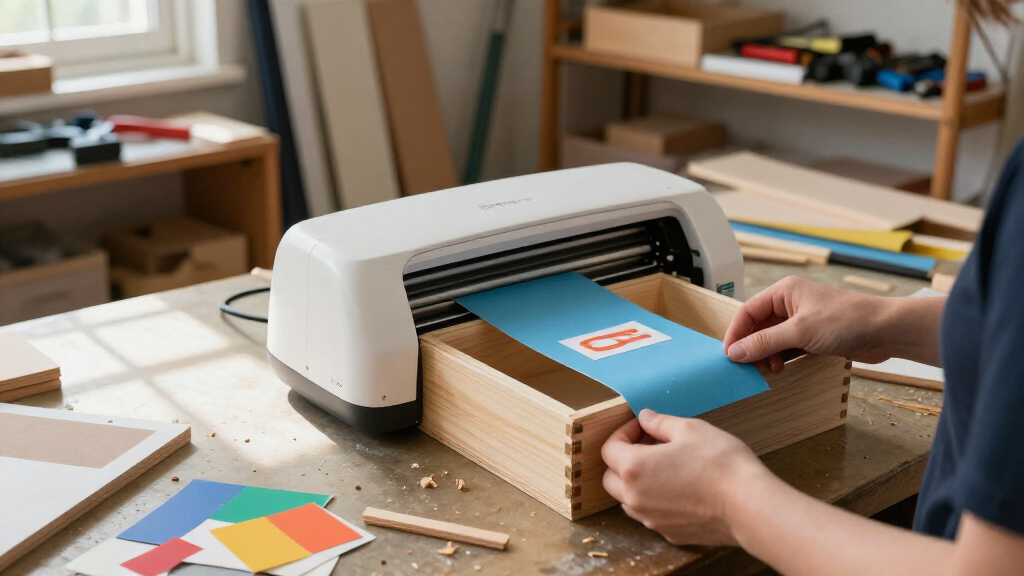
The Cricut Maker 4 Smart Cutting Machine is my best overall pick for shoppers who want a versatile machine without committing to a bundle. The Explore 5 Essential Bundles suit common paper, vinyl, and iron-on projects, while the Joy Xtra options take up less room and focus on smaller work. The main tradeoff is between a machine’s project range and the space, tools, and supplies needed to use it. Bundles can simplify a first project, but their contents matter more than their size. Read on for my full breakdown of the best Cricut machines and how their differences affect your choice.

Get business pricing on tools and workshop supplies
- Business-only prices and quantity discounts
- Tax-exempt purchasing
- Multiple users, one account, clear invoices
Complete the kit


Key Takeaways
- Maker models lead on project range: The Maker 4 and Maker 5 choices are the strongest fit here for shoppers who want a machine centered on broader crafting needs; the exact bundle mainly changes the included supplies and press.
- Explore 5 bundles are the practical middle ground: Their project focus and sampler materials make them a more approachable starting point than the larger Maker bundles for everyday vinyl, iron-on, and paper crafts.
- Joy and Joy Xtra favor compact projects: Their smaller format makes sense when storage and simple labels or decals matter more than handling a wide range of materials.
- Bundle contents drive much of the lineup’s difference: Vinyl, iron-on, digital content, card-making supplies, and a Mini EasyPress or 9×9 EasyPress can help with a particular first project, but may be unnecessary for other plans.
- Similar names do not mean identical packages: Maker 4 versus Maker 5 and Explore 5 bundles should be compared by the listed machine and included accessories, not by color or bundle title alone.
| Cricut Maker 4 Smart Cutting Machine, Seashell |  | Best for Advanced Material Range | Model: 2011084 | Color: Seashell | Compatible tools: 13 blades and tools | VIEW LATEST PRICE | See Our Full Breakdown |
| Cricut Maker 4 Cutting Machine Beginner Bundle with Vinyl & Iron-On |  | Best Maker 4 Starter Bundle | Machine: Cricut Maker 4 | Operation mode: Automatic | Active surface area: 144 square inches | VIEW LATEST PRICE | See Our Full Breakdown |
| Cricut Explore® 5 Essential Bundle + Digital Content, Taupe | 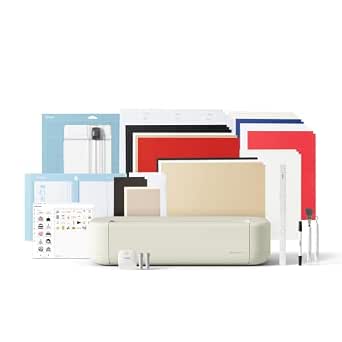 | Best Compact Bundle | Cutting width: 12 in (30.5 cm) | Materials supported: 100+ | Compatible tools: Six tools | VIEW LATEST PRICE | See Our Full Breakdown |
| Cricut Maker 4 Cutting Machine Ultimate Card Making Bundle |  | Best for Card Makers | Machine: Cricut Maker 4 | Model: z20-11084-N8 | Operation mode: Automatic | VIEW LATEST PRICE | See Our Full Breakdown |
| Cricut Explore 5 Essential Bundle with Multicolor Sampler |  | Best for Matless Explore 5 Projects | Materials supported: 100+ | Matless cutting: Compatible Smart Materials; cuts up to 12 feet | Connectivity: Bluetooth | VIEW LATEST PRICE | See Our Full Breakdown |
| Cricut Maker® 5 Essential Bundle + Digital Content, Slate Blue |  | Best for Material Range | Material compatibility: 300+ materials | Maximum material thickness: Up to 3 mm | Tool compatibility: Works with 13 tools | VIEW LATEST PRICE | See Our Full Breakdown |
| Cricut Explore 5 Essential Bundle + Rainbow Sampler |  | Best Beginner Starter Bundle | Material compatibility: 100+ materials | Smart Materials: Matless cuts up to 12 ft | Included supplies: Smart Vinyl, Smart Iron-On, printable vinyl, cardstock, insert cards, and sampler sheets | VIEW LATEST PRICE | See Our Full Breakdown |
| Cricut Joy 2 Cutting Machine Ultimate Bundle, Coral |  | Best Compact Crafting Bundle | Cutting width: 4.5 in (11.4 cm) | Weight: Just over 2 lb (0.91 kg) | Material compatibility: 75+ materials | VIEW LATEST PRICE | See Our Full Breakdown |
| Cricut Maker 4 Smart Cutting Machine, Seashell, with 30 Digital Images |  | Best for Specialty Craft Projects | Model: 8002707 | Material compatibility: 300+ materials, including leather, wood, vinyl, iron-on, and cardstock | Functions: Cutting, drawing, foiling, scoring, engraving, debossing, and perforating | VIEW LATEST PRICE | See Our Full Breakdown |
| Cricut Joy Xtra Smart Cutting Machine with Digital Content Bundle | 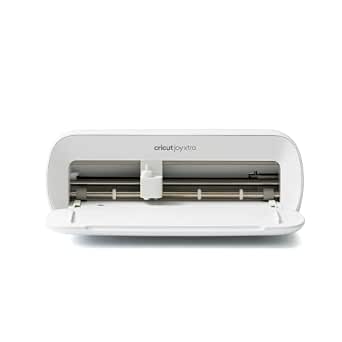 | Best for Printable Stickers | Model: 8002490 | Material compatibility: 50+ materials, including vinyl, iron-on HTV, cardstock, and stickers | Functions: Cutting, writing, drawing, and foiling | VIEW LATEST PRICE | See Our Full Breakdown |
| Cricut Joy Xtra Cutting Machine T-Shirt Making Bundle with Mini EasyPress Heat Press | 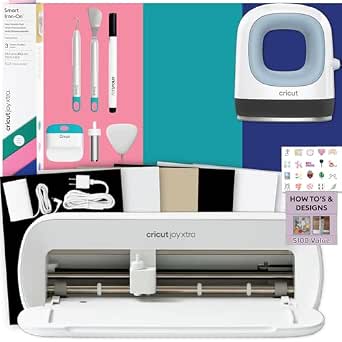 | Best for Small Apparel Projects | Brand: Cricut | Model: zJXtra2 | Included components: Cricut Joy Xtra machine, Mini EasyPress heat press, Smart Iron-On materials, tools, and design guides | VIEW LATEST PRICE | See Our Full Breakdown |
| Cricut Explore 5 Smart Cutting Machine Essential Bundle, Taupe |  | Best for Versatile Everyday Crafting | Brand: Cricut | Model: 2012404 | Color: Taupe | VIEW LATEST PRICE | See Our Full Breakdown |
| Cricut Maker 5 Cutting Machine and EasyPress 9×9 Heat Press Bundle |  | Best for Apparel Makers Who Want a Larger Press | Brand: Cricut | Included components: Cricut Maker 5 machine, 9×9 EasyPress heat press, tools, vinyl, and iron-on samplers | Active surface area: 12 x 24 inches | VIEW LATEST PRICE | See Our Full Breakdown |
| Cricut Joy Xtra Cutting Machine and Smart Vinyl Bundle for Labels, Decals & Custom Projects – Includes Rainbow Permanent Vinyl, Transfer Tape, Tools & Design Guides |  | Best for Labels and Decals | Machine: Cricut Joy Xtra | Operation mode: Automatic | Included materials: Rainbow permanent Smart Vinyl | VIEW LATEST PRICE | See Our Full Breakdown |
| Cricut Maker 5 Cutting Machine Bundle with Vinyl and Iron-On |  | Best for Material Range | Brand: Cricut | Model: z20-12944-D9 | Materials: 300+ materials, including vinyl, heat-transfer vinyl, and cardstock | VIEW LATEST PRICE | See Our Full Breakdown |
| Cricut machine | Active surface area | Color |
|---|---|---|
| Cricut Maker 4 Smart Cutting M | 270.25 square inches | Seashell |
| Cricut Maker 4 Cutting Machine | 144 square inches | — |
| Cricut Explore® 5 Essential Bu | 72 square inches | Taupe |
| Cricut Maker 4 Cutting Machine | 144 (unit not specified) | — |
| Cricut Explore 5 Essential Bun | — | — |
| Cricut Maker® 5 Essential Bund | — | Slate Blue |
| Cricut Explore 5 Essential Bun | 232.15 sq in | Rainbow |
| Cricut Joy 2 Cutting Machine U | — | — |
| Cricut Maker 4 Smart Cutting M | — | Seashell |
| Cricut Joy Xtra Smart Cutting | 95.94 sq in | White |
| Cricut Joy Xtra Cutting Machin | 92 sq. inches | — |
| Cricut Explore 5 Smart Cutting | — | Taupe |
| Cricut Maker 5 Cutting Machine | 12 x 24 inches | — |
| Cricut Joy Xtra Cutting Machin | 68.75 square inches | Joy Xtra with Rainbow Vinyl |
| Cricut Maker 5 Cutting Machine | — | — |
More Details on Our Top Picks
Cricut Maker 4 Smart Cutting Machine, Seashell
The Cricut Maker 4 is the strongest fit here for crafters who want broad material and tool compatibility, rather than a starter bundle packed with supplies. It works with 13 blades and tools and supports projects ranging from cards to apparel and decals, giving it more room to grow than the Cricut Explore 5 Essential Bundle, which is described as working with over 100 materials and six tools. Smart Materials allow continuous cuts up to 12 feet, useful for longer designs without a mat, and the machine is reported to cut up to twice as fast as its previous model. The catch is the condition: this is a used, tested unit with no warranty, and cosmetic wear or packaging issues are possible. I’d choose it for capability only if that condition is acceptable.
Pros:- Compatible with a wide range of materials and 13 blades and tools
- Smart Materials support continuous cuts up to 12 feet
- Reported to cut up to twice as fast as the previous model
- Supports cards, T-shirts, stickers, and wall decals
Cons:- Used condition may include minor cosmetic defects
- No warranty is included
- Original packaging may be absent or damaged
Best for: Experienced crafters who already own supplies and want a versatile Maker machine for varied materials and longer Smart Material cuts.
Not ideal for: First-time buyers who want included starter materials, a manufacturer warranty, or confidence in new-product condition.
- Model:2011084
- Color:Seashell
- Compatible tools:13 blades and tools
- Maximum continuous cut length:12 ft (3.6 m)
- Active surface area:270.25 square inches
- Operation mode:Automatic
- Compatible devices:Smartphone, tablet, computer
- Condition:Used; tested and working
- Warranty:None
Our verdict“Choose this Maker 4 for broad tool and material capability if you can accept a used machine with no warranty.”
Cricut Maker 4 Cutting Machine Beginner Bundle with Vinyl & Iron-On
This Maker 4 beginner bundle is aimed at new owners who want to try both adhesive vinyl and iron-on projects without sourcing every material separately. The included machine, mat, blade, tools, sampler sheets, and project inspiration give it a more ready-to-start feel than the standalone used Maker 4 Seashell, which has broader stated tool compatibility but no warranty and no listed starter materials. The Maker platform is positioned for a wide range of projects, from shirts and stickers to cards and gifts, so the bundle can serve beyond its first few cuts. Its main limitation is the thin detail provided about the exact quantity and types of included supplies; buyers who need a specifically defined assortment may prefer the Cricut Explore 5 Essential Bundle, whose materials are listed more clearly. You still need to learn Design Space and replenish consumables as projects add up.
Pros:- Includes a Maker 4 machine, cutting mat, blade, and tools
- Provides both adhesive vinyl and heat transfer vinyl sampler materials
- Supports a mix of apparel, sticker, card, and gift projects
- Includes project inspiration for getting started
Cons:- Exact quantities and full details of the included materials are not specified
- Design Space setup and learning remain part of the initial experience
- Included sampler materials will not cover ongoing or large projects
Best for: First-time crafters who want a Maker 4 plus basic vinyl and iron-on supplies for trying decals and custom shirts.
Not ideal for: Buyers who need a precisely itemized materials kit or who prefer a compact, simpler machine for occasional paper crafts.
- Machine:Cricut Maker 4
- Operation mode:Automatic
- Active surface area:144 square inches
- Included components:Cutting mat, blade, tools, vinyl and iron-on sampler sheets, project inspiration
- Project types:Stickers, shirts, cards, and personalized gifts
- Software:Cricut Design Space
- Material:Metal and plastic
Our verdict“Pick this bundle if you are new to Cricut and want Maker 4 capability with initial vinyl and iron-on supplies.”
Cricut Explore® 5 Essential Bundle + Digital Content, Taupe
The Explore 5 Essential Bundle makes the most sense for crafters who want a current 12-inch machine with supplies included, but don’t need the Maker 4’s broader tool range. It cuts more than 100 materials and handles writing, drawing, foiling, scoring, and cutting, while the included Smart Vinyl, Smart Iron-On, cardstock, card sets, printable vinyl, and digital content make it more immediately useful than the standalone Maker 4 Seashell. Its 30% more compact design is a practical advantage for shared workspaces or storage; the listed active surface area is 72 square inches, so buyers should distinguish that figure from the 12-inch cutting width. This is the sensible middle ground for decals, apparel, stickers, and cards. Skip it if you expect to use Maker-specific tools or cut thicker materials often; the deep-cutting tool is sold separately.
Pros:- Cuts more than 100 popular materials
- Includes a varied set of materials and tools for projects
- Compact design is described as 30% smaller than previous models
- Supports writing, drawing, foiling, scoring, and cutting
Cons:- Deep Cutting Tool for thicker materials is sold separately
- Some content and software features require a paid Cricut Access subscription
- Requires a compatible device, Bluetooth, and high-speed internet
Best for: Crafters with limited workspace who want a 12-inch machine, common-material versatility, and supplies for varied starter projects.
Not ideal for: Makers who need the Maker 4’s wider tool compatibility or regularly work with thicker materials such as foam and rubber.
- Cutting width:12 in (30.5 cm)
- Materials supported:100+
- Compatible tools:Six tools
- Active surface area:72 square inches
- Color:Taupe
- Connectivity:Bluetooth
- Included materials:Smart Vinyl, Smart Iron-On, value cardstock, insert card sets, printable vinyl
- Digital content:25 additional premium-quality images and one font
Our verdict“Choose the Explore 5 bundle for a compact, supply-rich setup when Maker-level tool range is not a priority.”
Cricut Maker 4 Cutting Machine Ultimate Card Making Bundle
For people who make greeting cards in batches, the Card Mat 2×2 is the defining reason to choose this Maker 4 bundle. It is supplied with craft materials, tools, and mats, and the listed media include cardstock, envelopes, and labels, so it is more targeted to paper projects than the vinyl-and-iron-on Maker 4 Beginner Bundle. The machine can also branch into stickers, decals, and apparel, which gives it more range than a card-only setup. Compared with the Cricut Explore 5 Essential Bundle, this package centers on the Maker 4 and a dedicated card workflow rather than compactness and a broad assortment of named starter materials. The tradeoff is that the bundle’s material quantities are not detailed, and Cricut Design Space is required for creating designs. The one-year manufacturer-defect warranty is a useful distinction from the used standalone Maker 4.
Pros:- Includes a Card Mat 2×2 for card-making projects
- Bundle includes craft materials, tools, and mats
- Can also make stickers, decals, and apparel projects
- Includes a one-year warranty against manufacturer defects
Cons:- Requires Cricut Design Space to create designs
- Included material types and quantities are not fully specified
- The active surface area is listed without a unit
Best for: Card makers who want a Maker 4, a Card Mat 2×2, and supplies for making occasion cards alongside other crafts.
Not ideal for: Buyers focused mainly on long vinyl or iron-on cuts, or those who need a fully itemized list of included materials.
- Machine:Cricut Maker 4
- Model:z20-11084-N8
- Operation mode:Automatic
- Compatible media:Cardstock, envelopes, labels
- Active surface area:144 (unit not specified)
- Included components:Card Mat 2×2, craft materials, tools, and mats
- Warranty:One year against manufacturer defects
Our verdict“Choose this bundle if card making is your main use and you also want the Maker 4 for projects beyond paper.”
Cricut Explore 5 Essential Bundle with Multicolor Sampler
This Explore 5 bundle stands out for pairing a compact Bluetooth machine with Smart Materials for matless cuts up to 12 feet. That makes it a better fit than the Cricut Explore 5 Essential Bundle + Digital Content for buyers whose priority is longer vinyl or iron-on projects, while the other bundle specifies bonus digital images and a font. The included multicolor samplers cover Smart Vinyl and Smart Heat Transfer Vinyl, and the broader listed materials include cardstock, printable vinyl, and insert card sets. That variety supports decals, apparel, labels, and cards without limiting the machine to one craft. Matless cutting depends on using compatible Smart Materials, however, and the listing does not fully identify the tools and supplies in the box. Choose this over the Maker 4 Card Making Bundle when compactness and longer Smart Material cuts matter more than the Maker platform and dedicated card mat.
Pros:- Supports more than 100 materials
- Compatible Smart Materials allow continuous matless cuts up to 12 feet
- Includes six Smart Vinyl and six Smart Heat Transfer Vinyl sampler sheets
- Bluetooth connectivity works with Cricut Design Space
Cons:- Matless cutting requires compatible Smart Materials
- Full contents of the included tools and supplies are not specified
- The compact Explore platform offers fewer listed tools than the Maker 4
Best for: Home crafters who want a compact Explore 5 for longer matless vinyl or iron-on designs and a selection of starter materials.
Not ideal for: Buyers who want to use a wide range of non-Smart materials without mats or who need a complete, itemized tool kit.
- Materials supported:100+
- Matless cutting:Compatible Smart Materials; cuts up to 12 feet
- Connectivity:Bluetooth
- Included materials:Smart Vinyl, Smart Iron-On, printable vinyl, cardstock, insert card sets, card-making supplies
- Smart Vinyl sampler:6 sheets, 12 x 36 in each
- Smart Heat Transfer Vinyl sampler:6 sheets, 12 x 13 in each
- Software:Cricut Design Space
- Machine size:30% more compact than previous models
Our verdict“Pick this Explore 5 bundle for a compact machine and Smart Material supplies aimed at longer matless projects.”
Cricut Maker® 5 Essential Bundle + Digital Content, Slate Blue
The Cricut Maker 5 Essential Bundle suits makers whose projects span fabric, paper, leather, and engraving materials—not just vinyl and cardstock. Its stated range of 300+ materials and support for up to 13 tools give it more room to grow than the Explore 5, which is aimed at common craft materials rather than heavier or specialty work. The bundle also supplies tools and materials for up to 65 projects, so it offers a more substantial launch kit than a machine-only purchase.
The tradeoff is that the Maker 5’s broad capability may be unnecessary for routine cards, labels, and decals. Specialty tools are sold separately, and the full content library requires a paid subscription. I’d choose it over the Maker 4 when the compact redesign and included starter supplies matter; buyers focused on basic projects can save complexity by choosing an Explore model instead.
Pros:- Works with 300+ materials, including materials up to 3 mm thick
- Supports cutting, engraving, writing, foiling, scoring, debossing, and other tool-based tasks
- Bundle includes tools and materials for up to 65 projects
- More compact design than previous models while retaining 12-inch cutting performance
Cons:- Specialty tools and compatible accessories may need to be purchased separately
- Full content library and some software features require a paid Cricut Access subscription
- Its broader capabilities may go unused by buyers focused on everyday paper and vinyl crafts
Best for: Makers planning mixed-material projects such as fabric appliqués, leather details, engraving, and regular vinyl or cardstock work
Not ideal for: Beginners who mainly want cards, labels, and apparel decals, since they may not use the specialty-material range or tools
- Material compatibility:300+ materials
- Maximum material thickness:Up to 3 mm
- Tool compatibility:Works with 13 tools
- Cutting performance:12 in (30.5 cm) cutting performance
- Included project supplies:Materials and tools for up to 65 projects
- Digital content:25 additional images and 1 font after registration
- Connectivity:Bluetooth; requires a compatible computer or mobile device and high-speed internet
- Weight:25 lb
- Color:Slate Blue
Our verdict“Choose the Maker 5 bundle if you want a broad material range and a substantial starter supply kit, rather than a simpler Explore machine for everyday crafts.”
Cricut Explore 5 Essential Bundle + Rainbow Sampler
The Explore 5 Rainbow Essential Bundle is the most approachable pick here for someone who wants to start making shirts, stickers, cards, and decals without assembling a supply list first. It cuts 100+ materials and works with Smart Materials for matless cuts up to 12 feet, a practical advantage for banners or repeated decals. The included sampler, cardstock, printable vinyl, and project guidance make it a more ready-to-start option than the Cricut Maker 4, whose broader specialty-material range is better suited to more varied techniques.
That narrower range is also the main limit: this is not the choice for engraving or working with thicker materials such as leather. Its listed 30% smaller design is useful where workspace is tight, though the machine still has a 22.6-inch stated width. I’d pick it for common home and small-shop crafts; buyers who expect to move into specialty tools should look at the Maker 5 instead.
Pros:- Cuts 100+ materials used for common paper, vinyl, and apparel projects
- Smart Materials allow matless cuts up to 12 feet for longer designs
- Bundle includes a varied selection of materials and project guidance
- Compact redesign retains full-size cutting capability
Cons:- Does not offer the Maker 5’s stated support for engraving and thicker materials
- Its 22.6-inch listed width still calls for a dedicated work surface
- Some content and software features may require a paid subscription
Best for: First-time crafters, teachers, and small-shop makers who want to make apparel, labels, stickers, cards, and decals with supplies included
Not ideal for: Makers who need engraving, debossing, or cutting thicker specialty materials beyond everyday craft supplies
- Material compatibility:100+ materials
- Smart Materials:Matless cuts up to 12 ft
- Included supplies:Smart Vinyl, Smart Iron-On, printable vinyl, cardstock, insert cards, and sampler sheets
- Project capacity:Supplies for up to 80 projects, according to the product description
- Connectivity:Bluetooth
- Dimensions:10.25 in D x 22.6 in W x 8.3 in H
- Active surface area:232.15 sq in
- Color:Rainbow
Our verdict“Choose this bundle for guided, supply-included entry into everyday crafting, but pick the Maker 5 if specialty materials are part of your plans.”
Cricut Joy 2 Cutting Machine Ultimate Bundle, Coral
The Cricut Joy 2 Ultimate Bundle is the small-project pick: its 4.5-inch cutting width and just-over-2-pound weight make it easier to store or move than the full-size Explore 5. It handles cards, small decals, labels, and printable-material stickers, and the included EasyPress Mini LT adds a way to apply small iron-on designs without buying a separate press. That makes this bundle more self-contained for compact apparel projects than the Cricut Joy Xtra, which has a wider project surface but does not list a press in its bundle.
The narrow width is the deciding compromise. Larger shirt graphics, wide signs, and long projects are less convenient than on the Explore 5, even if the machine suits small labels and cards well. Some tools and accessories are separate, and Design Space features may require a subscription. I’d choose Joy 2 for limited workspace and small-format crafting, not as a one-machine solution for every project size.
Pros:- Lightweight, compact format is easy to store and move
- Supports 75+ materials, including vinyl, iron-on, printable materials, and cardstock
- Can precision-cut around inkjet-printed designs for full-color stickers
- Bundle includes an EasyPress Mini LT, tools, and materials for up to 75 projects
Cons:- 4.5-inch cutting width limits the size of projects compared with the Explore 5
- Some tools and accessories are sold separately
- Some Design Space content and features require a paid subscription
Best for: Apartment crafters and card-makers who prioritize easy storage and want a bundled mini press for small iron-on projects
Not ideal for: Makers producing wide apparel graphics, large signs, or frequent long-format cuts who need more than a 4.5-inch cutting width
- Cutting width:4.5 in (11.4 cm)
- Weight:Just over 2 lb (0.91 kg)
- Material compatibility:75+ materials
- Connectivity:Bluetooth
- Included materials:Smart Vinyl, Smart Iron-On, Value Cardstock, Insert Card Sets, and Printable Vinyl
- Included press:Cricut EasyPress Mini LT
- Project capacity:Supplies for up to 75 projects
Our verdict“Choose Joy 2 if storage space and small projects matter more than the wider cutting area of the Joy Xtra or Explore 5.”
Cricut Maker 4 Smart Cutting Machine, Seashell, with 30 Digital Images
The Cricut Maker 4 earns its place for makers who need more than standard vinyl and paper cutting. Its 300+ material compatibility and listed functions—including engraving, debossing, perforating, and foiling—open up project types that the Explore 5 does not target. Print-Then-Cut support with most inkjet printers also gives it a route to full-color projects, while the included Fine-Point Blade, pen, mat, and weeder provide a useful set of basics.
Compared with the Maker 5 Essential Bundle, this version includes 30 digital images rather than a stated 65-project supply package, so it is less of an all-in-one materials starter. The images become available after registration, and full access to Cricut’s content library requires an optional subscription. I’d favor the Maker 4 when the multi-function machine and included basic tools are the priority; buyers seeking a fuller launch kit may prefer the Maker 5 bundle.
Pros:- Works with 300+ materials, including leather and wood
- Supports cutting, drawing, foiling, scoring, engraving, debossing, and perforating
- Print-Then-Cut works with most inkjet printers
- Includes a Fine-Point Blade, pen, Light Grip Mat, weeder, materials sampler, and 30 digital images
Cons:- Full content library requires an optional Cricut Access subscription
- Digital images are available only after machine registration
- The included items are a smaller starter supply package than the Maker 5 Essential Bundle
Best for: Experienced hobby crafters who want one machine for specialty techniques such as engraving, debossing, and perforating alongside standard cutting
Not ideal for: New crafters who mainly want a ready-stocked starter kit or only plan to make basic cards, labels, and vinyl decals
- Model:8002707
- Material compatibility:300+ materials, including leather, wood, vinyl, iron-on, and cardstock
- Functions:Cutting, drawing, foiling, scoring, engraving, debossing, and perforating
- Print-Then-Cut:Compatible with most inkjet printers
- Included components:Fine-Point Blade, materials sampler, Fine Point Pen, Light Grip Mat, and weeder
- Digital content:30 images after machine registration
- Operation mode:Automatic
- Color:Seashell
Our verdict“Pick the Maker 4 for broad specialty-tool capability, but choose the Maker 5 Essential Bundle if included project materials matter more.”
Cricut Joy Xtra Smart Cutting Machine with Digital Content Bundle
The Cricut Joy Xtra is a sensible middle ground for buyers who want a smaller machine but have outgrown the Joy 2’s 4.5-inch width. It cuts, writes, draws, and foils on 50+ materials, and Print-Then-Cut support lets it cut around inkjet-printed artwork for stickers and other full-color projects. That added printer workflow makes it more capable for sticker-making than the Joy 2, while its more modest material range keeps it simpler than the Maker 4.
Its compact footprint suits a desk or shared craft area, but buyers should check printer compatibility before relying on Print-Then-Cut. The included blade, pen, mini weeder, practice materials, and 30 bonus images are helpful starter items, though the listing does not include the Joy 2 bundle’s mini heat press. Some additional Design Space content requires a subscription. I’d choose it for printable stickers and small-to-medium everyday projects, not specialty materials or large-format work.
Pros:- Print-Then-Cut supports full-color projects with most inkjet printers
- Cuts, writes, draws, and foils on 50+ materials
- Compact design suits smaller workspaces
- Bundle includes a fine-point blade, pen, mini weeder, practice materials, and 30 bonus images
Cons:- Print-Then-Cut depends on having a compatible inkjet printer
- Additional Design Space content requires an optional paid subscription
- Does not match the Maker 4’s broader specialty-material and tool range
Best for: Sticker makers and home crafters who want Print-Then-Cut capability in a smaller machine and already have a compatible inkjet printer
Not ideal for: Buyers who need a mini heat press included, a very wide cutting area, or the Maker 4’s specialty-material and engraving range
- Model:8002490
- Material compatibility:50+ materials, including vinyl, iron-on HTV, cardstock, and stickers
- Functions:Cutting, writing, drawing, and foiling
- Print-Then-Cut:Compatible with most inkjet printers
- Active surface area:95.94 sq in
- Connectivity:Compatible with computers, tablets, and smartphones
- Included components:Fine-point blade, fine-point pen, mini weeder, USB cable, power adapter, practice materials, and 30 bonus images
- Warranty:1-year manufacturer warranty
- Color:White
Our verdict“Choose the Joy Xtra for compact sticker and personalization work if you have an inkjet printer, but opt for the Maker 4 for specialty crafts.”
Cricut Joy Xtra Cutting Machine T-Shirt Making Bundle with Mini EasyPress Heat Press
This bundle pairs a compact cutter with a Mini EasyPress, making it a more direct route to personalized shirts and totes than the vinyl-focused Cricut Joy Xtra Smart Vinyl Bundle. The included Smart Iron-On, tools, and guides give beginners a starting setup without sourcing every component separately. Its small press is suited to targeted transfers and awkward spots, while the Joy Xtra handles the design cutting. The tradeoff is a 92-square-inch active area: small graphics and names fit, but large front-of-shirt designs or batch production will feel constrained. Unlike the Cricut Maker 5 Cutting Machine and EasyPress 9×9 bundle, this kit prioritizes portability and smaller applications over a larger press surface. It also relies on Design Space and additional materials as projects expand.
Pros:- Includes a cutter, Mini EasyPress, Smart Iron-On, and tools for a coordinated start.
- Compact press can handle small transfers and hard-to-reach areas.
- Smart Iron-On is suited to beginner apparel projects.
- Works for clothing, totes, and other personalized gifts.
Cons:- The 92-square-inch active area limits the size of projects.
- Extensive use calls for extra materials and separate Design Space access.
Best for: Beginners making small shirt graphics, tote designs, and personalized gifts who want a cutter and compact heat press together.
Not ideal for: Apparel sellers producing large transfers or frequent batches; the compact active area and Mini EasyPress can slow larger jobs.
- Brand:Cricut
- Model:zJXtra2
- Included components:Cricut Joy Xtra machine, Mini EasyPress heat press, Smart Iron-On materials, tools, and design guides
- Active surface area:92 sq. inches
- Materials:Ceramic, iron, and vinyl
- Warranty:1 year against manufacturer defects
- UPC:810109113354
Our verdict“Choose this bundle for compact, beginner-scale apparel projects where having the heat press included matters more than making large transfers.”
Cricut Explore 5 Smart Cutting Machine Essential Bundle, Taupe
The Explore 5 is the balanced pick for varied home projects: it cuts more than 100 materials and can also write, draw, foil, and score. That range gives it more room to grow than either Joy Xtra bundle, whose compact format favors narrower projects and more specific crafting tasks. Its 12-inch cutting width accommodates broader layouts, while the included materials are listed for up to 65 projects, so buyers can start with cards, labels, iron-on, and printable designs. Print-then-cut support adds full-color options when paired with a home inkjet printer. The limits are practical rather than minor: Design Space requires a compatible phone or computer, and the Deep Cutting Tool is sold separately. Compared with the Cricut Maker 5, this is the less material-flexible choice, but a more focused fit for common craft materials.
Pros:- Cuts more than 100 materials and supports writing, drawing, foiling, and scoring.
- 12-inch cutting width supports larger layouts than the Joy Xtra machines.
- Bundle materials are listed for up to 65 projects.
- Print-then-cut enables projects using designs printed on a home inkjet printer.
Cons:- Deep Cutting Tool is sold separately.
- Requires a compatible mobile or desktop device running Design Space.
Best for: Home crafters who want one machine for cards, labels, iron-on, and printable projects across a broad range of everyday materials.
Not ideal for: Buyers who need Maker-level material range or want to cut with the Deep Cutting Tool without buying it separately.
- Brand:Cricut
- Model:2012404
- Color:Taupe
- Cutting width:12 in (30.5 cm)
- Compatible materials:100+ materials, including vinyl, iron-on, cardstock, and printable materials
- Supported functions:Write, draw, foil, score, and cut
- Tool compatibility:Six tools; Deep Cutting Tool sold separately
- Connectivity and devices:Bluetooth; compatible with mobile or desktop devices
- Item weight:8.6 kg
Our verdict“Pick the Explore 5 for a broad everyday craft range and a 12-inch workspace without moving up to the Cricut Maker 5’s wider material capability.”
Cricut Maker 5 Cutting Machine and EasyPress 9×9 Heat Press Bundle
This is the apparel-focused bundle for buyers who want a larger heat-transfer workspace alongside a Cricut Maker 5. Its 9×9 EasyPress is a more practical match for broader shirt graphics than the Mini EasyPress in the Joy Xtra T-Shirt Making Bundle, while the Maker 5 gives the setup a wider stated cutting area of 12 x 24 inches. The included tools, vinyl, and iron-on samplers reduce the number of separate supplies needed to begin. Auto-shutoff and a safety base add useful press safeguards, but this kit still has a defined working area, so oversized designs may need another approach. Compared with the Cricut Maker 5 Cutting Machine Bundle with Vinyl and Iron-On, this option brings a press in the box; the other bundle is the better fit if cutting materials matter more than applying transfers.
Pros:- Combines the Cricut Maker 5 cutter with a 9×9 EasyPress.
- Includes tools, vinyl, and iron-on samplers for getting started.
- EasyPress includes auto-shutoff and a safety base.
- Listed 12 x 24-inch active area supports larger cutting layouts than Joy Xtra bundles.
Cons:- The 9×9 press surface may not suit oversized transfers.
- The bundle’s stated active area remains limited to 12 x 24 inches.
Best for: Apparel crafters who want a Maker-series cutter and a 9×9 heat press for shirts, hoodies, and tote bags.
Not ideal for: Buyers focused on oversized apparel graphics or those who already own a suitable heat press and would rather prioritize cutting supplies.
- Brand:Cricut
- Included components:Cricut Maker 5 machine, 9×9 EasyPress heat press, tools, vinyl, and iron-on samplers
- Active surface area:12 x 24 inches
- Dimensions:7 x 22 x 6 inches (D x W x H)
- Weight:9 pounds
- Operation mode:Automatic
- Compatible app:Cricut Design Space
- Materials:Iron-on heat transfer vinyl, metal, plastic, and vinyl
- Warranty:1 year against manufacturer defects
Our verdict“Choose this bundle over the Maker 5 cutter-only kit if you need a larger included press for regular shirt and accessory transfers.”
Cricut Joy Xtra Cutting Machine and Smart Vinyl Bundle for Labels, Decals & Custom Projects – Includes Rainbow Permanent Vinyl, Transfer Tape, Tools & Design Guides
This Joy Xtra bundle is tailored to permanent-vinyl work, especially labels, decals, signs, and personalized household items. Rainbow Smart Vinyl, transfer tape, tools, and design guides make it more immediately focused than the Joy Xtra T-Shirt Making Bundle, which adds a Mini EasyPress and Smart Iron-On for apparel. Smart Vinyl loads without a cutting mat, simplifying setup and supporting longer continuous cuts than a small mat-based workflow. The compact 68.75-square-inch active area defines its ceiling: it suits storage labels and smaller decorative designs, not wide wall graphics or high-volume production. Unlike the Explore 5 Essential Bundle, it does not offer the same stated material and function breadth. This is the more appealing choice for a beginner who knows vinyl personalization is the main goal, but buyers should expect to source more materials for projects beyond the included rainbow vinyl.
Pros:- Includes rainbow permanent Smart Vinyl, transfer tape, tools, and design guides.
- Matless Smart Vinyl loading speeds setup for compatible projects.
- Well suited to labels, decals, signs, and personalized household items.
- Beginner-oriented materials and tools support a simple vinyl workflow.
Cons:- The 68.75-square-inch active area constrains project size.
- The bundle is centered on vinyl and does not include a heat press.
- Its stated details do not provide the wider material range listed for the Explore 5.
Best for: Teachers, home organizers, and beginner hobby crafters making labels, small decals, and personalized vinyl gifts.
Not ideal for: Crafters needing a wider workspace, broad material compatibility, or an included heat press for apparel projects.
- Machine:Cricut Joy Xtra
- Operation mode:Automatic
- Included materials:Rainbow permanent Smart Vinyl
- Included accessories:Transfer tape, tools, and digital design guides
- Active surface area:68.75 square inches
- Dimensions:5.5 x 12.5 x 5.5 inches (D x W x H)
- Material type:Plastic
- Color:Joy Xtra with Rainbow Vinyl
- Print media:Labels
Our verdict“Choose this Joy Xtra bundle for compact, everyday vinyl projects, but pick the Explore 5 if your plans span more materials and craft functions.”
Cricut Maker 5 Cutting Machine Bundle with Vinyl and Iron-On
The Maker 5’s main advantage is its stated range of more than 300 materials, making it the strongest fit here for crafters whose projects extend beyond common vinyl and cardstock. The included Smart Vinyl, Smart Iron-On, cardstock, insert card sets, printable vinyl, and additional sheets offer a broader starting assortment than the Joy Xtra vinyl bundle. Bluetooth connection to Cricut Design Space supports a device-based workflow, and Smart Materials allow matless cutting for compatible projects. Unlike the Maker 5 EasyPress bundle, this package does not include a heat press, so apparel transfers require separate equipment. That makes it a better cutter-first choice than an all-in-one apparel setup. The product data gives no cutting width or active-area measurement, so buyers planning large formats should verify machine dimensions before choosing it over the Explore 5’s specified 12-inch width.
Pros:- Listed capability covers more than 300 materials.
- Bundle includes Smart Vinyl, Smart Iron-On, cardstock, insert card sets, and printable vinyl.
- Smart Materials support matless cutting for compatible projects.
- Bluetooth connects the machine to Cricut Design Space.
Cons:- Heat press or EasyPress is sold separately.
- No cutting width or active-area measurement is provided in the supplied product data.
- The workflow depends on Cricut Design Space.
Best for: Experienced or ambitious crafters who want a broad material range and a varied bundle of vinyl, iron-on, cardstock, and printable supplies.
Not ideal for: Apparel makers who need a heat press in the same package, or buyers who require a confirmed cutting width before purchasing.
- Brand:Cricut
- Model:z20-12944-D9
- Materials:300+ materials, including vinyl, heat-transfer vinyl, and cardstock
- Connectivity:Bluetooth
- Compatible app:Cricut Design Space
- Included materials:Smart Vinyl, Smart Iron-On, value cardstock, insert card sets, printable vinyl, 6 Smart Vinyl sheets, and 6 Smart Heat Transfer Vinyl sheets
- Sheet size:9.5 x 13 inches
- Warranty:1 year against manufacturer defects
- Operation mode:Automatic
Our verdict“Pick this Maker 5 bundle for material flexibility and a broad supply assortment, but choose its EasyPress bundle if you need heat-transfer equipment included.”
How We Picked
I ranked these machines and bundles by how well the machine fits different crafting plans, how much flexibility it offers, and whether the included materials support a useful first project. I also weighed workspace demands, likely learning curve, and bundle relevance: extra supplies earn a place when they match the machine’s role, not simply because they add more items.
The ranking favors versatile standalone machines and bundles with clear project value, then separates compact choices and task-specific kits from broader-use picks. Similar machine names are not treated as proof of identical capabilities; where the product titles mainly distinguish color or included content, I focus on those package differences and advise checking the exact contents before buying. Since the listing information does not establish every technical specification, I avoid claiming unverified material limits or performance differences.
Factors to Consider When Choosing Best Cricut Machines
Before choosing a machine, I would start with the projects you expect to make repeatedly, then match the machine format and bundle to those plans. A few decisions can prevent buying supplies you will not use or choosing a compact machine that feels limiting later.
Match the Machine to Your Regular Projects
Write down the three projects you are most likely to make, such as labels, cards, apparel designs, or larger decorative pieces. That list is more useful than choosing by the longest feature list, because a machine suited to occasional labels may not be the right base for varied crafting. If your interests are still broad, a Maker option gives the most room to grow among these picks. If you mainly want straightforward vinyl or paper projects, an Explore bundle may be a better fit without buying into a more elaborate kit. Avoid choosing a compact machine solely because it looks easier; project size and frequency matter too. I would also check that the specific materials and tools you plan to use are supported by the model’s current product details.
Think About Finished Project Size and Workspace
A machine’s footprint is only part of the space equation: you also need room to feed material, handle cut pieces, and store tools. The Joy and Joy Xtra selections are appealing when a small work area or easy storage is a priority, but their compact role may not suit every future project. Larger-format plans call for checking the machine’s stated cutting area and material compatibility rather than assuming all Cricut models handle the same dimensions. Consider where the machine will live between projects and whether you can leave it set up. A setup that is awkward to bring out can discourage casual crafting, even when the machine itself is a good match. Measure your work surface before deciding.
Choose a Bundle for Supplies You Will Actually Use
Bundles in this lineup package machines with different combinations of vinyl, iron-on, samplers, tools, digital content, and heat presses. Those extras can reduce the work of assembling a first project kit, but only when they match your intended crafts. A card-making bundle is less compelling if apparel is your priority, while a shirt-making kit can be useful if you already plan to apply iron-on designs. Check quantities, material types, and included tools in the current listing; bundle titles alone do not tell you enough. Treat digital content as a bonus rather than the main reason to select a machine. When two listings share a machine name, compare the package contents line by line.
Decide Whether You Need a Heat Press
Several listings pair a cutting machine with a Mini EasyPress or a 9×9 EasyPress, making them more complete apparel-oriented setups. A press can simplify applying iron-on designs, but it adds another device to store and use. If your projects will mostly be cards, labels, or decals, that addition may not earn its place in your workspace. For apparel, think about the size and frequency of the designs you expect to make, then review the press details and care instructions for your materials. Do not assume a bundled press replaces every other tool you might need. Compare a press bundle with a machine-only or material bundle based on your actual project routine.
Balance Room to Grow Against Simplicity
A versatile machine can support changing interests, but greater capability is useful only if you plan to explore it. For a first-time crafter with a clear, narrow goal, an Explore or Joy Xtra bundle may be easier to approach than a larger kit with many accessories. Conversely, choosing the smallest option when you already expect to make varied projects can lead to wanting a different machine sooner. Think about whether crafting is a new hobby you are testing or an established practice with several planned uses. Prioritize a clear setup and relevant starter materials over sheer bundle size. The best fit is the one that makes your likely projects manageable without filling your shelves with unused supplies.
Frequently Asked Questions
Should I choose a Cricut Maker 4 or an Explore 5 bundle?
I would choose the Maker 4 if you want a broader machine-centered starting point and expect your projects to vary over time. The Explore 5 bundles are a sensible alternative when your plans center on common paper, vinyl, or iron-on crafts and you value the included sampler materials. Compare the current product specifications for the exact cutting and tool capabilities, since product titles alone do not establish every technical difference. Also check whether the bundle supplies match your first projects. The right choice depends more on planned materials and project range than on the bundle name.
Is a Cricut Joy or Joy Xtra suitable as my only machine?
It can be, if your projects are mainly compact and your priority is a smaller machine that is easier to store. The Joy and Joy Xtra listings in this roundup are aimed at a narrower, more space-conscious role than the Maker choices. Before buying, check the model’s project dimensions and material compatibility against the items you want to make. If you expect to branch into larger or more varied work, a Maker or Explore option may leave you with more room to expand. A compact machine is a good first choice only when its limits fit your plans.
Do I need a bundle, or should I buy the machine by itself?
A bundle is helpful when it includes materials and tools for a project you already intend to make, since it can reduce separate shopping. It is less useful when its supplies are unrelated to your plans or duplicate materials you own. The standalone Maker 4 is the clearest machine-first option in this roundup, while the other listings package machines with varying extras. Check the exact contents and quantities before comparing bundles. If you are unsure what you will make, a simpler setup can be a more sensible way to begin.
Which Cricut bundle makes the most sense for making shirts?
The Joy Xtra T-Shirt Making Bundle is the most directly apparel-focused listing because it names a Mini EasyPress alongside the cutting machine. The Maker 5 and Maker 4 iron-on bundles are other candidates if you want a broader machine paired with apparel materials. Match the press and materials to your expected design size and garment projects, and verify the package details before ordering. A heat press is less useful if shirts are only an occasional idea and most of your plans involve paper or labels. Choose the kit based on repeated use, not on how many accessories it includes.
How should I compare Maker 4 and Maker 5 listings with similar bundle names?
Start by verifying the exact machine model in the listing, then compare the included materials, tools, digital content, and any heat press. This roundup includes both Maker 4 and Maker 5 titles, but similar naming does not confirm that the machines or packages are identical. Colors such as Seashell and Slate Blue are useful for identifying a listing, not for judging project fit. Read the current specifications and package contents rather than relying on the words “Essential” or “Ultimate.” If a detail is missing, confirm it with the seller before choosing.
Conclusion
For the best overall, I recommend the Cricut Maker 4 Smart Cutting Machine for shoppers who want a versatile machine without a bundle steering their project choices. The best value for everyday crafts is an Explore 5 Essential Bundle when its sampler and materials match your plans. For beginners, I would start with an Explore 5 bundle that includes supplies for a clear first project, rather than the largest kit. The best premium-style setup is a Maker bundle paired with an EasyPress if apparel work is a regular goal. For small spaces and compact projects, choose a Joy or Joy Xtra listing; for cards or labels, select the bundle built around that specific task. Before ordering, verify the exact machine model and included items so the package fits the crafts you will actually make.