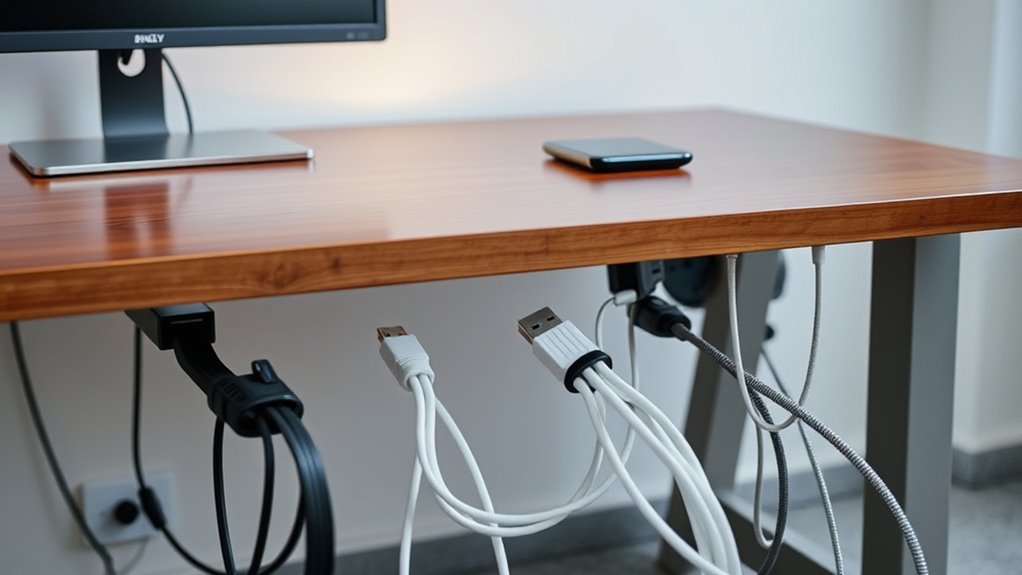

Under-desk cable organizers for machines can keep power bricks, cords, and device connections off the floor, but the right choice depends on your desk and how much wiring you need to manage. I rank the Litwaro Clamp-Mount Tray as the best overall for a practical under-desk setup, while the PAMO Set of 3 stands out for organizing cables across several areas and the EVEO J-Channel Kit for routing wires along a longer path. The main tradeoffs are tray capacity versus a slim profile, clamp mounting versus adhesive installation, and one larger organizer versus several smaller pieces. For machine-heavy workspaces, check how your power supplies and cable bundles fit—not just the stated tray length. Read on for the full comparison and guidance by setup type.

Get business pricing on tools and workshop supplies
- Business-only prices and quantity discounts
- Tax-exempt purchasing
- Multiple users, one account, clear invoices
Complete the kit



Key Takeaways
- Mounting method shapes the shortlist: Clamp trays such as the Litwaro and Cinati options suit desks where drilling is unwanted, while adhesive J-channels from EVEO and Yecaye can route cables along desk edges without a full-width basket.
- Length alone does not determine capacity: The 35.8-inch Cotohim and 36-inch Univivi offer long spans, but a tray’s depth and opening design matter when machine power bricks must sit beside cables.
- Multi-piece products solve distributed setups: PAMO’s three trays, EVEO’s six raceways, and Fansto’s 24-piece organizer can divide cables by machine or desk zone rather than gathering everything in one spot.
- Small organizers have a clear use case: The 13.4-inch Cinati and 16.5-inch VIVO trays suit compact desks or limited cable groups, but they are less suited to several bulky adapters.
- Straps and channels are not substitutes for baskets: The Silcpall straps and 20-pair organizer can bundle or secure individual cables, while open trays and J-channels provide more structured routing for a machine setup.
| Litwaro Under Desk Cable Management Tray with Clamp Mount |  | Best Overall for Clamp-On Flexibility | Material: Carbon steel | Mounting: Clamp mount; no drilling required | Desk thickness compatibility: 0.4–2 inches | VIEW ON AMAZON | See Our Full Breakdown |
| PAMO Under-Desk Cable Management Trays, Set of 3, Black |  | Best for Multi-Machine Setups | Material: 1 mm powder-coated steel | Color: Black | Pieces: 3 trays | VIEW ON AMAZON | See Our Full Breakdown |
| Cotohim Under-Desk Cable Management Tray, 35.8 x 5.6 in, Black |  | Best for Flexible Installation | Dimensions: 35.8 × 5.6 inches | Material: Flame-retardant Oxford cloth | Mounting: Clamp-on or screw-mounted | VIEW ON AMAZON | See Our Full Breakdown |
| Cinati Under-Desk Cable Management Tray with Clamp, White |  | Best for Light-Duty Machine Stations | Material: Metal | Color: White | Dimensions: 13.4 × 4.6 × 3.1 inches | VIEW ON AMAZON | See Our Full Breakdown |
| Cinati Under Desk Cable Management Tray, 13.4-Inch Metal, Black |  | Best Compact Black Clamp-On Pick | Material: Metal | Color: Black | Dimensions: 13.4 × 4.6 × 3.1 inches | VIEW ON AMAZON | See Our Full Breakdown |
| Under-Desk Cable Management Organizer, Black, 20 Pairs |  | Best for Tight Spaces | Color: Black | Included holders: 20 pairs | Holder dimensions: 120 × 40 mm | VIEW ON AMAZON | See Our Full Breakdown |
| 25-Inch Under-Desk Cable Management Tray |  | Best No-Drill Clamp Tray | Length: 25 inches | Material: Metal mesh | Mounting: Adjustable desk clamp; no drilling required | VIEW ON AMAZON | See Our Full Breakdown |
| Univivi 32-Inch Under-Desk Cable Management Tray, Black |  | Best for Long Cable Runs | Length: 32 inches | Color: Black | Installation methods: C-clips or screws | VIEW ON AMAZON | See Our Full Breakdown |
| Yecaye Cable Management J-Channel Organizer, 6-Pack, Black |  | Best for Room-by-Room Cable Routing | Brand: Yecaye | Color: Black | Material: PVC | VIEW ON AMAZON | See Our Full Breakdown |
| EVEO Under-Desk Cable Management Kit, 6 Self-Adhesive J-Channel Raceways, 96 Inches, Black |  | Best for Simple Tool-Free Installation | Brand: EVEO | Quantity: 6 raceways | Total length: 96 inches | VIEW ON AMAZON | See Our Full Breakdown |
| Univivi 36-Inch Under-Desk Cable Management Tray |  | Best for Large Machine Setups | Dimensions: 36 x 5.5 x 5.5 inches | Material: 600D Oxford fabric | Installation: Clamp-on or screw-fixed | VIEW ON AMAZON | See Our Full Breakdown |
| Silcpall Under-Desk Cable Management Straps, 20 Pairs |  | Best for Flexible Cable Routing | Quantity: 20 pairs | Material: Nylon | Color: Black | VIEW ON AMAZON | See Our Full Breakdown |
| VIVO Under Desk Cable Management Tray, 16.5-Inch, Black |  | Best Compact Metal Tray | Length: 16.5 inches | Width: 3 inches | Weight capacity: 11 lbs | VIEW ON AMAZON | See Our Full Breakdown |
| Yecaye Metal Under-Desk Cable Management Tray |  | Best No-Drill Metal Tray | Material: Metal | Mounting: Clamp-on; no drilling required | Cable organization: Dual cable-wrap bars | VIEW ON AMAZON | See Our Full Breakdown |
| Fansto Under-Desk Cable and Power Strip Organizer, 24 Pieces |  | Best Modular Power Strip Kit | Pieces: 24 | Included items: 8 cable straps, 8 power strip holders, 8 base pads | Cable strap sizes: 20 × 3.4 mm and 120 × 40 mm | VIEW ON AMAZON | See Our Full Breakdown |
| undertable cable organizers for machine | Material | Color | Mounting |
|---|---|---|---|
| Litwaro Under Desk Cable Manag | Carbon steel | — | Clamp mount; no drilling required |
| PAMO Under-Desk Cable Manageme | 1 mm powder-coated steel | Black | — |
| Cotohim Under-Desk Cable Manag | Flame-retardant Oxford cloth | Black | Clamp-on or screw-mounted |
| Cinati Under-Desk Cable Manage | Metal | White | — |
| Cinati Under Desk Cable Manage | Metal | Black | — |
| Under-Desk Cable Management Or | — | Black | Adhesive hooks or standalone use |
| 25-Inch Under-Desk Cable Manag | Metal mesh | — | Adjustable desk clamp; no drilling required |
| Univivi 32-Inch Under-Desk Cab | — | Black | — |
| Yecaye Cable Management J-Chan | PVC | Black | Adhesive backing |
| EVEO Under-Desk Cable Manageme | — | Black | — |
| Univivi 36-Inch Under-Desk Cab | 600D Oxford fabric | — | — |
| Silcpall Under-Desk Cable Mana | Nylon | Black | Removable adhesive backing |
| VIVO Under Desk Cable Manageme | Metal | — | Under desk; screws included |
| Yecaye Metal Under-Desk Cable | Metal | — | Clamp-on; no drilling required |
| Fansto Under-Desk Cable and Po | — | Black | — |
More Details on Our Top Picks
Litwaro Under Desk Cable Management Tray with Clamp Mount
The Litwaro is my strongest all-around fit for machine setups where you need a sturdy place for a power strip, adapters, and slack cable without putting holes in the desk. Its carbon-steel mesh offers firmer support than the Cotohim fabric tray, while the clamp mount avoids the fixed installation of the screw-mounted PAMO set. You can face it inward or outward, which helps when a machine’s power connection or switch needs to stay reachable. The 15-pound capacity also gives it more headroom than Cinati’s 10-pound trays. The tradeoff is a narrower fit range: the desk edge must be flat and 0.4–2 inches thick, and this is only one tray rather than a multi-tray system. Choose it for a balanced, removable setup, not for desks outside its clamp range.
Pros:- Clamp installation avoids drilling into the desk
- Carbon-steel mesh provides rigid support for power strips and adapters
- Can be installed inward or outward for different access needs
- About 15-pound capacity exceeds the stated limits of the Cinati trays
Cons:- Only fits flat desk edges from 0.4 to 2 inches thick
- Includes one tray, so larger machine setups may need additional organizers
Best for: Machine owners who want a rigid, no-drill tray for a power strip and cables on a flat desk edge up to 2 inches thick.
Not ideal for: People with thicker, beveled, or non-flat desk edges, or setups that need several separate storage zones.
- Material:Carbon steel
- Mounting:Clamp mount; no drilling required
- Desk thickness compatibility:0.4–2 inches
- Weight capacity:About 15 lbs
- Cable openings:Two holes on each side
- Installation direction:Inward or outward
- Pieces:1
- Warranty:1 year
Our verdict“Choose the Litwaro for a rigid, removable under-desk tray with more load capacity than the Cinati models, provided your desk edge fits its clamp.”
PAMO Under-Desk Cable Management Trays, Set of 3, Black
When a desk supports several machines or power supplies, the PAMO set solves a different problem from the single-tray Litwaro and Cinati options: it gives you three separate steel trays to divide power strips, adapters, and cable slack by device. Each tray is 44 cm long, and the included reusable ties help keep leads grouped rather than spilling between stations. The powder-coated steel construction is more rigid than Cotohim’s fabric design, but PAMO requires screws beneath the desk, so it is less suitable for renters or anyone who wants to reposition the organizer later. Its 10 cm width may also restrict bulky machine adapters. I’d pick this set when coverage and separation matter more than tool-free installation; for a single machine and a no-drill setup, Litwaro is the simpler choice.
Pros:- Three trays allow separate cable zones for multiple machines
- Powder-coated steel provides rigid support
- Reusable cable ties and mounting screws are included
- Rounded edges help avoid sharp contact around stored cables
Cons:- Requires screwing into the underside of the desk
- The 10 cm tray width may not accommodate larger power supplies or adapters
- Less convenient to reposition than the clamp-on Litwaro or Cinati trays
Best for: Workshop or home-office users routing cables for several machines who can screw organizers into the desk underside.
Not ideal for: Renters, users who need a removable clamp-on solution, or buyers with oversized adapters that may not fit the 10 cm tray width.
- Material:1 mm powder-coated steel
- Color:Black
- Pieces:3 trays
- Dimensions per tray:44 × 10 × 12 cm
- Item weight:2.3 kg
- Included accessories:6 reusable cable ties and mounting screws
- Use:Indoor
- Model number:P-05-004
Our verdict“Choose PAMO when you need several fixed cable-storage zones beneath one desk and are comfortable drilling mounting holes.”
Cotohim Under-Desk Cable Management Tray, 35.8 x 5.6 in, Black
Cotohim suits buyers who want a long cable channel but do not want to commit to only one mounting method. Its 35.8-inch fabric tray can be attached with clamps or screws, giving it more installation flexibility than the screw-only PAMO set and a much longer run than the compact Cinati trays. The included fiber tubes and 12 ties are useful when machine cords need some grouping beyond simply resting in a tray. The flame-retardant Oxford cloth is also less rigid than Litwaro’s carbon-steel mesh, so I would favor it for bundled cables and lighter adapters rather than a heavy collection of power supplies. Desktop thickness must fall between 0.4 and 2.4 inches. This is the better fit for broad cable runs; choose Litwaro instead if firm metal support and a higher stated load capacity matter more.
Pros:- Offers clamp-on and screw-mounted installation options
- Long 35.8-inch tray can gather cables across a broad desk span
- Includes fiber tubes, brackets, and 12 cable ties
- Flame-retardant Oxford cloth provides a flexible cable-holding surface
Cons:- Fabric is less rigid than the steel Litwaro and PAMO trays
- Desktop thickness must be between 0.4 and 2.4 inches
- No weight-capacity figure is provided in the product data
Best for: Users with a long run of machine cables who want clamp-on or screw-mounted installation and included sleeves and ties.
Not ideal for: Buyers storing heavy power bricks or equipment that needs rigid metal support, or people with desktops outside the 0.4–2.4-inch range.
- Dimensions:35.8 × 5.6 inches
- Material:Flame-retardant Oxford cloth
- Mounting:Clamp-on or screw-mounted
- Compatible desktop thickness:0.4–2.4 inches
- Included components:1 tray, 2 hardware brackets, 2 fiber tubes, 12 cable ties
- Number of pieces:17
- Color:Black
- Warranty:2 years
Our verdict“Choose Cotohim for a long, adaptable cable run with useful bundling accessories, but pick a metal tray for heavier machine equipment.”
Cinati Under-Desk Cable Management Tray with Clamp, White
The white Cinati is a compact clamp-on choice for a light machine station where a power strip and a few leads need to come off the floor. At 13.4 × 4.6 × 3.1 inches, it occupies less under-desk space than Cotohim’s long fabric tray, while its metal construction gives it a firmer base than that flexible option. The clamp and anti-scratch pads make installation removable and desk-friendly, and the included clips and ties help manage cables beyond the tray itself. Its 10-pound capacity is the limiting factor: Litwaro allows about 15 pounds, so it is the stronger pick for heavier adapters or a larger power strip. The short tray is also less suited to several machines. I’d choose this model for a tidy, low-load setup, not a dense equipment cluster.
Pros:- Clamp-on installation avoids drilling and allows repositioning
- Anti-scratch pads help protect desk surfaces
- Metal construction offers firmer support than a fabric tray
- Cable clips and ties are included for routing leads
Cons:- 10-pound capacity is lower than Litwaro’s stated capacity
- Compact dimensions limit room for multiple machine power supplies
- Fits only desks 0.4–2.4 inches thick
Best for: Users organizing one modest power strip and a small bundle of cables beneath a white or light-colored desk.
Not ideal for: Owners of several machines or heavy adapters who need a longer tray or more than 10 pounds of stated capacity.
- Material:Metal
- Color:White
- Dimensions:13.4 × 4.6 × 3.1 inches
- Installation:Clamp-on; no drilling
- Desk thickness compatibility:0.4–2.4 inches
- Weight capacity:Up to 10 lbs
- Included accessories:4 cable clips and 6 cable ties
- Warranty:2 years
Our verdict“Choose the white Cinati for a compact, removable organizer under a light-duty machine station, not for heavy or multi-device loads.”
Cinati Under Desk Cable Management Tray, 13.4-Inch Metal, Black
The black Cinati serves much the same compact, light-duty purpose as the white Cinati, but its dark finish is a natural match for black desks and machine frames. This 13.4-inch metal tray clamps on without drilling, and the included clips and ties help guide leads toward the tray instead of leaving a loose bundle below the workstation. Against the PAMO set, it gives up multi-tray coverage but is simpler to install and move; against Litwaro, it has a lower stated capacity at 10 pounds. That makes it a practical choice for one machine’s power strip and cords, rather than a cluster of bulky adapters. Its desk fit is limited to 0.4–2.4 inches, and the short tray will not span a broad cable run. Pick it for a neat, compact installation in a dark setup.
Pros:- Clamp-on mounting requires no drilling and can be repositioned
- Powder-coated metal provides a rigid tray surface
- Black finish suits dark desks and equipment
- Includes 4 cable clips and 6 cable ties
Cons:- 10-pound weight capacity is below Litwaro’s stated limit
- 13.4-inch length offers less coverage than Cotohim or the three-tray PAMO set
- Only fits desks from 0.4 to 2.4 inches thick
Best for: Owners of a single machine with a black or dark desk who need a compact, removable tray for a power strip and cables.
Not ideal for: Buyers routing cables across a wide desk, storing several bulky adapters, or needing capacity above 10 pounds.
- Material:Metal
- Color:Black
- Dimensions:13.4 × 4.6 × 3.1 inches
- Desk thickness compatibility:0.4–2.4 inches
- Weight capacity:10 lbs
- Installation:Clamp-on; no drilling required
- Included:1 cable tray, 4 cable clips, 6 cable ties
- Warranty:2 years
Our verdict“Choose the black Cinati for a compact, no-drill cable tray that blends with dark equipment and carries a modest machine setup.”
Under-Desk Cable Management Organizer, Black, 20 Pairs
For crowded undersides and irregular cable runs, this adjustable set offers more placement flexibility than a fixed tray. Its 20 pairs of segmented hook-and-loop holders can be used alone or mounted with adhesive hooks, and an extended strap can hold up to 15 cables. That makes it a better fit than the 25-Inch Under-Desk Cable Management Tray when a desk has little clearance or cables need to follow a specific path rather than collect in one basket. The tradeoff is that it does not provide the same enclosed support for a power strip or bulky adapters. Adhesive mounting also calls for a smooth surface and a two-hour wait before loading, so it is less suited to an immediate, heavy-duty setup.
Pros:- Segmented straps can be arranged to fit tight spaces and varied cable paths.
- Each extended strap can hold up to 15 cables.
- Can be used as standalone holders or with adhesive hooks.
- Adhesive is designed to remove without residue.
Cons:- Adhesive hooks need two hours to set before cables are loaded.
- Adhesive mounting is intended for smooth surfaces.
- Does not offer a tray to support and contain bulky power strips.
Best for: People routing several cables through tight or uneven spaces beneath a desk who want flexible placement rather than a full tray.
Not ideal for: Buyers who need a supported home for a power strip or heavy adapters, or whose desk underside is textured or otherwise unsuitable for adhesive hooks.
- Color:Black
- Included holders:20 pairs
- Holder dimensions:120 × 40 mm
- Cable capacity:Up to 15 cables per extended strap
- Mounting:Adhesive hooks or standalone use
- Compatible surfaces:Most smooth surfaces, including wood, glass, and tile
- Wait before loading:2 hours after applying adhesive hooks
Our verdict“Choose this set for adaptable cable routing in cramped spaces, but pick a tray if you need to support a power strip.”
25-Inch Under-Desk Cable Management Tray
This metal mesh tray is a practical choice for renters or anyone who wants a structured place for cables and a power strip without drilling into the desk. Its clamp fits surfaces from 0.4 to 2 inches thick, and the tray can face inward or outward to suit the room and cable direction. Compared with the adhesive-backed Yecaye Cable Management J-Channel Organizer, it can support a broader mix of equipment instead of routing cables along a narrow channel. That extra utility comes with a more involved setup: the two tray sections require screw assembly, and the approximately 15-pound capacity may be limiting for a dense collection of adapters. The short three-month warranty also makes it a less reassuring pick for buyers prioritizing long-term coverage.
Pros:- Clamp mounting avoids drilling or permanent desk changes.
- Fits desks from 0.4 to 2 inches thick.
- Can face inward or outward to accommodate different cable routes.
- Metal mesh construction allows airflow around stored equipment.
Cons:- The two tray sections need screw assembly.
- Approximately 15-pound capacity may not suit heavy or densely packed equipment.
- Warranty lasts only three months.
Best for: Renters and desk owners who need a clamp-mounted home for a power strip and cables without drilling into a desk that is 0.4 to 2 inches thick.
Not ideal for: People with a desk outside the clamp’s thickness range, or buyers who want a one-piece tray, minimal setup, or a longer warranty.
- Length:25 inches
- Material:Metal mesh
- Mounting:Adjustable desk clamp; no drilling required
- Compatible desk thickness:0.4 to 2 inches
- Weight capacity:Approximately 15 lbs
- Installation:Inward- or outward-facing; two-piece screw assembly
- Warranty:3 months
Our verdict“Pick this clamp tray when avoiding desk holes matters more than quick assembly or longer warranty coverage.”
Univivi 32-Inch Under-Desk Cable Management Tray, Black
The 32-inch span is the main reason to choose this tray: it gives power strips, chargers, and cables more room than the 25-inch clamp tray, which may be a better fit when desk space is limited. Univivi also offers C-clips or screw mounting, giving buyers a choice between a less permanent attachment and a fixed installation. Enlarged cable openings make it easier to route leads in and out, while the ventilated design leaves airflow around stored equipment. The tradeoff is less certainty about fit and load: the product data gives no material or weight capacity, so I would not make it the default for heavy equipment or a desk with unknown mounting compatibility. Screw installation also requires desk modification, unlike the no-drill 25-inch tray.
Pros:- 32-inch length gives cables and power strips a broad organizing area.
- Offers C-clip or screw installation.
- Enlarged openings help route cables into and out of the tray.
- Ventilated construction supports airflow around stored items.
Cons:- Screw mounting requires drilling or another desk modification.
- No material or weight capacity is specified.
- The 32-inch length may be excessive for compact desks.
Best for: People with a longer desk underside who need room to organize a power strip, chargers, and multiple cable types in one place.
Not ideal for: Buyers who need a stated weight limit or material specification, or who cannot use C-clips and do not want to drill into their desk.
- Length:32 inches
- Color:Black
- Installation methods:C-clips or screws
- Design:Ventilated tray with enlarged cable openings
- Suitable for:Power strips, power cords, data cables, and chargers
Our verdict“Choose Univivi for a long, ventilated cable-and-power-strip tray if its mounting options and unspecified load capacity suit your desk.”
Yecaye Cable Management J-Channel Organizer, 6-Pack, Black
Six separate channels make this set useful for spreading cable control across several routes, whether beneath a desk or along a smooth indoor wall. Each PVC J-channel has an outward-facing opening, so cables can be added or removed without threading them through a closed sleeve. That access is more convenient than the EVEO Under-Desk Cable Management Kit for rearranging individual runs, though both rely on adhesive and leave cables in open channels rather than securing a power strip in a tray. Each section is rated for up to 10 cables, but the bond needs 24 hours to set, and powdery or uneven surfaces can weaken adhesion. Heat from a hairdryer can help with removal, but buyers should still expect adhesive to require more care than a clamp-mounted tray.
Pros:- Six separate channels can be placed along multiple cable routes.
- Outward-facing openings make it easy to add or remove cables.
- Adhesive backing allows tool-free installation.
- Channels can be removed with help from a hairdryer.
Cons:- Adhesive may not hold well on powdery or uneven surfaces.
- Requires 24 hours for the adhesive to set firmly.
- Open channels organize cables but do not provide a tray for power strips.
Best for: People who want to route separate cable bundles under a desk or along smooth indoor walls and expect to add or remove cables later.
Not ideal for: Buyers with rough, powdery, or uneven mounting surfaces, or anyone seeking a clamp-mounted tray for a power strip.
- Brand:Yecaye
- Color:Black
- Material:PVC
- Quantity:6 channels
- Dimensions per channel:15.7 × 0.99 × 1.55 inches
- Mounting:Adhesive backing
- Capacity:Up to 10 cables per channel
- Recommended setting:Indoor
- Model number:JCCR-05
Our verdict“Choose these channels for accessible cable routing across smooth surfaces, not for supporting bulky power equipment.”
EVEO Under-Desk Cable Management Kit, 6 Self-Adhesive J-Channel Raceways, 96 Inches, Black
EVEO is the straightforward pick for routing a long run of cables without tools: six adhesive J-channels provide 96 inches of raceway, with capacity for up to 10 power cords or 16 Ethernet cables. The open design makes placement and removal simpler than a closed conduit, and its stated cord capacities give buyers a clearer guide than Univivi’s tray, which does not specify a load capacity. Compared with the Yecaye J-Channel Organizer, EVEO emphasizes total raceway length and cable-type capacity, while Yecaye lists individual channel dimensions and a 24-hour adhesive setting period. EVEO still depends on the desk surface for a secure bond, and its non-locking channels can let cables move out of position. It is not a substitute for a tray that supports a power strip.
Pros:- Six raceways provide 96 inches of total routing length.
- Self-adhesive installation requires no tools.
- Capacity is specified for power cords and Ethernet cables.
- Open channels make cables easy to place and remove.
Cons:- Adhesive mounting may not suit every desk surface.
- Non-locking channels do not hold cables securely in place.
- Does not provide a tray for supporting a power strip or adapters.
Best for: People who want a long, tool-free route for power or Ethernet cables beneath a desk and can mount adhesive raceways on a suitable surface.
Not ideal for: Buyers with surfaces that do not suit adhesive mounting, or anyone who needs cables locked in place or a supported home for a power strip.
- Brand:EVEO
- Quantity:6 raceways
- Total length:96 inches
- Color:Black
- Installation:Self-adhesive, tool-free
- Design:Open, non-locking J-channel
- Capacity:Up to 10 power cords or 16 Ethernet cables
Our verdict“Pick EVEO for a long, easy-access cable route when adhesive mounting is suitable and open channels are secure enough for your setup.”
Univivi 36-Inch Under-Desk Cable Management Tray
For a desk running several machines, chargers, and a power strip, the 36-inch fabric tray offers more room than the shorter VIVO 16.5-inch metal tray. Built-in ties help keep equipment and cords from shifting, while the bottom support gives the fabric structure when loaded. I also like the choice of clamp-on or screw-fixed mounting: clamps avoid drilling, while screws provide a fixed setup. The tradeoff is its size and desk-edge fit. It needs at least 5.3 inches of clearance, and the clamps remain visible rather than disappearing beneath the desk. Buyers seeking a compact metal channel or a fully hidden mount may prefer the VIVO; this Univivi is better for consolidating a larger machine setup in one place.
Pros:- 36-inch length accommodates multiple adapters, cables, and power strips
- Clamp-on and screw-fixed installation offer two mounting approaches
- Built-in ties help secure cables and stored items
- Flame-retardant 600D Oxford fabric has bottom support
Cons:- Requires at least 5.3 inches of clearance along the desk edge
- Clamp hardware takes up visible tabletop-edge space
- Fabric construction may not suit buyers who prefer a rigid metal tray
Best for: People with wide desks and multiple machines, adapters, and a power strip who want one large under-desk storage area.
Not ideal for: Owners of desks with less than 5.3 inches of edge clearance or anyone seeking a small, fully concealed organizer.
- Dimensions:36 x 5.5 x 5.5 inches
- Material:600D Oxford fabric
- Installation:Clamp-on or screw-fixed
- Item weight:3.1 pounds
- Pieces:1
- Warranty:1 year
Our verdict“Choose this Univivi when several machines need a shared, high-capacity tray and your desk has room for its clamps.”
Silcpall Under-Desk Cable Management Straps, 20 Pairs
These 20 pairs of reusable straps suit machine setups that change often: add a device, move a cable, or reroute a bundle without opening a rigid tray. Adhesive backing attaches to clean, smooth surfaces without drilling, and the hook-and-loop fasteners can be reopened as the layout evolves. Unlike the Univivi 36-inch tray, Silcpall does not create a shelf for power bricks or a power strip; its strength is directing cords along a chosen path. The stated capacity of up to 15 cables per strap depends on cable thickness, so dense bundles may not fit as neatly as that figure suggests. Heavier bundles also need a two-hour wait after mounting. Choose this for adaptable routing, not for storing bulky machine accessories.
Pros:- Reusable hook-and-loop fasteners make cable changes straightforward
- Adhesive mounting avoids drilling
- Adjustable straps can route different cable types
- 20 pairs provide multiple attachment points for a setup
Cons:- Capacity varies with cable thickness and bundle size
- Heavier bundles should not be loaded until the adhesive has set for two hours
- Does not provide a tray or dedicated support for power strips and adapters
Best for: People who frequently change machine connections and want to route cable bundles along clean, smooth desk or cabinet surfaces.
Not ideal for: Buyers who need a shelf to hold power strips or adapters, or who have textured surfaces that do not suit adhesive mounting.
- Quantity:20 pairs
- Material:Nylon
- Color:Black
- Strap length:6.3 inches
- Cable capacity:Up to 15 cables, depending on thickness
- Mounting:Removable adhesive backing
- Fastener type:Reusable hook and loop
- Model:M1
Our verdict“Pick Silcpall for frequently rearranged machine cables when flexible routing matters more than under-desk storage.”
VIVO Under Desk Cable Management Tray, 16.5-Inch, Black
The 16.5-inch metal tray is a practical fit for a single machine station where a power strip and a few cables need containment without claiming much desk width. Its partially closed sides hide equipment from view, while the front opening keeps connections reachable when a device needs unplugging. Compared with the Univivi 36-inch tray, this VIVO is far more compact and rigid, but gives up room for a large collection of adapters and excess cable. It holds up to 11 pounds and mounts with screws, so the desk must be wood or particle board; it is not the no-drill choice that the Yecaye clamp-on tray offers. This is a focused option for a fixed setup, not a flexible fit for glass or metal desks.
Pros:- Metal construction supports up to 11 pounds
- Partially closed design conceals cables and power strips
- Front opening keeps connections accessible
- Compact 16.5-inch length suits smaller machine stations
Cons:- Screw mounting is limited to wood or particle-board desks
- Short length offers less capacity than the 36-inch Univivi tray
- Installation requires making screw holes
Best for: Owners of wood or particle-board desks who want a compact metal tray for one power strip and a modest machine cable bundle.
Not ideal for: People with glass, metal, or other non-compatible desk surfaces, or setups that need room for several large adapters.
- Length:16.5 inches
- Width:3 inches
- Weight capacity:11 lbs
- Material:Metal
- Mounting:Under desk; screws included
- Mounting hole spacing:11 inches
- Compatible surfaces:Wood or particle board
- Warranty:1 year
Our verdict“Choose the VIVO for a compact, screw-mounted metal tray on a compatible desk; skip it if you need wide capacity or clamp-on installation.”
Yecaye Metal Under-Desk Cable Management Tray
When a machine desk needs a rigid place for power strips and hubs but drilling is off the table, this clamp-on metal tray fills a useful middle ground. Padded clamps attach without screw holes and help protect the desk surface, while dual cable-wrap bars and cuttable ties separate and secure cords. That makes it more of a structured organizer than the Silcpall straps, which route cables but do not hold devices. It is also simpler to reposition than the screw-mounted VIVO. The main uncertainty is desk fit: compatibility can vary even though the clamps are described as fitting most standard desks. Unlike the Univivi, the supplied data does not give a tray size, so I would check the desk edge and clamp clearance before choosing it for a crowded machine station.
Pros:- Clamp-on mounting avoids drilling and allows repositioning
- Padded clamps help protect the desk surface
- Metal tray provides structured support for power strips and hubs
- Dual cable-wrap bars and cuttable ties help manage cord runs
Cons:- Desk compatibility can vary, so fit should be checked before purchase
- Product data does not provide tray dimensions
- Clamp mounting may not suit desk edges with limited clearance
Best for: People who want a rigid metal tray for machine accessories but cannot or do not want to drill into their desk.
Not ideal for: Buyers who need confirmed dimensions or have an unusually thick, shaped, or obstructed desk edge that may not accept the clamps.
- Material:Metal
- Mounting:Clamp-on; no drilling required
- Cable organization:Dual cable-wrap bars
- Included accessories:Cuttable cable ties
- Clamp protection:Anti-scratch padding
- Item weight:2.2 pounds
- Usage:Indoor
- Unit count:1
Our verdict“Choose the Yecaye when you want a repositionable metal tray without screw holes and can verify that its clamps fit your desk.”
Fansto Under-Desk Cable and Power Strip Organizer, 24 Pieces
Fansto is the most component-focused option here: its 24-piece kit combines cable straps, power strip holders, and adhesive base pads, letting buyers build a layout around their particular machine and strip. The adjustable holders can accommodate different power strip sizes, while reusable straps make later cable changes easier than a fixed screw-mounted tray such as the VIVO. Its approach also differs from Silcpall’s strap-only set by adding dedicated power strip supports. The compromise is surface dependence: the pads are intended for smooth materials such as wood, glass, and tile, so rough or textured undersides may limit placement. This kit does not provide the single rigid, high-capacity enclosure of the Univivi 36-inch tray; it suits modular mounting and targeted cable control instead.
Pros:- 24 pieces include straps, power strip holders, and adhesive base pads
- Adjustable holders accommodate different power strip sizes
- Reusable straps allow cables to be added or removed
- Adhesive pads are designed to remove without residue
Cons:- Adhesive pads are intended for smooth surfaces, limiting placement options
- Separate components do not create a rigid tray for bulky machine accessories
- The kit requires arranging multiple mounts rather than installing one organizer
Best for: People assembling a custom machine setup who want separate adhesive mounts for a power strip and reusable cable straps.
Not ideal for: Buyers with textured desk undersides or those who need a rigid, enclosed tray to hold multiple bulky adapters.
- Pieces:24
- Included items:8 cable straps, 8 power strip holders, 8 base pads
- Cable strap sizes:20 × 3.4 mm and 120 × 40 mm
- Installation:Self-adhesive
- Intended surface types:Smooth surfaces such as wood, glass, and tile
- Usage:Indoor
- Color:Black
- Model:F-Power Strap
Our verdict“Choose Fansto for a customizable adhesive setup that mounts a power strip and routes cables as separate components.”

How We Picked
I compared the 15 options by how well each could address common machine-desk needs: holding bulky power adapters, keeping cable bundles contained, routing wires toward outlets, and fitting different desk layouts. I also looked at mounting style, usable coverage, whether a product is a single tray or a multi-piece system, and the likely effort involved in installation and later cable changes. These factors matter more than length alone: a long, shallow channel may guide cords neatly but leave no room for larger power bricks.
The ranking favors options that appear adaptable to a typical desk with multiple machines and practical cable-routing needs, then distinguishes specialized picks for wide coverage, compact setups, distributed routing, or simple bundling. Products are not interchangeable: baskets and trays hold loose wiring, J-channels guide it, and straps gather it. I treat advertised dimensions and included-piece counts as selection clues, not proof that every setup will fit; buyers should check desk clearance, cable volume, and attachment compatibility before choosing.
Factors to Consider When Choosing Undertable Cable Organizers For Machines
Before choosing among trays, channels, and straps, map where the machines sit, where their power supplies rest, and how cables need to reach the outlet. A tidy result depends on matching the organizer to the wiring path and desk construction, not simply buying the longest option.
Measure the Desk and the Space Below It
Measure the usable underside span, including legs, crossbars, drawers, and any frame that could block a clamp or tray. Then check vertical clearance: a deep organizer can interfere with knees, a chair arm, or a machine mounted beneath the desk. Leave room to reach switches and unplug adapters without dismantling the cable bundle. A common mistake is measuring the tabletop width and assuming the entire underside is clear. If the desk has an apron or uneven edges, confirm the organizer’s mounting position against that shape before buying.
Choose a System for the Shape of the Wiring
A basket or tray is useful when the main problem is loose adapters and cable slack gathering under the desk. A J-channel is better when cables need a defined route along an edge or down one side, but it may not hold bulky power bricks. Straps can tame a bundle without creating a rigid storage area, which helps when cables change often. Some workstations benefit from combining types: a tray for power supplies and a channel for cords heading to the outlet. Avoid expecting one format to both store large devices and route every cable neatly.
Match Capacity to Power Bricks, Not Just Cable Count
Count the machines and identify the size of their adapters before deciding how much organizer space is needed. Several thin cords can fit where one large power supply cannot, so pair counts and long dimensions do not tell the whole story. Keep ventilation in mind, especially when adapters run warm or sit close together. Leave slack for plugs and bends rather than packing every inch tightly. If the setup may grow, choose room for a future device or split the load across multiple organizers instead of filling a small tray to its limit.
Check Mounting Compatibility and Surface Condition
Clamp mounting avoids adhesive and drilling, but it requires an accessible desk edge and enough clearance for the clamp hardware. Adhesive systems depend on a clean, suitable surface and may be a poor match for textured, dusty, or delicate finishes. Screws can provide a fixed attachment where the desk allows them, though they make repositioning harder. Think about how often the desk moves and whether cables will tug on the organizer. Before installation, confirm that the mounting method can support the actual load of adapters and cables rather than relying on the organizer’s appearance alone.
Plan for Changes, Cleaning, and Cable Access
Machine setups change when peripherals are replaced, moved, or serviced, so access matters as much as concealment. A fully packed route can make troubleshooting slow and may force you to remove several cords to reach one connection. Use simple labels or keep each machine’s cables grouped together when multiple systems share a power area. Consider how dust will collect and whether you can remove or open the organizer for cleaning. If you routinely swap equipment, favor a layout that lets you add or remove a cable without undoing the entire bundle.
Decide Whether One Large Organizer or Several Smaller Ones Fits Better
A single long tray creates one central place for wiring, which can suit a fixed workstation with machines clustered together. Several smaller pieces can follow separate desk zones and keep one device’s cables from crossing another’s. Multi-piece kits may offer more routing flexibility, but they also require more placement decisions and can leave gaps if the layout is not planned. Compare the number of separate cable groups with the number of usable mounting areas. Paying for a larger system makes sense when it solves a real routing or capacity problem, not simply because it covers more length.
Frequently Asked Questions
Should I choose a tray or a J-channel for several machine power supplies?
Choose a tray when the adapters themselves need support and you want loose slack contained under the desk. A J-channel is better for guiding cables along a route, but its shape may not leave room for bulky power supplies. For a mixed machine setup, separating those jobs can work well: store adapters in a tray and guide their cords through a channel toward the outlet. Check adapter size and ventilation before loading a tray. If you only need to tidy cords and the power bricks already sit elsewhere, a channel may be enough.
Will a clamp-mounted organizer fit a desk with a frame or apron?
It depends on the underside edge and the clearance around it. Measure the desk thickness where the clamp will sit, then check whether an apron, crossbar, or drawer blocks the clamp from reaching the edge. Also account for the space needed to tighten and remove the hardware. A clamp can be a good choice when you want to avoid adhesive or drilling, but it is not automatically compatible with every desk. If the edge is obstructed, a separate routing system or a different mounting style may fit better.
How much organizer length do I need for a machine-heavy desk?
Start by mapping where each machine and its power supply will sit, then measure the cable route to the outlet and any connection points. Length helps cover a wide span, but it does not tell you how much room the organizer has for adapters or crossed cable bundles. Several small organizers can fit a split layout better than one long tray, especially when the desk has legs or crossbars in the way. Allow slack for moving equipment and reaching plugs. If you expect the setup to change, choose a layout with spare space rather than sizing it to the current cables alone.
Are adhesive cable organizers suitable for heavy adapters?
Adhesive channels are generally better suited to guiding cords than supporting a collection of heavy power bricks. Their hold depends on the mounting surface, preparation, and the load placed on them, so a rough or dusty underside can be a poor match. For bulky adapters, a supported tray or basket is usually a more suitable format. If you use adhesive pieces, keep them on a clean compatible surface and avoid loading them beyond their intended role. Route cables so their weight does not pull downward on the adhesive.
Can straps alone keep a multi-machine setup organized?
Straps can group cords and prevent loose loops, especially when you need a flexible bundle that is easy to reopen. They do not create a shelf for adapters, hide wiring along a long route, or keep every cable off the floor by themselves. For a desk with several machines, pair straps with a tray or channel if the power supplies or cable paths need support. Keep separate machines grouped so one device can be unplugged without disturbing the rest. Straps make the most sense when bundling is the main problem rather than storage.
Conclusion
For most machine-heavy desks, I would start with the Litwaro Clamp-Mount Tray as the best overall direction because a clamp-mounted tray offers a practical balance of storage and installation flexibility. For best value and distributed coverage, the PAMO Set of 3 is the standout when cables need organizing in several desk zones; for a best premium-style, wide-coverage pick, compare the long Univivi or Cotohim trays against your available clearance and adapter load. Beginners who want a straightforward route for cords may prefer the EVEO J-Channel Kit, while compact desks can look to the short Cinati or VIVO trays. For specific needs, choose Silcpall straps for bundling, Yecaye or EVEO channels for cable paths, and a tray when power bricks need support. Match the organizer to the job under your desk, then verify mounting fit and space before committing.