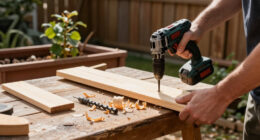
Use this guide to set up a compact cordless power drill and use it to drill a hole or drive a screw in wood, metal, or another material rated for your tool. It is written for beginners who can follow basic safety directions and want a controlled result without damaging the workpiece. Allow 15–30 minutes for setup and a first practice run.

Get business pricing on tools and workshop supplies
- Business-only prices and quantity discounts
- Tax-exempt purchasing
- Multiple users, one account, clear invoices

FADAKWALT 12V Cordless Drill Set with Battery and Charger
- ✔ Voltage: 12 V
- ✔ Battery: 1.5 Ah
- ✔ Maximum torque: 180 in-lb (19 N·m)

DEKOPRO 20V Cordless Drill Set with Battery and Charger
- ✔ Voltage: 20 V
- ✔ Battery: 1.5 Ah lithium-ion
- ✔ Speed settings: 2; 0–350 / 0–1350 RPM

Bingoway 16.8V Brushless Cordless Drill Set with Impact Function
- ✔ Voltage: 16.8 V
- ✔ Motor: Brushless
- ✔ Batteries: Two lithium-ion batteries, 2,000 mAh stated capacity
Difficulty: Beginner | Time: 15–30 minutes
What You’ll Need
Tools & Materials:
- Compact cordless drill with a charged, compatible battery
- Drill bits or screwdriver bits suited to the material and fastener
- Safety glasses
- Tape measure or ruler and pencil
- Clamps or a stable work surface
- Small scrap piece of the same material for practice
Knowledge:
- Recognize the drill’s trigger, forward/reverse switch, clutch settings, speed selector, and chuck
- Know where hidden wires, pipes, or other services may run before drilling into a wall
Check the drill manual for its rated materials, maximum bit size, and instructions for changing bits. Use only bits with shanks that fit the chuck. Wear safety glasses, tie back long hair, and keep loose clothing and jewelry away from the rotating bit. Do not use a damaged battery, bit, or drill.
FADAKWALT 12V Cordless Drill Set with Battery and Charger
For buyers who put easy handling ahead of speed, FADAKWALT is the most compact-feeling choice in this group. Its listed dimensions are 8.2 × 7.8 × 2.3 inches, and its 3/8-inch chuck, rubber grip, and 21+1 clutch give us a setup aimed at controlled, lighter work. The electric brake and LED light are useful additions when we need to stop promptly or see a screw location in a dim corner.Compared with DEKOPRO’s two-speed 20V drill, FADAKWALT has a narrower operating range: it offers one speed, up to 650 RPM, and 19 N·m of torque. That makes it a less convincing choice for buyers who want one drill to handle varied drilling tasks quickly. It also lacks Bingoway’s impact function and extra battery. Its accessory kit is still practical for small repairs, though the listed 1.5 Ah battery and modest power suggest keeping expectations focused on household jobs rather than extended heavy work.We place it first for the compact-drill brief because its small format is paired with useful torque control, lighting, and a brake. Choose it over the others when fit and precision matter most; choose DEKOPRO for a faster second speed or Bingoway for more functions and a spare battery.
Pros:
- Compact listed dimensions and a rubber grip support controlled handling.
- 21+1 clutch settings help tailor screwdriving torque.
- LED light and electric brake support visibility and stopping control.
- Includes a battery, charger, drill and screwdriver bits, and small-job accessories.
Cons:
- Single speed reaches a maximum of 650 RPM.
- 19 N·m maximum torque is below the stated figures for DEKOPRO and Bingoway.
- One 1.5 Ah battery offers less included backup than Bingoway’s two-battery set.
Best for: Homeowners and renters who need a compact drill for light repairs, furniture assembly, and controlled screwdriving.
Not ideal for: Buyers who need multiple speed settings, faster drilling, impact driving, or a tool for sustained demanding work.
Bottom line: Pick FADAKWALT when compact handling and careful control matter more than speed or broader drilling capability.
“Pick FADAKWALT when compact handling and careful control matter more than speed or broader drilling capability.”
DEKOPRO 20V Cordless Drill Set with Battery and Charger
DEKOPRO earns the general-purpose spot by pairing a 2.5-pound design with two speed settings, a half-inch chuck, and 18+1 torque positions. That combination gives us more room to adjust the drill to different household jobs than FADAKWALT’s single-speed setup, while keeping the stated weight easy to assess for buyers concerned about handling. Its 0–350 and 0–1350 RPM ranges also distinguish it from the other two: FADAKWALT tops out at 650 RPM, while Bingoway reaches 1,500 RPM but has a smaller listed chuck.The included battery, charger, drill bits, screwdriver bits, and magnetic holder make DEKOPRO a straightforward starter kit. Its 40 N·m maximum torque is below Bingoway’s 50 N·m figure, and this model does not claim Bingoway’s impact function or brushless motor. The tradeoff is a simpler, more familiar drill package rather than a multifunction tool. Its 1.5 Ah battery is the same stated capacity as FADAKWALT’s, so buyers planning long sessions should account for limited included battery capacity.One supplied specification lists wood drilling capacity as 2 millimeters, a figure that appears unusually small for this category. We would verify that measurement against the manufacturer’s listing before choosing this drill for a particular drilling job. On the available information, it remains the most balanced pick for routine DIY, provided the battery and capacity details suit the work.
Pros:
- Two speed ranges cover slower driving and faster drilling needs.
- 18+1 torque settings offer flexibility for different fasteners.
- The 2.5-pound listed weight supports manageable home use.
- Includes battery, charger, drill bits, screwdriver bits, and magnetic bit holder.
Cons:
- The included battery is 1.5 Ah.
- No impact function or second battery is listed, unlike Bingoway.
- The supplied wood drilling capacity of 2 millimeters should be verified before purchase.
Best for: DIY users who want two speed ranges, a half-inch chuck, adjustable torque, and a ready-to-use accessory set for common repairs.
Not ideal for: Buyers seeking a spare battery, brushless motor, impact function, or verified capacity for larger drilling tasks.
Bottom line: DEKOPRO is the most balanced standard drill here for household DIY, as long as its listed capacity and battery details meet your needs.
“DEKOPRO is the most balanced standard drill here for household DIY, as long as its listed capacity and battery details meet your needs.”
Bingoway 16.8V Brushless Cordless Drill Set with Impact Function
Bingoway is the lineup’s feature-rich option. Its four functions cover drilling, screwdriver work, socket driving, and impact driving, while the brushless motor and stated 50 N·m maximum torque set it apart from both DEKOPRO and FADAKWALT. Two included batteries also make it easier to keep working if one runs down, an advantage neither competing set matches. With 36 accessories, a tool bag, LED light, and ergonomic grip, it arrives equipped for a broad mix of repair tasks.Those additions make Bingoway more versatile, but the format is not the smallest by the supplied dimensions: it measures 11.8 × 3.7 × 10.7 inches. Its 0.38-inch maximum chuck is smaller than DEKOPRO’s half-inch chuck, and its listed capacity is 1 inch in wood and 0.38 inch in metal. Buyers should use those limits to judge whether it suits their materials. The maximum speed is 1,500 RPM, just above DEKOPRO’s top range; FADAKWALT is substantially slower but offers a more compact listed body and focused clutch control.This is the right pick when a buyer values more functions and battery backup over the most compact form. It ranks third for a compact-drill roundup because its capabilities come in a comparatively bulky package, and its listed capacity may limit some drilling plans. For a narrower routine DIY kit, DEKOPRO is simpler; for light, close-quarters work, FADAKWALT is easier to shortlist.
Pros:
- Four functions add flexibility for drilling, screws, sockets, and impact driving.
- Brushless motor and stated 50 N·m torque distinguish it from the other picks.
- Two included batteries support longer work sessions.
- 36 accessories, charger, tool bag, LED light, and ergonomic grip are included.
Cons:
- Listed dimensions are larger than the compact FADAKWALT format.
- The 0.38-inch maximum chuck is smaller than DEKOPRO’s half-inch chuck.
- Listed drilling capacity is 1 inch in wood and 0.38 inch in metal.
Best for: DIYers who want drilling, impact driving, socket work, a brushless motor, and two batteries in one accessory-rich set.
Not ideal for: Buyers prioritizing the smallest body, a larger chuck, or drilling capacity beyond the supplied limits.
Bottom line: Choose Bingoway for the broadest function set and two-battery convenience when its dimensions and stated drilling limits fit your projects.
“Choose Bingoway for the broadest function set and two-battery convenience when its dimensions and stated drilling limits fit your projects.”
As an Amazon Associate we earn from qualifying purchases.
Before You Start
Decide whether you are drilling a hole or driving a screw; the bit, clutch setting, and speed may differ. Secure the workpiece so it cannot spin or slide. If drilling into a wall, locate concealed wiring and plumbing first. Keep the drill straight to the work surface, and remove the battery before changing a bit if the manual recommends it or the drill could be triggered accidentally.
Step-by-Step Instructions
Step 1: Inspect the drill and charge the battery
Check the drill body, chuck, battery, and bit for cracks, looseness, or visible damage. Charge the battery with its compatible charger, then slide it firmly into the drill until the latch clicks. Check the battery indicator if your model has one.
Tip:Stop if the battery is swollen, leaking, unusually hot, or damaged. Use the charger specified for that battery system.
Check: The battery is seated securely, the tool is undamaged, and the charge indicator shows enough power for the job.
Step 2: Choose the right bit
Select a drill bit made for the material and hole size, or a screwdriver bit that matches the screw head. For screws, use a bit that fits snugly without rocking. For drilling, use a bit diameter that matches the required hole or the fastener’s pilot-hole instructions.
Tip:Do not use a wood bit on metal unless the bit is rated for it. For tile, masonry, or other hard materials, check that both the drill and bit are suited to the job.
Check: The bit type and size match the material and the task, and its shank fits the drill chuck.
Step 3: Insert and secure the bit
Set the direction switch to the center lock position if your drill has one. Open the chuck by turning it counterclockwise, insert the bit straight and far enough to grip its shank, then tighten the chuck clockwise. Tighten it firmly by hand or with the chuck key if your model uses one. Remove the key before powering the drill.
Tip:Keep the bit centered in the chuck jaws. A crooked or loosely held bit can wobble, slip, or damage the work.
Check: The bit sits straight, the chuck is closed firmly, and no chuck key remains attached.
Step 4: Set the drill controls
Set the direction switch to forward for drilling and for most screw driving. Select low speed for screw driving or when you need more control; use a higher speed for drilling only when the material and bit call for it. Set the clutch to a low setting for screws. For drilling, use the drill setting if the tool has one.
Tip:Control labels vary by model. Check the manual rather than guessing if a symbol or setting is unclear.
Check: The drill is in forward, the speed suits the task, and the clutch is set for screw driving or drilling as appropriate.
Step 5: Mark and secure the work
Measure and mark the hole or screw location with a pencil. Clamp the workpiece to a stable surface, keeping the clamp clear of the drilling path. If the material could splinter, place scrap wood beneath it when practical. Put on safety glasses.
Tip:Never hold a small or loose piece of material in your hand while drilling. The bit can catch and turn the piece suddenly.
Check: The mark is visible, the workpiece cannot shift freely, and your hands and clamps are clear of the bit path.
Step 6: Practice on scrap material
Place the bit tip on the practice mark, hold the drill with both hands if practical, and align it perpendicular to the surface. Squeeze the trigger gently to start at low speed. Release the trigger, check that the bit runs straight, and adjust your grip or control settings if needed.
Tip:Do not push hard just to make the drill work faster. Let a sharp, suitable bit cut at a steady pace.
Check: The bit starts smoothly without wobbling, and you can release the trigger promptly to stop it.
Step 7: Drill the hole or drive the screw
Position the bit on the work mark and hold the drill aligned with the surface. Pull the trigger gradually. For a hole, apply steady, moderate pressure and ease off as the bit approaches the far side of the material. For a screw, keep the bit seated in the screw head, drive at low speed, and release the trigger when the screw reaches the intended depth or the clutch clicks.
Tip:Pause if the bit binds, the drill strains, or the screw head begins to strip. Release the trigger before backing the bit out or clearing debris.
Check: The hole is at the marked location and the right depth, or the screw is seated without a damaged head or crushed surface.
Step 8: Stop and store the tool
Release the trigger and wait for the bit to stop completely. Set the direction switch to the center lock position if available. Remove the battery before changing the bit or cleaning the drill. Brush away dust, then store the drill, bits, and battery in a dry place.
Tip:Let a hot bit cool before touching it. Do not wipe debris from a rotating bit.
Check: The bit has stopped, the drill is powered off, and the tool and accessories are stored safely.
Common Mistakes to Avoid
- Using a bit that is the wrong type or size for the material or screw. — Match the bit to the material and task; test screwdriver-bit fit in the screw head before driving.
- Starting with the trigger fully squeezed or pushing too hard. — Start slowly, keep the drill aligned, and use steady pressure suited to the bit and material.
- Leaving the workpiece unsecured. — Clamp it to a stable surface and keep your hands away from the drilling path.
- Driving a screw with a high clutch setting until the head strips or the surface is damaged. — Start with a low clutch setting on scrap, then increase it only as needed.
Troubleshooting
Problem: The drill will not start.
Solution: Release the trigger, check that the battery is charged and latched in place, and move the direction switch fully to forward or reverse. Check the manual for any lockout or temperature warning.
Problem: The bit wobbles or slips in the chuck.
Solution: Stop the drill, remove the battery if appropriate, open the chuck, reseat the bit straight, and tighten the chuck firmly. Replace a bent or damaged bit.
Problem: The drill stalls or the bit binds.
Solution: Release the trigger immediately. Check that the bit suits the material, clear loose debris with the drill stopped, and restart at a slower speed with reduced pressure. For a stuck bit, use reverse briefly only if the manual permits.
Problem: The screw will not go in straight or the head starts to strip.
Solution: Stop and back the screw out using reverse at low speed. Check that the bit matches the screw head, realign the drill, and make a pilot hole if the material or screw instructions call for one.
What Success Looks Like
The drill and battery remain undamaged, the workpiece stayed secure, and the bit did not wobble or slip. The finished hole is at the marked location and intended depth, or the screw sits at the intended depth with an intact head and no avoidable damage to the surrounding material.
Next Steps
Clean the drill and bits after use, and recharge or store the battery according to its manual. For a repeated task, note the bit size, speed, and clutch setting that worked. If the drill overheats, sparks unusually, makes a new grinding sound, or the battery shows damage, stop using it and consult the manufacturer or a qualified repair service.
Frequently Asked Questions
Can I use a compact cordless drill to drive screws?
Yes, if the drill has a suitable screwdriver bit and adjustable clutch. Use a snug-fitting bit, low speed, and a low clutch setting to begin.
Should I use the drill setting or a clutch number?
Use the drill setting for drilling when your model provides one. Use a clutch number for screw driving so the tool can limit torque. Consult the manual because control labels vary.
How do I know which direction setting to use?
Forward drives most screws and drills holes. Reverse backs out screws and can help withdraw a bit. Release the trigger before changing direction, and follow the drill manual.
Why does my drill stop while I am working?
The battery may be depleted, the bit may be binding, or the drill’s protection may have activated. Release the trigger, inspect the bit and workpiece, then check the battery and manual before restarting.