The best 3D printing pens balance comfortable control, dependable filament feeding, and a setup that fits the person using one. My best overall pick is the MYNT3D Professional 3D Printing Pen, which stands out for its OLED display and adjustable controls; the 3Doodler Start+ is a stronger fit for younger users, while the SCRIB3D PRO set adds useful interchangeable nozzles and a doodle pad. The main tradeoffs are adult-oriented hot-nozzle designs versus kid-focused systems, and a simple pen versus a bundle with more filament and accessories. A larger filament selection can add creative flexibility, but it does not by itself make a pen easier to control. Continue reading for the full comparison and advice on choosing the right setup.

Get business pricing on tools and workshop supplies
- Business-only prices and quantity discounts
- Tax-exempt purchasing
- Multiple users, one account, clear invoices
Complete the kit


Key Takeaways
- Control separates the adult-oriented standouts: the MYNT3D Professional’s OLED display and adjustable operation give it a clearer precision focus than basic starter bundles.
- Age changes the shortlist: 3Doodler Start+ is designed for children ages six and up, while the other hot-filament pens are better matched to users ready to handle a heated nozzle carefully.
- Accessories matter most when they solve a real setup need: SCRIB3D PRO’s interchangeable nozzles and doodle pad offer more hands-on variety than a bundle that mainly adds filament colors.
- Many SCRIB3D P1 listings vary by bundle rather than pen: compare the included mat, filament selection, and spool format before treating them as different performance options.
- More colors are not the same as more control: the 23-color and tri-color filament bundles expand material variety, but pen handling and feed adjustment remain the deciding factors for detailed work.
| SCRIB3D Advanced 3D Printing Pen Kit |  | Best for Controlled Drawing | Filament: PLA, five colors | Filament length: 15 meters (about 50 feet) | Speed settings: 8 | VIEW LATEST PRICE | See Our Full Breakdown |
| SCRIB3D PRO 3D Printing Pen Set with Filament, Interchangeable Nozzles, and DoodlePad |  | Best for Material Experimentation | Age recommendation: 14+ | Filament size: 1.75 mm | Compatible materials: PLA, PHA, wood, bronze/copper, steel, Vibers, and CF (Carbon Fiber) 10, as listed | VIEW LATEST PRICE | See Our Full Breakdown |
| SCRIB3D P1 3D Printing Pen Bundle with Silicone Mat and 20-Color PLA Filament |  | Best Starter Bundle | Brand: SCRIB3D | Filament material: PLA | Filament diameter: 1.75 mm | VIEW LATEST PRICE | See Our Full Breakdown |
| MYNT3D Professional 3D Printing Pen with OLED Display | 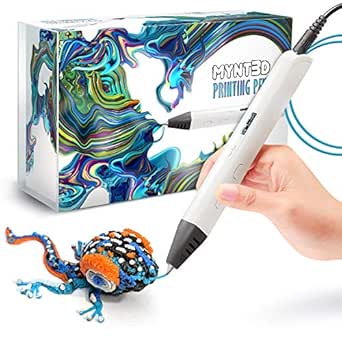 | Best for Fine Temperature Adjustment | Temperature range: Listed as 130–240 °C; product content also lists 140–230 °C | Temperature adjustment: 1 °C increments | Power output: 10 W | VIEW LATEST PRICE | See Our Full Breakdown |
| 3Doodler Start+ Essentials 3D Pen Set for Kids, Ages 6+ |  | Best for Young Children | Recommended age: 6 years and up | Filament type: PCL | Charging: USB-C rechargeable | VIEW LATEST PRICE | See Our Full Breakdown |
| 3Doodler Create+ 3D Printing Pen, Steel Blue |  | Best for Material Flexibility | Compatible plastics: PLA, ABS, and FLEXY | Speed modes: Fast and slow | Plastic-feed feature: Dual-drive technology | VIEW LATEST PRICE | See Our Full Breakdown |
| SCRIB3D P1 3D Printing Pen Kit with Display |  | Best for Temperature and Speed Control | Filament compatibility: PLA and ABS | PLA temperature range: 160–210°C (320–410°F) | ABS temperature range: 210–235°C (410–455°F) | VIEW LATEST PRICE | See Our Full Breakdown |
| MYNT3D Super 3D Printing Pen, 1.75 mm ABS and PLA Compatible |  | Best Lightweight Pick | Filament compatibility: 1.75 mm ABS and PLA | Speed control: Stepless variable extrusion speed | Power output: 10 W | VIEW LATEST PRICE | See Our Full Breakdown |
| MYNT3D Pro 3D Pen Kit with 10-Color PLA Filament and DesignPad |  | Best for Guided Shape-Making | Included pen: MYNT3D Pro 3D pen | Included filament: PLA in 10 colors | Filament diameter: 1.75 mm | VIEW LATEST PRICE | See Our Full Breakdown |
| SCRIB3D P1 3D Printing Pen Bundle with 23 PLA Filament Colors |  | Best for a Large Color Supply | Pen model: SCRIB3D P1 | Filament type: PLA | Starter filament: Three colors, 30 feet | VIEW LATEST PRICE | See Our Full Breakdown |
| SCRIB3D P1 3D Printing Pen Bundle with 6 Spools of Tri-Color PLA Filament |  | Best for Adjustable, Multi-Material Projects | Model: P1 | Included additional filament: Six spools; 200 feet total | Filament diameter: 1.75 mm | VIEW LATEST PRICE | See Our Full Breakdown |
| 3Doodler Flow 3D Printing Pen with Filaments, Stencil Book, and Guide |  | Best for Filament Variety and Temperature Feedback | Model: 3DFLOW-US | Compatible filament types: PLA, ABS, and wood | Filament diameter: 1.75 mm | VIEW LATEST PRICE | See Our Full Breakdown |
| SCRIB3D Advanced 3D Printing Pen Bundle with 20-Color PLA Filament Refill Pack |  | Best for a Large, Colorful PLA Supply | Filament material: PLA | Filament diameter: 1.75 mm | Total filament length: 348 feet | VIEW LATEST PRICE | See Our Full Breakdown |
| 3D printing pen | Dimensions | Weight |
|---|---|---|
| SCRIB3D Advanced 3D Printing P | 4.06 × 7.8 × 2.48 inches | 11.7 ounces |
| SCRIB3D PRO 3D Printing Pen Se | — | — |
| SCRIB3D P1 3D Printing Pen Bun | — | — |
| MYNT3D Professional 3D Printin | 7.99 × 5.2 × 2.6 inches | 12 ounces |
| 3Doodler Start+ Essentials 3D | 9.06 × 6.02 × 2.56 inches | 10.72 ounces |
| 3Doodler Create+ 3D Printing P | 10.8 × 4.55 × 3.13 inches | 1.3 pounds |
| SCRIB3D P1 3D Printing Pen Kit | 4.61 × 7.87 × 1.97 inches | 12.9 ounces |
| MYNT3D Super 3D Printing Pen | 3.98 × 8.31 × 2.32 inches | 7.7 ounces |
| MYNT3D Pro 3D Pen Kit with 10- | — | — |
| SCRIB3D P1 3D Printing Pen Bun | — | — |
| SCRIB3D P1 3D Printing Pen Bun | — | — |
| 3Doodler Flow 3D Printing Pen | 3.1 x 10.74 x 4.44 inches | 15.8 ounces |
| SCRIB3D Advanced 3D Printing P | — | — |
More Details on Our Top Picks
SCRIB3D Advanced 3D Printing Pen Kit
The SCRIB3D Advanced suits makers who want hands-on control over how quickly filament comes out. Its eight speed settings make it easier to slow down for small details or raise the flow for thicker lines, while the LCD and adjustable temperature controls give more feedback than a basic pen. Compared with the included-filament breadth of the SCRIB3D P1 Bundle with Silicone Mat, this kit is more focused on pen control than on a large color library or guided work surface. It does include five PLA colors, a stencil guide, and a step-by-step manual, so beginners have a starting point. The tradeoffs are a 2–3 minute warm-up and a hot nozzle that calls for care; buyers seeking a child-oriented design should choose the 3Doodler Start+ instead.
Pros:- Eight speed settings allow finer control of filament flow and line thickness.
- LCD and buttons provide access to temperature and speed controls.
- Ergonomic shape and soft-touch surface are designed for comfortable handling.
- Includes five PLA colors, a stencil guide, manual, and power adapter.
Cons:- Needs 2–3 minutes to warm up before drawing.
- The heated nozzle requires careful handling and is not suited to unsupervised young users.
Best for: Adult beginners and hobbyists who want adjustable flow, clear controls, and a modest PLA assortment for practicing detailed drawings.
Not ideal for: Families shopping for a pen for young children, or makers who want a large filament bundle and work mat included.
- Filament:PLA, five colors
- Filament length:15 meters (about 50 feet)
- Speed settings:8
- Warm-up time:2–3 minutes
- Dimensions:4.06 × 7.8 × 2.48 inches
- Weight:11.7 ounces
- Model:SCRIB_PEN_ADV
- Warranty:1 year
Our verdict“Choose the SCRIB3D Advanced if adjustable flow matters more to you than a large starter bundle or a child-focused safety design.”
SCRIB3D PRO 3D Printing Pen Set with Filament, Interchangeable Nozzles, and DoodlePad
The SCRIB3D PRO is the lineup’s choice for makers who want to explore beyond ordinary PLA. Its controls adjust temperature and speed, and the display shows both settings, giving users a way to tune extrusion to the material they are working with. The stated compatibility includes 1.75 mm filament and several specialty materials, a broader brief than the PLA-focused SCRIB3D Advanced or the SCRIB3D P1 Silicone Mat Bundle. That flexibility can appeal to prototypers, but the product details include the unclear material name “Vibers,” so I would verify compatibility before buying specialty filament. The hot nozzle and 14+ age recommendation make this a poor fit for children. Its extensive color list is useful, though the listed package weight is 2.24 pounds, making it less appealing for anyone prioritizing a light, simple starter pen.
Pros:- Adjustable temperature and speed support tuning extrusion for different projects.
- On-pen display shows temperature and speed while working.
- Supports standard 1.75 mm filament and a stated range of material types.
- Includes a broad assortment of filament colors.
Cons:- The nozzle gets hot, and the stated age recommendation is 14 and up.
- The compatibility list includes the unclear term “Vibers,” leaving some material support uncertain.
- Listed package weight is 2.24 pounds, heavier than a minimal pen-only kit.
Best for: Teen and adult hobbyists who already understand filament basics and want to adjust settings while trying supported specialty materials.
Not ideal for: Parents seeking a child-safe first pen, or beginners who want a clearly specified, simple PLA-only setup.
- Age recommendation:14+
- Filament size:1.75 mm
- Compatible materials:PLA, PHA, wood, bronze/copper, steel, Vibers, and CF (Carbon Fiber) 10, as listed
- Controls:Adjustable temperature and speed
- Display:On-pen display for temperature and speed
- Included filament colors:Red, black, clear, bronze, wood, blue/yellow dual color, metallic gold, metallic silver, and pure white
- Package dimensions:10.43 × 8.27 × 2.72 inches
- Item weight:2.24 pounds
Our verdict“Pick the SCRIB3D PRO for adjustable settings and material variety, but verify specialty-filament compatibility and keep it away from young children.”
SCRIB3D P1 3D Printing Pen Bundle with Silicone Mat and 20-Color PLA Filament
This SCRIB3D P1 bundle is the easiest pick for a buyer who wants practice materials and a place to work from the start. Its 20 colors add up to 320 feet of 1.75 mm PLA, while the two-sided heat-resistant silicone mat provides patterns and shapes to guide early projects. That makes it a more complete practice setup than the five-color SCRIB3D Advanced kit, which emphasizes adjustable flow rather than abundant supplies. A display pen, stencil book, project guide, and power adapter round out the bundle. The tradeoff is that the filament is specified as PLA, so buyers wanting broader material experimentation may prefer the SCRIB3D PRO. The mat is also designed as a practice and design surface, not an all-purpose work mat; its value is greatest for users who expect to follow shapes and templates.
Pros:- Includes 20 PLA colors totaling 320 feet of filament.
- Two-sided heat-resistant silicone mat offers shapes and patterns for guided practice.
- Bundle includes a display pen, stencil book, project guide, and power adapter.
- Uses standard 1.75 mm PLA filament.
Cons:- The included refill assortment is specified for PLA rather than a range of materials.
- The mat is primarily a practice and design surface, which may limit its usefulness for other tasks.
Best for: New hobbyists, families with older children, and classroom activity leaders who want many PLA colors plus guided drawing surfaces.
Not ideal for: Makers who need specialty-material support, or buyers who already own filament and do not need a mat or stencil-based practice aids.
- Brand:SCRIB3D
- Filament material:PLA
- Filament diameter:1.75 mm
- Total filament length:320 feet
- Filament colors:20
- Mat:Two-sided, flexible, heat-resistant silicone
- Included items:P1 pen with display, silicone mat, PLA refills, starter filament, stencil book, project guide, and power adapter
Our verdict“Choose this bundle when a large PLA assortment and guided practice matter more than specialty-material flexibility or pen-focused controls.”
MYNT3D Professional 3D Printing Pen with OLED Display
The MYNT3D Professional stands out for unusually granular temperature adjustment: the controls change temperature in 1 °C increments, and its OLED display shows the material temperature. That gives experienced users more precise tuning than the SCRIB3D Advanced’s general temperature and speed controls, though the SCRIB3D PRO also offers a display and adjustable settings alongside broader stated material compatibility. The MYNT3D’s lightweight, ergonomic stylus and adjustable extrusion speed suit drawing and sketching without adding a large bundle of accessories. Its drawbacks are meaningful: product information gives conflicting temperature ranges, and the included filament is described inconsistently as both PLA and ABS. I would treat those details as unresolved rather than assume a specific range or material; buyers who want a clearly documented starter assortment may prefer the SCRIB3D P1 bundle.
Pros:- Temperature can be adjusted in 1 °C increments.
- OLED display shows material temperature during use.
- Adjustable extrusion speed supports different drawing styles.
- Lightweight, ergonomic stylus design.
Cons:- Product information lists conflicting temperature ranges.
- Included filament is described inconsistently as PLA and ABS.
- The listed included filament assortment is limited to three colors.
Best for: Experienced adult users who value fine temperature control and a lightweight pen more than a large collection of project accessories.
Not ideal for: First-time buyers who need unambiguous filament and temperature specifications, or shoppers seeking a mat and extensive starter supplies.
- Temperature range:Listed as 130–240 °C; product content also lists 140–230 °C
- Temperature adjustment:1 °C increments
- Power output:10 W
- Input power:5 V DC, 2 A
- Included filament:3 colors; product content lists both PLA and ABS
- Dimensions:7.99 × 5.2 × 2.6 inches
- Weight:12 ounces
- Model number:MP012-WH
Our verdict“Pick the MYNT3D Professional for fine temperature tuning and a light form, but skip it if you need clear material specifications or a fuller starter bundle.”
3Doodler Start+ Essentials 3D Pen Set for Kids, Ages 6+
The 3Doodler Start+ is the clear child-focused choice here: it is designed for ages 6 and up, has no external hot parts, and uses PCL filament that hardens quickly for hands-on projects. Those features make it a better fit for supervised family or classroom activities than the adult-oriented SCRIB3D Advanced and MYNT3D Professional, both of which have heated nozzles and more involved controls. USB-C charging, a DoodlePad, and an activity guide help keep projects self-contained. The compromise is that this is a different kind of pen from the adjustable-temperature models: buyers looking to fine-tune extrusion or experiment with the broader materials listed for the SCRIB3D PRO should look elsewhere. Product information also gives conflicting warranty durations, so I would confirm coverage with the seller rather than rely on either listed term.
Pros:- Designed for ages 6 and up, with no external hot parts.
- PCL filament heats, extrudes, and hardens quickly for project work.
- USB-C rechargeable design supports use without a constant power connection.
- Includes mixed-color filament, a DoodlePad, and an activity guide.
Cons:- Its child-focused design is less suited to adults seeking detailed temperature and material controls.
- Product information gives inconsistent warranty durations.
Best for: Parents, caregivers, and educators seeking a child-oriented 3D pen for supervised creative and STEM activities with children ages 6 and up.
Not ideal for: Adult makers seeking adjustable temperature, specialty-filament experimentation, or the more technical controls found on the SCRIB3D PRO.
- Recommended age:6 years and up
- Filament type:PCL
- Charging:USB-C rechargeable
- Included components:3D pen, two packs of plastic strands, DoodlePad, USB charger cable, instruction manual, and activity guide
- Dimensions:9.06 × 6.02 × 2.56 inches
- Weight:10.72 ounces
- Number of pieces:6
- Warranty:Product information lists both 1 year and 2 years, plus lifetime product support
Our verdict“Choose the 3Doodler Start+ for a child-oriented creative set, not for adult makers who want granular controls or broad material choices.”
3Doodler Create+ 3D Printing Pen, Steel Blue
The 3Doodler Create+ is the most material-flexible choice in this group: it accepts PLA, ABS, and FLEXY, while the MYNT3D Pro kit here supplies PLA only. That wider compatibility suits makers who want to switch between everyday drawing, sturdier forms, and more flexible projects, though compatible refills remain necessary for ongoing use. Fast and slow modes make it easier to choose between filling larger areas and working on finer details, and its dual-drive system gives the user control over plastic flow. The included 15-color refills, tools, and five-project guide make the kit more ready to start with than the MYNT3D Super, which includes only three filament colors. The tradeoff is a comparatively substantial listed weight of 1.3 pounds, and the listed pen material is ABS.
Pros:- Supports PLA, ABS, and FLEXY plastics for a wider range of project materials.
- Fast and slow modes suit both broad coverage and detailed drawing.
- Dual-drive technology helps control plastic flow.
- Includes 15-color refills, tools, and a five-project guide.
Cons:- Ongoing use depends on compatible plastic refills.
- The listed weight of 1.3 pounds is heavier than the MYNT3D Super.
- The product data lists ABS as the pen material.
Best for: Makers who want one pen for projects using PLA, ABS, and flexible FLEXY plastic, with starter materials and guidance included.
Not ideal for: People who prioritize a lightweight pen for extended drawing or want to use generic refills without checking compatibility.
- Compatible plastics:PLA, ABS, and FLEXY
- Speed modes:Fast and slow
- Plastic-feed feature:Dual-drive technology
- Included refills:Two packs of 3 mm plastic refills in 15 colors
- Included accessories:Power adapter and tools
- Included guide:Ultimate Guide to Doodling with five projects
- Weight:1.3 pounds
- Dimensions:10.8 × 4.55 × 3.13 inches
Our verdict“Choose the 3Doodler Create+ if material choice matters more than keeping the pen light.”
SCRIB3D P1 3D Printing Pen Kit with Display
The SCRIB3D P1 is a strong fit for users who want to adjust their drawing pace and work with either PLA or ABS. Its stepless speed control allows gradual flow changes rather than limiting users to preset speeds, while adjustable temperature accommodates both supported plastics. Compared with the 3Doodler Create+, the P1 includes less filament and supports fewer material types, but its ceramic nozzle and two-minute auto-sleep add practical touches for home crafting. The starter kit provides three PLA colors, a stencil guide, and a manual, giving new users a clear place to begin. The compromises are a warm-up period of about two to three minutes and a nozzle that becomes hot during use; it is a better fit for attentive crafting than casual handling.
Pros:- Stepless speed control supports gradual adjustments for detail or filling.
- Adjustable temperature settings support PLA and ABS.
- Includes three filament colors, a stencil guide, and a manual.
- Two-minute auto-sleep function.
Cons:- Warm-up takes about two to three minutes.
- The nozzle becomes hot during use and calls for care.
- The starter filament selection is smaller than the 3Doodler Create+ kit.
Best for: New and intermediate hobbyists who want fine control over extrusion and plan to switch between PLA and ABS.
Not ideal for: Users seeking a pen with extensive starter filament or anyone who needs a cool-to-touch tool during operation.
- Filament compatibility:PLA and ABS
- PLA temperature range:160–210°C (320–410°F)
- ABS temperature range:210–235°C (410–455°F)
- Speed control:Stepless
- Nozzle:Ceramic
- Auto-sleep:Two minutes
- Included filament:Three colors, 30 feet total
- Weight:12.9 ounces
- Dimensions:4.61 × 7.87 × 1.97 inches
Our verdict“Pick the SCRIB3D P1 if adjustable speed and temperature matter more than a large starter supply.”
MYNT3D Super 3D Printing Pen, 1.75 mm ABS and PLA Compatible
At 7.7 ounces, the MYNT3D Super is the lightest of these five options with a stated weight, making it a sensible choice for longer drawing sessions or users who prefer a less substantial pen. It accepts 1.75 mm PLA and ABS and offers stepless extrusion-speed control plus adjustable temperature, so it covers the core adjustments available on the SCRIB3D P1. Unlike that SCRIB3D kit, the Super’s listed package is lean: it includes three filament colors and an AC adapter, without a stencil guide or stated auto-sleep feature. Its ergonomic design and ultrasonic-sealed nozzle, which is designed to resist clogging, are useful practical strengths, but the small color selection means frequent refill purchases for varied projects. This is the straightforward, lighter option, not the most complete starter bundle.
Pros:- Lightweight 7.7-ounce design with an ergonomic form.
- Stepless extrusion-speed control adjusts plastic flow.
- Temperature settings support ABS and PLA.
- Ultrasonic-sealed nozzle is designed to resist clogging.
Cons:- Includes only three filament colors.
- Requires an AC adapter for power.
- Has fewer listed starter accessories than the SCRIB3D P1 kit.
Best for: Hobbyists who value a lightweight, ergonomic pen and want adjustable speed and temperature for PLA or ABS.
Not ideal for: Beginners who want a stencil guide, a broad set of starter colors, or a documented auto-sleep feature in the kit.
- Filament compatibility:1.75 mm ABS and PLA
- Speed control:Stepless variable extrusion speed
- Power output:10 W
- Input power:5 V DC, 2 A
- Adapter:100–240 V AC, 50/60 Hz
- Weight:7.7 ounces
- Dimensions:3.98 × 8.31 × 2.32 inches
- Warranty:One-year limited
Our verdict“Choose the MYNT3D Super for a lighter ABS-and-PLA pen, but look to the SCRIB3D P1 if a guided starter kit matters more.”
MYNT3D Pro 3D Pen Kit with 10-Color PLA Filament and DesignPad
The MYNT3D Pro kit is the clearest pick here for makers who want a work surface as well as a pen: its DesignPad and FreePad provide two surfaces for shaping or tracing designs. That setup offers more hands-on drawing support than the MYNT3D Super, which has adjustable controls but no listed mats. The kit also includes 10 PLA colors, giving color-focused projects more choice than the Super’s three-color supply. Stepless speed control and adjustable temperature let users tune the flow, and the replaceable sealed nozzle is designed to support ongoing use. The tradeoff is material scope: the included filament is PLA, unlike the 3Doodler Create+’s stated PLA, ABS, and FLEXY compatibility. Its one-year limited warranty is another boundary for buyers planning frequent use.
Pros:- Includes DesignPad and FreePad for shaping and tracing.
- Supplies PLA filament in 10 colors.
- Stepless speed control and adjustable temperature support flow tuning.
- Replaceable sealed nozzle is designed for continued operation.
Cons:- The included filament is PLA only, unlike the 3Doodler Create+’s broader material range.
- Warranty is limited to one year.
Best for: Craft makers who want to trace or shape designs on included mats and prefer a broad palette of PLA filament.
Not ideal for: Users who need included ABS or flexible filament, or who want a longer stated warranty.
- Included pen:MYNT3D Pro 3D pen
- Included filament:PLA in 10 colors
- Filament diameter:1.75 mm
- Drawing surfaces:DesignPad and FreePad
- DesignPad material:Silicone
- Speed control:Stepless
- Temperature:Adjustable
- Nozzle:Replaceable sealed nozzle
- Warranty:One-year limited
Our verdict“Choose this MYNT3D Pro kit for its two drawing surfaces and color range, not for material variety beyond PLA.”
SCRIB3D P1 3D Printing Pen Bundle with 23 PLA Filament Colors
This SCRIB3D P1 bundle stands apart for its 23 PLA colors and 358 feet of filament, a much larger supply than the three-color, 30-foot package in the SCRIB3D P1 kit with display. That makes it the better match for frequent projects, color experiments, or anyone who would rather start with a substantial assortment than add refills soon. The pen itself keeps the P1’s stepless speed slider, intuitive controls, and ceramic nozzle, with an anti-clogging design listed for routine crafting. Unlike the MYNT3D Pro kit, however, this bundle provides no drawing mats, and its filament is PLA only. The abundant material is the main reason to choose it; buyers who need ABS compatibility or guided tracing accessories should favor another option in this lineup.
Pros:- Includes 23 colors and 358 feet of PLA filament in total.
- Stepless speed slider allows adjustable extrusion.
- Ceramic nozzle and listed anti-clogging design support routine use.
- Uses the SCRIB3D P1 control format.
Cons:- Bundle includes PLA filament only.
- No drawing mats or stencil guide are listed, unlike the MYNT3D Pro kit and SCRIB3D P1 kit with display.
Best for: Frequent crafters and families who want many PLA colors and a substantial filament supply for varied projects.
Not ideal for: Makers who need ABS or flexible filament, or beginners who want drawing mats and a stencil guide included.
- Pen model:SCRIB3D P1
- Filament type:PLA
- Starter filament:Three colors, 30 feet
- Assorted refill filament:20 colors, 328 feet
- Total filament:23 colors, 358 feet
- Controls:Intuitive controls and stepless speed slider
- Nozzle:Ceramic
- Listed feature:Anti-clogging design
Our verdict“Pick this bundle if a large PLA color supply is your priority; choose the display P1 kit for ABS support and a stencil guide.”
SCRIB3D P1 3D Printing Pen Bundle with 6 Spools of Tri-Color PLA Filament
The SCRIB3D P1 bundle suits makers who want to tune the pen to a project rather than work at one fixed pace. Its stepless speed control helps with slower detail work and quicker fills, while adjustable temperature and support for PLA and ABS give it more material flexibility than the PLA-only SCRIB3D Advanced 20-color bundle. The six additional tri-color spools provide 200 feet of filament, though the mix is less straightforward for choosing a single solid color than the Advanced bundle’s 20-color refill pack. Auto-sleep, anti-clogging technology, and a ceramic nozzle add practical safeguards, but the stated 1.75 mm filament diameter limits refills to that size. This is a strong fit for adjustable, varied projects, not a pen for buyers seeking a broad palette of separate colors.
Pros:- Six additional spools supply 200 feet of tri-color PLA
- Adjustable temperature and stepless speed control suit different project styles
- Works with both PLA and ABS filament
- Auto-sleep, anti-clogging technology, and ceramic nozzle add useful safeguards
Cons:- Tri-color spools offer less control over individual color selection than a multi-color solid PLA pack
- Filament compatibility is limited to the specified 1.75 mm diameter
Best for: Makers who want adjustable speed and temperature, plus enough tri-color PLA for repeated home projects
Not ideal for: Artists who want many distinct solid colors or anyone planning to use filament outside the specified 1.75 mm diameter
- Model:P1
- Included additional filament:Six spools; 200 feet total
- Filament diameter:1.75 mm
- Compatible filament types:PLA and ABS
- Nozzle material:Ceramic
- Speed control:Stepless
- Other features:Adjustable temperature, auto-sleep, anti-clogging technology
- Warranty:1 year
Our verdict“Choose this P1 bundle for adjustable controls and a substantial supply of tri-color PLA, but pick the SCRIB3D Advanced 20-color bundle if separate color choices matter more.”
3Doodler Flow 3D Printing Pen with Filaments, Stencil Book, and Guide
The 3Doodler Flow makes a good case for buyers who want to experiment with more than standard plastic. It accepts 1.75 mm PLA, ABS, and wood filament, giving it a material range not specified for the SCRIB3D Advanced 20-color bundle. Its LCD temperature display makes the pen’s heat setting visible while drawing, which can help users keep track as they work; it is a useful distinction from the SCRIB3D P1 tri-color bundle, whose listed features include adjustable temperature but no display. The box includes eight colors and 80 feet of filament, plus an activity guide and stencil book for getting started. That supply is smaller than the P1 bundle’s 200 feet of additional PLA, and the pen still requires compatible 1.75 mm filament. The heated extrusion also calls for care during use.
Pros:- Compatible with 1.75 mm PLA, ABS, and wood filament
- LCD shows temperature during use
- Includes eight filament colors totaling 80 feet
- Activity guide and stencil book support freehand and guided projects
Cons:- Included filament is shorter in total length than the SCRIB3D P1 tri-color bundle’s additional supply
- Requires compatible 1.75 mm filament
- Uses heated, extruded plastic, so handling requires care
Best for: Creative hobbyists who want temperature feedback and the option to try PLA, ABS, and wood filament
Not ideal for: High-volume creators who want a large included filament supply, or buyers seeking a pen that avoids heated plastic
- Model:3DFLOW-US
- Compatible filament types:PLA, ABS, and wood
- Filament diameter:1.75 mm
- Included filament:Eight colors; 80 feet total
- Display:Integrated LCD with temperature monitoring
- Included accessories:Activity guide and stencil book
- Dimensions:3.1 x 10.74 x 4.44 inches
- Weight:15.8 ounces
Our verdict“Pick the Flow if visible temperature monitoring and wood-filament compatibility matter more than getting the longest included filament supply.”
SCRIB3D Advanced 3D Printing Pen Bundle with 20-Color PLA Filament Refill Pack
For projects where color choice and refill volume matter most, this SCRIB3D Advanced bundle leads with 348 feet of PLA in 20 colors. That is substantially more filament than the 3Doodler Flow’s included 80 feet, and its solid-color range is easier to select from than the P1 bundle’s tri-color spools. The pen’s LCD screen and variable speed control give users feedback and pace adjustment without making material versatility the selling point. Its stated filament is PLA, and compatibility with other materials is not described; buyers wanting documented ABS or wood options should look instead at the Flow or the SCRIB3D P1 bundle. An ergonomic design, ceramic nozzle, and anti-clogging design round out the kit, while the 1.75 mm specification still narrows refill choices.
Pros:- Includes 348 feet of PLA across 20 colors
- LCD screen and variable speed control support more informed, adjustable drawing
- Ergonomic design is intended for a comfortable grip
- Ceramic nozzle and anti-clogging design address common pen-use concerns
Cons:- Only PLA compatibility is described; other filament types are not specified
- The 1.75 mm filament diameter limits compatible refills
Best for: Frequent hobby creators who want a broad selection of PLA colors and enough included filament for many projects
Not ideal for: Makers who need documented ABS or wood compatibility, or who prefer a smaller filament bundle with fewer color choices
- Filament material:PLA
- Filament diameter:1.75 mm
- Total filament length:348 feet
- Filament colors:20
- Speed control:Variable
- Display:LCD screen
- Nozzle:Ceramic
- Included accessories:Stencil book and project guide
Our verdict“Choose this bundle for a large, varied PLA supply and on-pen controls, but opt for the 3Doodler Flow if documented wood-filament compatibility is a priority.”
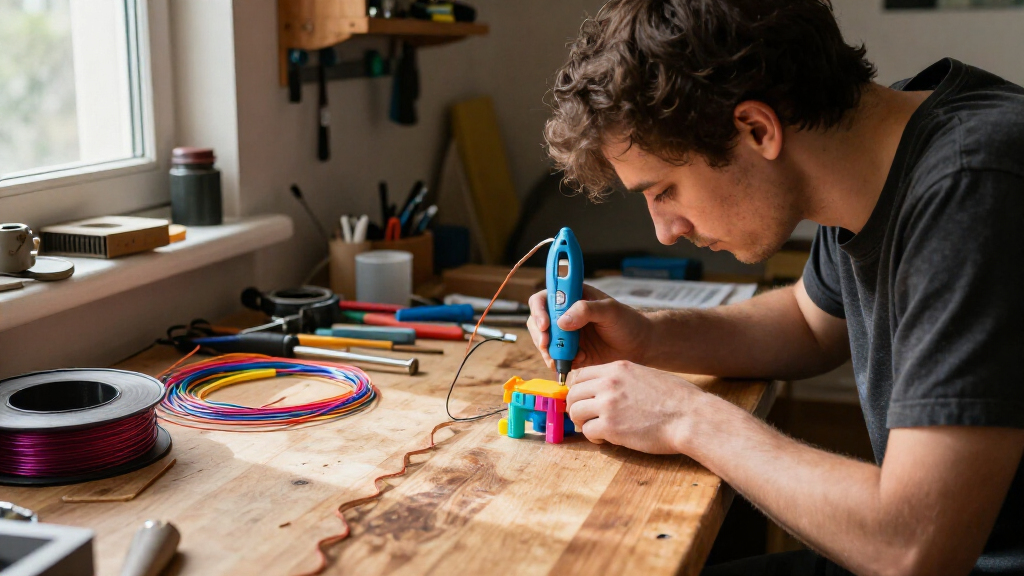
How We Picked
I compared the 13 options around the decisions that shape day-to-day use: control and feedback, filament compatibility, ease of loading and handling, safety fit for the intended age group, and the usefulness of included accessories. I gave more weight to features that can change the drawing experience—such as an OLED display, adjustable operation, nozzle choices, or a kid-oriented design—than to bundle size alone. Filament colors, pads, mats, and guides count when they help a buyer start a project or practice with less extra setup.
The ranking favors pens that combine useful control with a clear audience and a practical package. That puts the MYNT3D Professional first for its control-focused design, while the 3Doodler Start+ ranks for its distinct child-focused use rather than competing as an adult precision pen. Bundle-heavy SCRIB3D P1 and Advanced kits are judged on their included materials and accessories, not as though extra colors change the core pen. Buyers who need a specific age fit, filament type, or accessory may find a lower-ranked pick more suitable than the overall leader.
Factors to Consider When Choosing Best 3D Printing Pens
Before choosing a pen, decide what kind of drawing it needs to support and who will handle it. Age, control, filament, and workflow can matter more than the size of the included bundle. These factors help separate a useful match from a kit that looks generous but does not fit the intended projects.
Match the Pen to the User’s Age and Supervision Needs
Start with the person who will hold the pen, not the project pictured on the box. A kid-oriented system such as the 3Doodler Start+ is a different category of choice from adult-style hot-filament pens, and the two should not be treated as interchangeable. Check the maker’s age guidance and operating instructions before buying, especially if a child will use the pen. Adult-oriented models may offer more control features, but those do not make them a better choice for unsupervised use. Plan for an adult to teach safe handling when the design calls for a hot nozzle. For shared family use, choose around the youngest intended user rather than assuming an older sibling’s comfort transfers to everyone.
Choose Control Features for the Work You Want to Draw
Temperature adjustment and speed control can help users adapt the pen’s feed and output to different drawing habits, but extra controls also add decisions for a beginner. A display, as found on the MYNT3D Professional, can make settings easier to read while working. If the main goal is simple freehand play, a straightforward pen may be easier to learn than a model with multiple adjustments. For small details or deliberate lines, feedback and controllable flow may matter more than a large accessory pack. Do not assume a display guarantees smoother results; practice, hand steadiness, and suitable filament still shape the line. Choose the few controls that solve a real problem rather than paying attention to feature count alone.
Check Filament Compatibility Before Stocking Up
Filament diameter and material compatibility determine which refills can be used, so check the pen’s specifications before adding spools to a cart. A bundle’s included colors only help if they match the pen and the projects you plan to make. PLA is a common starting material in these kits, while some models also list ABS compatibility; those materials can behave differently during use. Avoid buying a large refill assortment until you know which type the pen accepts and which material suits your workspace and project needs. Spool format also matters: a broad color selection can be less convenient if the refills are awkward to store or feed. Treat compatibility as a requirement, not a bonus feature.
Judge Bundles by Useful Accessories, Not Item Count
Bundle contents can reduce setup friction, but only when they support how you plan to draw. A silicone mat can help protect a work surface, while a doodle pad, design pad, stencils, or guide can give a new user a place to start practicing. Extra colors are appealing for multicolor projects, though they do not improve the pen’s controls or teach line placement. Compare the contents across similar SCRIB3D P1 listings carefully: several names describe different filament assortments around the same pen family. If you already have a suitable work surface and a project plan, a smaller kit may be more practical than a bundle full of unused extras. Look for accessories that address a specific gap in your setup.
Think About Nozzle Access and Ongoing Care
A 3D pen depends on a clear filament path and a nozzle that can operate as intended, so read the manufacturer’s loading, unloading, and cleaning instructions before use. A set with interchangeable nozzles, such as the SCRIB3D PRO, may appeal to makers who want to explore different drawing approaches, but extra parts also require careful handling and storage. Beginners may prefer a simpler setup with fewer components to track. Use only the specified filament and follow the model’s instructions if a feed stalls; forcing material can complicate the problem. Check whether replacement parts and support information are available before committing to a pen for frequent projects. Basic care habits can matter more over time than a starter bundle’s color count.
Spend More for a Specific Need, Not a Bigger Feature List
A higher-feature kit makes sense when its controls, nozzle options, or learning materials directly support your intended use. For example, a user who wants visible setting feedback may value an OLED display, while a child’s first pen may benefit more from an age-focused design than advanced adjustments. If the main difference between two choices is the quantity or arrangement of included filament, decide whether those colors will actually be used before choosing the larger assortment. Buyers new to 3D drawing should leave room for a learning curve rather than expecting premium controls to produce polished work immediately. Frequent makers may put more weight on control and refill compatibility than on the first kit’s included extras. The best fit is the one whose added features solve a recurring need.
Frequently Asked Questions
Which 3D printing pen in this roundup is the best all-around choice for an adult beginner?
I would start with the MYNT3D Professional if readable settings and adjustable control are priorities, since those features offer room to learn without relying on a large bundle for value. If the person wants a more guided start, compare the SCRIB3D PRO set, which includes a doodle pad and interchangeable nozzles. A simpler kit may feel less demanding at first, while added controls can be useful as projects become more detailed. Check the included filament and operating instructions before choosing. The right pick depends on whether the beginner values guided practice or more control over the pen.
Can I buy an adult-style hot-filament pen for a child instead of the 3Doodler Start+?
Do not treat the adult-style pens and the 3Doodler Start+ as equivalent children’s options. The Start+ is specifically listed for ages six and up, while other pens in this roundup are not presented as the same kind of kid-focused system. Read each manufacturer’s age guidance, safety directions, and supervision requirements before deciding. A child’s ability to follow instructions and the adult’s ability to supervise should shape the choice. If you are buying for a young user, prioritize a model designed for that age group over extra controls or a larger filament assortment.
Does a bundle with more filament colors make a better 3D printing pen?
No: a color assortment changes the materials supplied, not the pen’s feeding, handling, or control. The SCRIB3D P1 bundles with 20, 23, or tri-color filament can suit different creative preferences, but their extra colors do not by themselves make line work easier. Confirm that each refill matches the pen’s supported filament type and diameter. If you are still learning, a mat or practice pad may be more useful than the largest color selection. Choose the bundle based on what you will use, then judge the pen separately.
Should I choose a pen with temperature and speed controls if I have never used one?
Controls can help you adjust how a pen feeds material, but they also require some experimentation. A display like the one on the MYNT3D Professional can make settings easier to see, though it cannot replace practice or careful loading. If you prefer a simpler first experience, a model with fewer adjustments may be less distracting. Think about whether you expect to keep making projects as your skills grow; that is when added control may become more useful. Follow the maker’s recommended settings and filament guidance rather than changing several variables at once.
What should I check before buying replacement filament for one of these pens?
Check the pen’s stated filament diameter and supported materials, then compare those details with the refill label. The MYNT3D Super, for example, is listed as compatible with 1.75 mm ABS and PLA, but do not assume every pen in the roundup accepts the same combination. Also verify spool format and any material-specific operating directions. Buying a large assortment before confirming compatibility can leave you with colors the pen cannot use. When in doubt, follow the model’s manual or manufacturer guidance rather than relying on a bundle title alone.
Conclusion
For most adult makers seeking a control-focused all-around option, I would choose the MYNT3D Professional as best overall. The SCRIB3D P1 bundles are my value-oriented picks when their included mat or filament assortment matches the buyer’s needs, while the SCRIB3D PRO set is the stronger choice for someone who wants nozzle options and a practice pad. For children, I would choose the 3Doodler Start+ because it is designed for ages six and up; for a premium-leaning feature set, the MYNT3D Professional stands out for its display and adjustable operation. If a specific refill type, broad color assortment, or guided practice materials matter most, pick the bundle built around that need rather than assuming the overall winner fits every project.
Black Friday Picks

KitchenAid Classic Series 4.5-Quart Tilt-Head Stand Mixer, Onyx Black
As an affiliate, we earn on qualifying purchases.