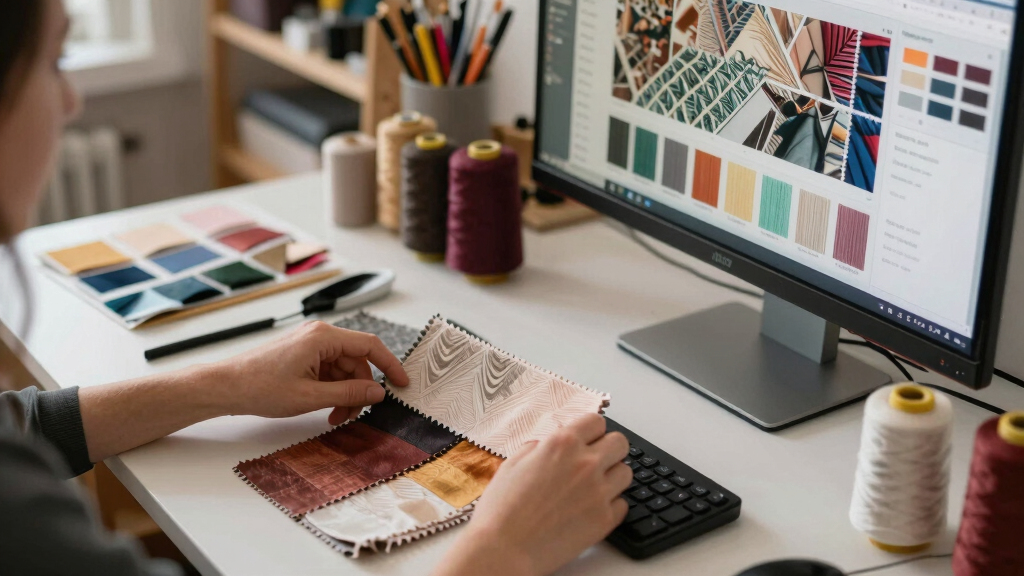

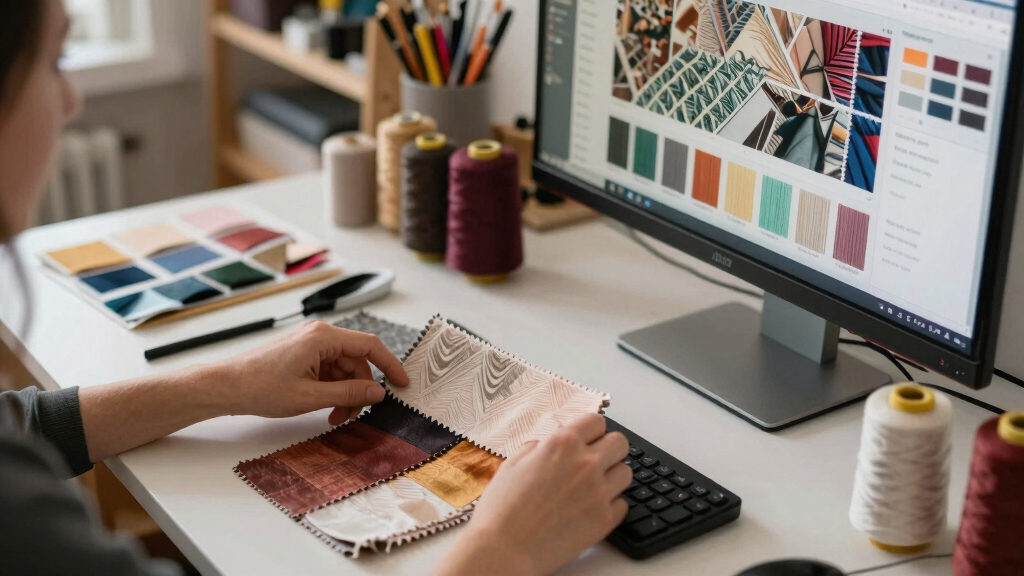
Choosing the best color accurate monitor for textile design requires balancing color precision, calibration capabilities, and ease of use. The BenQ PD2706QN stands out as the overall top pick thanks to its factory calibration and Nano Matte finish, ideal for professional color work. The ASUS ProArt PA278QV offers excellent value with factory calibration and a versatile 27-inch display, perfect for budget-conscious designers. Meanwhile, the LG 27US500-W provides stunning 4K resolution for detailed work but may lack some advanced calibration features. Understanding these tradeoffs—such as calibration depth versus resolution—helps narrow down the right choice. Keep reading for an in-depth comparison of these and other top options.
Key Takeaways
- Factory calibration and pre-set color profiles are vital for reliable color accuracy out of the box.
- Higher resolutions like 4K benefit detailed textile work but often come at a premium price.
- Color gamut coverage (such as sRGB and Adobe RGB) directly impacts how accurately colors are reproduced.
- Built-in calibration tools and hardware calibration support improve long-term color consistency.
- Size and ergonomics matter; larger, adjustable screens reduce eye strain and improve workflow efficiency.


More Details on Our Top Picks
BenQ PD2706QN 27” 2K QHD IPS Monitor with USB-C, Factory-Calibrated, Nano Matte, Height Adjustable
The BenQ PD2706QN stands out for its factory-calibrated color accuracy, with 95% P3 and 100% sRGB coverage, making it an excellent choice for textile designers who require reliable color reproduction. Compared to the ASUS ProArt PA278QV, this monitor offers a higher resolution of 2K QHD, which provides finer detail essential for intricate textile work. Its nano matte panel significantly reduces glare, a notable advantage over standard glossy screens, and combined with ergonomic adjustments, it supports comfortable long hours. The main tradeoff is its higher price, which might stretch budgets, and the 100Hz refresh rate limits use for fast-paced editing or gaming. This monitor is perfect for professionals prioritizing color fidelity and comfort.
Pros:- Excellent factory calibration with Delta E ≤ 2
- Nano matte anti-glare panel enhances eye comfort
- Flexible ergonomic adjustments for long sessions
- Seamless USB-C with 90W charging
Cons:- Higher cost compared to some alternatives
- Limited to 100Hz refresh rate, not suited for gaming or fast video editing
Best for: Professional textile designers needing precise color matching and ergonomic comfort
Not ideal for: Gamers or those seeking ultra-high refresh rates for fast-paced editing
- Display Size:27 inches
- Resolution:2560×1440 (2K QHD)
- Panel Type:IPS
- Color Coverage:95% P3, 100% sRGB/Rec.709
- Color Accuracy:Delta E ≤ 2
- USB-C Power Delivery:90W
Bottom line: Ideal for color-critical textile work where comfort and accuracy are paramount.
ASUS ProArt Display PA278QV 27” WQHD Monitor
The ASUS ProArt PA278QV offers a compelling balance of color accuracy and affordability, with factory calibration achieving Delta E < 2 and a wide 100% sRGB and Rec. 709 gamut, making it suitable for textile designers who need dependable color reproduction without breaking the bank. Unlike the BenQ PD2706QN, it has slightly lower resolution and fewer ergonomic features but compensates with extensive connectivity, including multiple USB ports and a range of inputs, ideal for multi-device workflows. Its 75Hz refresh rate is adequate for static and semi-animated designs but less so for fast motion. The main tradeoff is the slightly lower resolution compared to 4K options, which may limit fine detail display at very high zoom levels. This monitor is well-suited for designers seeking reliable color accuracy with solid versatility.
Pros:- Reliable factory calibration with Delta E < 2
- Extensive connectivity including multiple USB 3.0 ports
- Ergonomic stand with tilt, pivot, swivel, height adjustments
- Calman Verified for color fidelity
Cons:- Lower resolution than 4K models
- 75Hz refresh rate may be limiting for some dynamic tasks
Best for: Budget-conscious textile professionals requiring accurate color and multiple connectivity options
Not ideal for: High-end retouching or 4K-heavy workflows demanding ultra-fine detail
- Display Size:27 inches
- Resolution:2560 x 1440 (WQHD)
- Display Technology:IPS LCD
- Color Gamut:100% sRGB, Rec. 709
- Contrast Ratio:100,000,000:1
- Brightness:350 nits
Bottom line: Great for professionals who want dependable color accuracy at a more accessible price point.
LG 27US500-W 27-Inch 4K UHD IPS Monitor with HDR10, Borderless Design, Reader Mode, Flicker Safe, HDMI & DisplayPort – White
The LG 27US500-W delivers stunning 4K resolution with HDR10, offering vibrant colors and deep blacks that benefit textile designers seeking detailed visualization, especially for patterning and color matching. While its 60Hz refresh rate is standard for general use, it lags behind higher-refresh models suited to video editing or fast action. The IPS panel ensures wide viewing angles and consistent color across the screen, but compared to the BenQ PD2706QN, it lacks factory calibration details, which might mean additional calibration is necessary for precise work. Its borderless design enhances workspace aesthetics, but the monitor’s relatively basic response time and software-dependent color calibration can be limitations for critical color work. This model appeals to those who value vivid visuals for mockups and presentations.
Pros:- Vivid 4K resolution with HDR10 support
- Wide viewing angles and consistent color
- Borderless design maximizes workspace
- Adjustable ergonomic stand
Cons:- Requires calibration for precise color work
- Limited to 60Hz, unsuitable for high-frame-rate tasks
Best for: Designers needing vivid 4K visuals for presentations and detailed pattern work
Not ideal for: Color-critical workflows requiring factory calibration or fast-paced editing
- Display Size:27 inches
- Resolution:3840 x 2160 (4K UHD)
- Panel Type:IPS
- Contrast Ratio:1000:1
- HDR Support:HDR10
- Brightness:300 cd/m²
Bottom line: Excellent for visual display and general creative work where vivid imagery is prioritized over color calibration ease.
Dell 27 Plus 4K Monitor – S2725QS
The Dell S2725QS combines 4K resolution with a 120Hz refresh rate and AMD FreeSync Premium, making it a versatile choice for textile designers who occasionally engage in dynamic visual editing or video tasks. Compared to the LG 27US500-W, it offers a higher refresh rate, which can improve workflow fluidity, especially when navigating detailed designs. Its 99% sRGB coverage ensures accurate color reproduction, though not quite at the P3 or Adobe RGB levels of more premium models. The inclusion of ComfortView Plus reduces eye strain during long working periods. The main limitation is that it only features two HDMI ports and lacks a USB-C port, which could be inconvenient for modern workflows. This monitor suits users who want reliable color and smoother performance for multi-purpose use.
Pros:- 4K clarity with a 120Hz refresh rate for smooth navigation
- 99% sRGB coverage for accurate color reproduction
- Blue light reduction with ComfortView Plus
- Sleek design with ultra-thin bezels
Cons:- Limited to two HDMI ports
- No USB-C or DisplayPort
- Price may be higher than basic 4K monitors
Best for: Textile professionals who combine design with occasional multimedia editing and value smooth visuals
Not ideal for: Purely color-critical workflows requiring the highest color gamut coverage or multiple input types
- Display Size:27 inches
- Resolution:3840 x 2160 (4K)
- Refresh Rate:120Hz
- Response Time:0.03ms
- Color Gamut:99% sRGB
- Contrast Ratio:1500:1
Bottom line: A balanced option for designers who need good color accuracy with enhanced visual fluidity.
Samsung 34″ ViewFinity S50GC Series Ultra-WQHD Monitor, 100Hz, HDR10, AMD FreeSync, Eye Care, Borderless, PIP, PBP, LS34C502GANXZA, Black
The Samsung ViewFinity S50GC provides a broad 34-inch ultra-widescreen with Ultra-WQHD resolution, ideal for multitasking and detailed textile pattern viewing. Its 100Hz refresh rate and HDR10 support ensure smooth, vibrant visuals, although not matching the higher refresh rates of gaming-focused monitors. Compared to the BenQ PD2706QN, it emphasizes workspace efficiency over color accuracy, but with over a billion colors and a 3000:1 contrast ratio, it does deliver rich, detailed images. The borderless design and PIP/PBP features make it especially appealing for complex workflows. Its primary limitation is the 34-inch size, which might be small for some users expecting larger screens, and it lacks built-in speakers or extensive connectivity options. This monitor suits multitasking professionals who need a wide, vibrant display.
Pros:- Wide 21:9 aspect ratio ideal for multitasking
- High Ultra-WQHD resolution with vibrant colors
- PIP and PBP features for multi-input management
- Good contrast ratio for detailed visuals
Cons:- Limited to 34 inches, may be small for some users
- Lacks built-in speakers and extensive ports
- Requires compatible hardware for optimal FreeSync performance
Best for: Designers managing multiple projects or needing a broad workspace for textile patterning
Not ideal for: Color-critical work requiring precise calibration or high refresh rates for fast editing
- Display Size:34 inches
- Resolution:3440×1440 (Ultra-WQHD)
- Refresh Rate:100Hz
- HDR:HDR10
- Color Support:Over 1 billion colors
- Contrast Ratio:3000:1
Bottom line: Perfect for multitasking and detailed visual workflows where expansive screen real estate is a priority.
ASUS ProArt 24″ Monitor – WUXGA (1920 x 1200), 16:10, IPS, Calman Verified, Anti-Glare, Height Adjustable – PA248QV
The ASUS ProArt PA248QV stands out for delivering reliable, professional-grade color accuracy in a compact 24-inch form factor. Its coverage of 100% sRGB and Rec.709, combined with Calman verification and DeltaE < 2, makes it a solid choice for precise textile color work. Compared with larger 32-inch options like the BenQ PD3226G, this model offers less screen real estate but excels in ergonomic flexibility and affordability. The limited resolution of 1920 x 1200 might seem less sharp than 4K displays, yet it still provides clear, detailed images suitable for most design tasks. Its stand is highly adjustable, promoting comfortable long hours of work. However, it doesn’t include USB-C or built-in speakers, which could be drawbacks in modern workflows.
Pros:- Excellent color accuracy with 100% sRGB and Rec.709 coverage
- Ergonomic stand with height, tilt, pivot, and swivel adjustments
- Calman verified ensures consistent color performance
- Versatile connectivity options
Cons:- Limited to 24-inch size, less immersive for multitasking
- Resolution of 1920 x 1200 is less sharp than 4K displays
- No built-in USB-C hub or speakers
Best for: Professionals needing a compact, color-accurate monitor for detailed textile design with ergonomic flexibility.
Not ideal for: Designers requiring large, high-resolution screens or integrated USB-C hubs for multi-device workflows.
- Display Size:24 inches
- Resolution:1920 x 1200 (WUXGA)
- Aspect Ratio:16:10
- Color Coverage:100% sRGB / Rec.709
- Color Accuracy:DeltaE < 2, Calman Verified
- Panel Type:IPS
Bottom line: Ideal for professionals seeking precise color reproduction in a manageable size without the need for high-resolution or extensive connectivity.
BenQ PD3226G 32” 4K UHD Monitor for Designers with Thunderbolt 4, KVM, Nano Matte Panel, Height Adjustable
The BenQ PD3226G offers an expansive 32-inch 4K UHD display, making it perfect for detailed textile design and multitasking. Its factory-calibrated color accuracy with 95% P3 and 100% sRGB ensures vibrant, true-to-life colors. The Nano Matte reflection-free panel minimizes glare, which is a significant advantage over the ASUS ProArt 27″, especially in brightly lit environments. Its high refresh rate of 144Hz and fast response time cater to smooth motion, appealing to those who also do some multimedia work. The inclusion of Thunderbolt 4 with 90W power delivery and a built-in KVM switch enhances overall workflow efficiency. However, the monitor’s size and weight demand a spacious desk, and its premium price may be prohibitive for some budget-conscious users.
Pros:- Exceptional color accuracy with 95% P3 and 100% sRGB coverage
- Large 32-inch 4K display for detailed work
- Nano Matte reflection-free panel reduces glare
- Thunderbolt 4 with 90W Power Delivery and KVM switch
Cons:- Heavy and large, requiring substantial desk space
- Premium price point may be out of reach for some
- Limited USB ports (only 1 USB-C and 2 USB-A)
Best for: Large-scale textile designers who need high resolution, accurate colors, and versatile connectivity in a spacious display.
Not ideal for: Users with limited desk space or those prioritizing affordability over expansive features and size.
- Screen Size:32 inches
- Resolution:3840 x 2160 (4K UHD)
- Refresh Rate:144Hz
- Panel Type:IPS
- Color Coverage:95% P3, 100% sRGB
- Response Time:3 ms
Bottom line: Best suited for professionals seeking a large, color-accurate display with advanced connectivity and multitasking features.
ASUS ProArt Display 27″ Monitor PA278CV
The ASUS ProArt PA278CV combines a 27-inch WQHD resolution with factory calibration for consistent, accurate colors, covering 100% sRGB and Rec.709. Its 75Hz refresh rate is adequate for most design workflows, and the support for daisy-chaining multiple monitors makes it ideal for multi-monitor setups. Compared to higher-resolution 4K models like the BenQ PD3226G, this monitor offers slightly less pixel detail but benefits from a more manageable size and cost. Its extensive connectivity—including USB-C with 65W Power Delivery—adds flexibility. The main tradeoff is the 75Hz refresh rate, which isn’t suited for high-end gaming or extremely fast motion editing. Still, it provides excellent color fidelity and ergonomic features for professional textile work.
Pros:- Factory-calibrated with 100% sRGB and Rec.709 coverage
- Supports daisy-chaining for multi-monitor setups
- USB-C with 65W Power Delivery for flexible connectivity
- Adjustable height and ergonomic design
Cons:- Limited to 75Hz refresh rate, not ideal for high-end gaming
- Higher price for professional features
- No built-in speakers
Best for: Designers needing a versatile, color-accurate monitor capable of multi-monitor configurations and ergonomic adjustments.
Not ideal for: Users requiring ultra-high resolution or fast refresh rates for gaming or video editing demanding rapid motion clarity.
- Size:27 inches
- Resolution:2560 x 1440 (WQHD)
- Panel Type:IPS
- Color Coverage:100% sRGB, 100% Rec. 709
- Color Accuracy:Delta E < 2
- Connectivity:USB-C with 65W Power Delivery
Bottom line: Great for professionals who need color accuracy, multi-monitor support, and flexible connectivity in a manageable size.
ASUS ProArt Display PA247CV 24-inch Monitor – IPS, Full HD, 100% sRGB, USB-C, Calman Verified
The ASUS ProArt PA247CV offers a compact 24-inch Full HD IPS display with professional-grade color accuracy, covering 100% sRGB and Rec.709, with Calman verification. Its affordable price relative to larger or 4K models makes it attractive for those starting in textile design or with limited budgets. While its resolution of 1920 x 1080 may appear less sharp than higher-res options like the BenQ PD3226G, it still provides detailed and accurate color representation suitable for most creative tasks. The USB-C port supports 65W Power Delivery, simplifying workspace connection. Its main limitation is the 75Hz refresh rate, which might not satisfy those needing ultra-smooth motion for video editing or gaming. Still, it offers essential color fidelity at an accessible price point.
Pros:- Excellent color accuracy with factory calibration and Calman verification
- Affordable price for professional color work
- USB-C with 65W Power Delivery simplifies setup
- Compact size fits smaller desks
Cons:- Limited to 75Hz refresh rate
- Full HD resolution on 24 inches may appear less crisp
- No built-in speakers
Best for: Budget-conscious textile designers seeking accurate color output and versatile connectivity in a smaller, affordable monitor.
Not ideal for: High-end multimedia creators or gamers requiring 4K resolution or higher refresh rates.
- Display Size:24 inches
- Resolution:1920 x 1080 (Full HD)
- Panel Type:IPS
- Color Coverage:100% sRGB, Rec. 709
- Color Accuracy:ΔE < 2, Calman Verified
- Connectivity:USB-C with 65W Power Delivery
Bottom line: Best for emerging textile designers who need accurate colors without the premium price of larger or 4K screens.
BenQ MA270U 27” 4K UHD Monitor for MacBook with USB-C, P3 Color, Adjustable Stand
The BenQ MA270U is tailored for MacBook users needing a 27-inch 4K UHD display with vibrant P3 wide color coverage. Its factory calibration and P3 support make it ideal for color-accurate textile work with Apple devices. Its USB-C ports deliver 90W power and data, simplifying connectivity for MacBook users, while the adjustable stand promotes ergonomic comfort. Compared with the ASUS ProArt PA278CV, this monitor emphasizes seamless Mac compatibility and P3 color for more vibrant visuals. The main tradeoff is its limited refresh rate of 60Hz, which may be less suitable for fast-paced video editing or gaming. Nonetheless, it excels in providing accurate, vibrant colors in a sleek design for Mac-centric workflows.
Pros:- Vibrant P3 wide color gamut calibrated for MacBook workflows
- Dual USB-C ports with 90W Power Delivery
- Adjustable height, tilt, swivel, and pivot
- Mac-specific controls for brightness and volume
Cons:- Limited to 60Hz refresh rate
- Premium price may be high for some users
- No built-in speakers
Best for: MacBook users seeking a color-accurate, 4K display with seamless integration and ergonomic features.
Not ideal for: Windows users or those wanting higher refresh rates for gaming or fast-motion editing.
- Display Size:27 inches
- Resolution:3840 x 2160 (4K UHD)
- Display Technology:IPS LED
- Color Gamut:P3
- Contrast Ratio:2000:1
- Ports:2 USB-C (with 90W)
Bottom line: Best suited for Mac users who need a 4K, color-accurate display with flexible connectivity and ergonomic design.
How We Picked
I evaluated each monitor based on core criteria that matter for textile design: color accuracy, calibration features, resolution, color gamut coverage, build quality, and usability. Monitors with factory calibration or hardware calibration support were prioritized, as they ensure consistent, reliable color reproduction over time. I also considered resolution and size to match the detailed needs of textile work, along with ergonomic features like height adjustment for comfort. This ranking reflects a balance between professional-grade color performance and practical usability, helping buyers find options suited for different budgets and workflows.Factors to Consider When Choosing Best Color Accurate Monitor For Textile Design
Selecting the ideal monitor for textile design involves understanding several key factors. Beyond just resolution and size, color accuracy and calibration capabilities are fundamental. Considering your workflow, budget, and workspace setup will influence which features are most important. Knowing how to evaluate these aspects can prevent costly mistakes and ensure your monitor supports precise, consistent color work over time.Color Gamut and Coverage
For textile design, color gamut coverage—especially sRGB and Adobe RGB—is critical. A wider color gamut ensures more accurate and vibrant color reproduction, which is essential for matching dyes and fabrics. Monitors with at least 99% sRGB coverage are a baseline, but those with Adobe RGB support provide even better color fidelity for professional work. Be cautious of monitors claiming high coverage without calibration, as actual performance may vary.
Calibration Capabilities
Reliable color calibration is the backbone of consistent textile design. Monitors with hardware calibration support or factory calibration ensure your color profile remains accurate over time. Built-in calibration tools or compatibility with calibration devices simplify maintaining color fidelity, reducing guesswork. Avoid monitors that lack calibration features if color precision is your priority, as manual adjustments can introduce variability.
Resolution and Screen Size
Higher resolution displays, like 4K, allow for more detailed textile work, especially when working on intricate patterns. However, larger screens also demand more desk space and higher budgets. A 27-inch monitor with 2560×1440 resolution offers a good balance, while ultra-wide options provide additional workspace. Be mindful that higher resolutions require more powerful hardware to drive the display smoothly.
Build Quality and Ergonomics
Long hours spent designing demand comfortable, adjustable monitors. Look for models with height, tilt, and swivel adjustments, as well as sturdy stands. Anti-glare coatings can reduce eye strain, especially in brightly lit environments. Investing in ergonomic features can boost productivity and comfort, making a noticeable difference over extended sessions.
Price vs. Value
While high-end monitors offer superior color accuracy and calibration, they also come at a premium. Mid-range options often strike a good balance, providing essential features without excessive cost. Consider your specific needs: if you’re a professional textile designer, investing more may be justified; hobbyists or part-time creators might prioritize value over absolute precision. Be cautious of very cheap monitors claiming high color accuracy, as they often fall short in real-world use.
Frequently Asked Questions
Do I need a hardware calibration monitor for textile design?
Yes, a hardware calibration monitor ensures consistent and accurate color reproduction, which is vital for textile work where color matching is crucial. These monitors support calibration devices that adjust the display’s internal LUT (Look-Up Table), maintaining color fidelity over time. While software calibration can help, hardware calibration provides a more reliable, long-term solution, reducing discrepancies that can affect your final output.
Is 4K resolution necessary for textile design?
4K resolution offers sharper detail, making it easier to work on intricate patterns and textures, which can be beneficial for detailed textile design. However, it also requires more powerful hardware and may increase costs. For most professional textile work, a high-quality 2K or WQHD display can suffice, especially if paired with a good resolution for your specific needs and workspace constraints.
How important is color gamut coverage for textile design?
Color gamut coverage directly impacts how accurately you can reproduce colors in your textiles. A monitor supporting at least 99% sRGB is essential for most textile applications, but Adobe RGB support is a bonus for more color-critical work. Remember, a wide color gamut must be paired with good calibration to ensure your colors match physical fabrics and dyes accurately.
Can I use a regular monitor for textile design?
While you can use a standard monitor, it may not deliver the color accuracy and calibration stability needed for professional textile design. Regular monitors often lack hardware calibration support and may have limited color gamut coverage, leading to discrepancies in color matching. Investing in a dedicated, color-accurate monitor ensures your digital designs translate accurately to physical textiles.
What’s the best budget-friendly monitor for textile design?
For those on a budget, the ASUS ProArt PA278QV offers a compelling mix of factory calibration, good color coverage, and versatile features at a more accessible price point. While it may lack some high-end features like wide Adobe RGB support, it provides reliable color accuracy suitable for professional and semi-professional textile work without breaking the bank. Always verify calibration and color coverage to maximize value.
Conclusion
For professional textile designers prioritizing overall accuracy, the BenQ PD2706QN offers a balanced mix of factory calibration, color coverage, and ergonomic comfort, making it the best overall choice. Those seeking excellent value without sacrificing too much accuracy should consider the ASUS ProArt PA278QV, which delivers solid performance at a lower price. For premium needs, the BenQ PD3226G provides a larger 4K display with calibration options suited for detailed work. Beginners or hobbyists might find the LG 27US500-W suitable, thanks to its 4K resolution and decent color gamut. Ultimately, your choice depends on your workflow, budget, and the level of color precision required.