
WiFi transfer and onscreen editing transform your embroidery workflow by making it faster and more precise. With wireless transfer, you eliminate delays, allowing you to start projects instantly and respond quickly to last-minute changes. Onscreen editing lets you preview designs, fine-tune details, and adjust stitch tension without leaving your device. This seamless integration boosts collaboration, reduces errors, and minimizes material waste. Keep exploring how these technologies can elevate your embroidery process even further.

Get business pricing on tools and workshop supplies
- Business-only prices and quantity discounts
- Tax-exempt purchasing
- Multiple users, one account, clear invoices
Key Takeaways
- WiFi transfer enables instant, cable-free sharing of design files, reducing setup time and delays.
- Onscreen editing allows real-time adjustments directly on the device, streamlining the modification process.
- Wireless connectivity enhances collaboration by enabling quick sharing and feedback among team members.
- Digital previews and fine-tuning decrease errors, material waste, and rework during embroidery projects.
- Overall workflow becomes faster, more precise, and flexible, boosting productivity and creative possibilities.
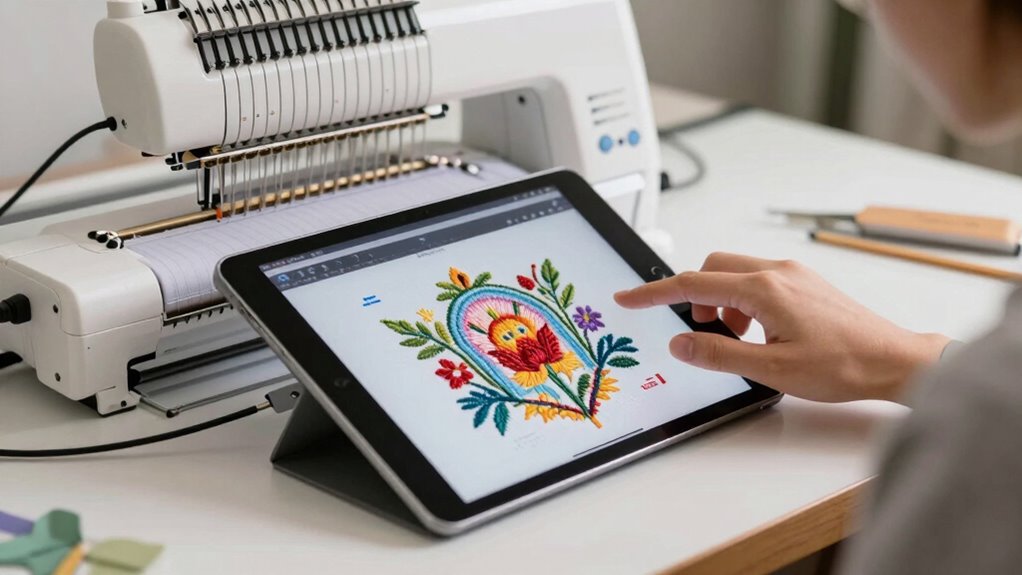
In today’s embroidery industry, WiFi transfer and onscreen editing are transforming traditional workflows by making the process faster and more intuitive. With these advancements, you can send designs directly from your computer or tablet to your embroidery machine without the need for cables or external storage devices. This eliminates delays, reduces the risk of file corruption, and allows you to start your project almost instantly. As a result, your workflow becomes smoother, and you gain more control over every step of the process.
WiFi transfer and onscreen editing streamline embroidery workflows for faster, more precise, and more collaborative results.
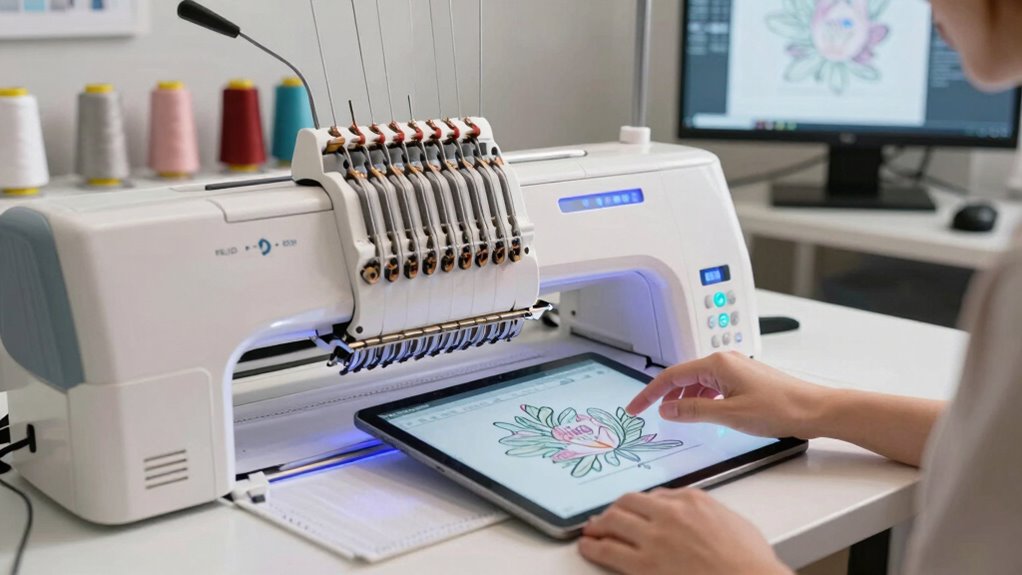
When you’re working with WiFi transfer, you no longer have to worry about manually transferring files through USB drives or SD cards. You simply upload your design wirelessly, and it appears on your embroidery machine’s screen in seconds. This quick transfer capability means you can respond to last-minute changes or corrections without losing valuable time. Additionally, onscreen editing tools let you make adjustments directly on the machine or a connected device, streamlining the editing process. You can resize, rotate, or modify your designs without switching between different software or devices, saving you effort and reducing errors.
One of the main benefits of this integrated workflow is improved precision, especially when it comes to thread tension and hoop alignment. Onscreen editing allows you to preview how your design will stitch out, helping you identify and correct any issues before starting the actual embroidery. Proper thread tension is crucial for achieving clean, professional results; with digital adjustments, you can fine-tune tension settings based on the fabric or thread type, ensuring consistent quality. Similarly, hoop alignment becomes easier because you can visualize the placement of your design on the fabric, making sure it’s perfectly centered and aligned. This reduces the need for rehooping or re-stitching, saving time and material. Moreover, WiFi transfer enhances overall workflow efficiency by enabling seamless connectivity between devices. Embracing these wireless capabilities also supports a more collaborative environment, where sharing and editing designs in real time becomes effortless. Connecting multiple devices for real-time collaboration allows for faster decision-making and more dynamic creative processes. The use of automated tools further streamlines repetitive tasks, freeing up your time for more creative aspects of embroidery. Additionally, incorporating biodiversity-conscious practices into your workflow can help promote sustainability by reducing waste and energy consumption associated with traditional methods.
Furthermore, WiFi transfer and onscreen editing foster a more collaborative environment. You can share designs instantly with team members or clients, gather feedback, and implement changes on the fly. This real-time communication enhances efficiency and helps you meet tight deadlines. Overall, these technological advancements are revolutionizing embroidery workflows, empowering you to work faster, more accurately, and with greater creativity. The combination of wireless file transfer, on-the-fly editing, and better control over critical details like thread tension and hoop alignment means you can deliver higher quality results while reducing waste and turnaround time.
wireless embroidery machine with WiFi transfer
As an affiliate, we earn on qualifying purchases.
As an affiliate, we earn on qualifying purchases.
Frequently Asked Questions
What Devices Are Compatible With Wifi Transfer?
You’ll find that many modern embroidery machines support WiFi transfer, offering wireless convenience and seamless device compatibility. Devices like smartphones, tablets, and laptops can connect easily, allowing you to send designs directly without cables. Check your machine’s specifications to confirm compatibility, but generally, iOS and Android devices work well. This wireless setup simplifies your workflow, saving time and reducing clutter, making embroidery projects more efficient and enjoyable.
How Secure Is Wifi Transfer for Sensitive Designs?
WiFi transfer’s security depends on your setup. If you use strong data encryption like WPA3 and secure your network with a robust password, your sensitive designs stay safer. However, be aware of potential network vulnerabilities, such as open or poorly secured WiFi connections, which can expose your data. Always keep your firmware updated and avoid transferring sensitive designs over public or unsecured networks to minimize risks.
Can Wifi Transfer Replace Traditional USB Methods?
Wireless connectivity can indeed substitute traditional USB methods for embroidery transfers. You find it more convenient because it eliminates manual transfers and cables, streamlining your workflow. With WiFi, you can quickly send designs directly from your computer or device, saving time. However, guarantee your connection is secure, especially with sensitive designs, since wireless transfers can be vulnerable without proper security measures.
What Software Integrates With Wifi-Enabled Embroidery Machines?
You’re in the driver’s seat when it comes to software integration with WiFi-enabled embroidery machines. Programs like Hatch Embroidery Software, Brother’s iBroidery.com, and Bernina’s ArtLink connect seamlessly via cloud connectivity, making design transfers a breeze. They not only support WiFi transfer but also facilitate firmware updates, keeping your machine up-to-date. With these tools, you can streamline your workflow, saving time and effort, while ensuring your embroidery projects are exemplary.
How Does Onscreen Editing Impact Production Speed?
Onscreen editing considerably boosts your production speed by enabling quick design customization directly on the machine. You no longer need to transfer files back and forth, which streamlines your workflow. This automation cuts down on setup time, allowing you to focus more on creating intricate designs. As a result, your overall embroidery process becomes more efficient, letting you complete projects faster and meet tight deadlines with ease.
Conclusion
So, embrace the wireless revolution—because who wouldn’t want their embroidery process to be a high-tech, hassle-free joyride? Now, with WiFi transfer and onscreen editing, you’ll never have to wrestle with tangled cables or guesswork again. Say goodbye to the old days of frustration and hello to sleek, modern efficiency. After all, why settle for the drudgery of the past when you can bask in the glorious ease of today? Happy stitching!
Fall yard work Picks
leaf blowers
As an affiliate, we earn on qualifying purchases.