
To reduce machine noise in tutorial recordings, position your microphone close to your mouth and slightly above or below it, pointing at your voice to minimize background sounds. Use noise reduction tools and plugins, and select a section with only machine noise to help the software distinguish and reduce it effectively. Improve your space with soundproofing and turn off unnecessary machines. Combining these techniques will help you achieve clearer audio—continue to explore for more detailed tips.

Get business pricing on tools and workshop supplies
- Business-only prices and quantity discounts
- Tax-exempt purchasing
- Multiple users, one account, clear invoices
Key Takeaways
- Optimize microphone placement by positioning it close to the mouth and away from machinery noise sources.
- Use noise reduction plugins and sample noise segments during editing for effective background noise removal.
- Apply EQ to cut frequencies where machine noise is prominent and use noise gates to silence quiet background sounds.
- Improve recording environment with soundproofing, turning off machines, and choosing quieter spaces.
- Critically review audio post-recording, adjusting noise reduction, EQ, and gating incrementally for clarity.
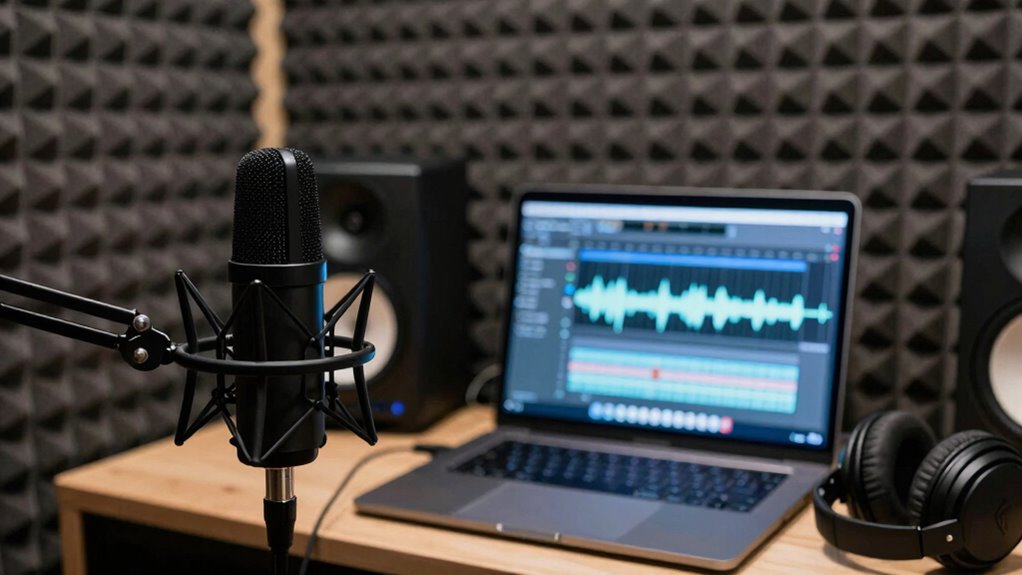
Have you ever recorded a tutorial only to find distracting machine noises in the final audio? It’s frustrating, especially when you’ve put effort into delivering clear instructions. The good news is that you can substantially reduce these unwanted sounds by applying the right audio editing techniques and optimizing your microphone placement. First, focus on how you position your microphone. Proper microphone placement is essential; keep the mic as close to your mouth as possible without capturing unwanted noise. Positioning it slightly above or below your mouth, pointing directly at your voice, helps isolate your voice from background sounds, including machine noises. If you’re using a condenser microphone, consider placing it on a shock mount to minimize vibrations from your desk or equipment.
Once you’ve optimized your microphone placement, turn to audio editing techniques to clean up your recordings further. Start with noise reduction plugins or tools available in most editing programs; these can help eliminate consistent background sounds without sacrificing voice clarity. When applying noise reduction, use a sample of the machine noise first—often a segment where you’re not speaking—and let the software analyze it. This allows it to distinguish noise from your voice, reducing the unwanted sounds effectively. Be cautious not to overdo it; excessive noise reduction can introduce artifacts or make your voice sound muffled.
Another helpful tip is to use equalization (EQ) to cut frequencies where machine noise is prominent. For instance, if your background noise is a consistent hum or buzz, reducing the bass or mid-range frequencies can make it less noticeable. Additionally, employing gating techniques can be useful: set a noise gate that only allows audio above a certain volume threshold to pass through, effectively silencing quieter background noises when you’re speaking. Improving audio environment by recording in a quieter space can also drastically minimize machine noise intrusion.
Further, consider recording in a quieter environment to prevent machine noise from seeping into your audio in the first place. Use soundproofing materials like foam panels or blankets to absorb ambient noise, or turn off unnecessary machines during recording sessions. Post-recording, always listen critically to your audio and make incremental adjustments—sometimes, a combination of microphone placement, noise reduction, EQ, and gating creates the best results.
Popular right now

Dyson Cyclone V10 Origin Cordless Vacuum

Bose QuietComfort Ultra Earbuds (2nd Gen), Deep Plum

Shark AI Ultra Robot Vacuum with Self-Empty Base
As an affiliate, we earn on qualifying purchases.
Frequently Asked Questions
Can Software Filters Completely Eliminate All Machine Noise?
No, software filters can’t completely eliminate all machine noise. Digital suppression tools like noise gating can considerably reduce background sounds when you’re speaking, but some residual noise may still be present. Combining noise gating with other techniques, such as spectral editing or equalization, helps improve clarity. Keep in mind that perfect suppression is difficult, so aim for a balance that maintains audio quality without sacrificing natural sound.
What Types of Microphones Are Best for Reducing Background Noise?
You should choose directional microphones, like cardioid or hypercardioid, as they have focused polar patterns that minimize background noise. Proper microphone placement is key—position it close to your mouth to capture clear audio and avoid unwanted sounds. Using microphones with an appropriate polar pattern helps isolate your voice from machine noise, making your tutorial recordings cleaner and more professional.
How Does Room Acoustics Affect Machine Noise in Recordings?
Room acoustics considerably impact machine noise in recordings. When you use room treatment and soundproofing techniques, you reduce echoes and external noise, making machine sounds less prominent. Properly treating surfaces with foam panels or bass traps absorbs unwanted sound reflections, while sealing gaps minimizes noise leaks. These steps create a controlled environment, helping you capture clearer audio and effectively minimize machine noise in your tutorial recordings.
Are There Specific Hardware Upgrades That Reduce Machine Noise?
Upgrading your hardware can substantially cut down machine noise in recordings. Focus on hardware insulation to dampen internal vibrations and reduce noise transmission. Additionally, invest in component shielding, which prevents electromagnetic interference that can cause unwanted sounds. High-quality power supplies and quieter fans also help. These upgrades work together to create a quieter recording environment, ensuring clearer audio with minimal background noise.
How Can I Monitor Noise Levels During Recording Sessions?
Think of monitoring noise levels during your recording like using a thermometer in cooking; it helps you keep things just right. You can use a dedicated audio interface with built-in level meters or software metering tools to monitor background noise in real-time. This way, you catch unwanted sounds early, ensuring your recording environment stays ideal and your audio remains clear, free from distracting background noise.
Conclusion
Now that you know the essential tips to reduce machine noise, you’re almost ready to produce crystal-clear tutorials. But there’s one vital step that could make all the difference—are you prepared to uncover the secret to truly pristine audio? Stay tuned, because mastering this final trick could elevate your recordings to a whole new level. Don’t miss out—your audience will thank you when they hear the difference. Are you ready to take your audio quality to the next step?