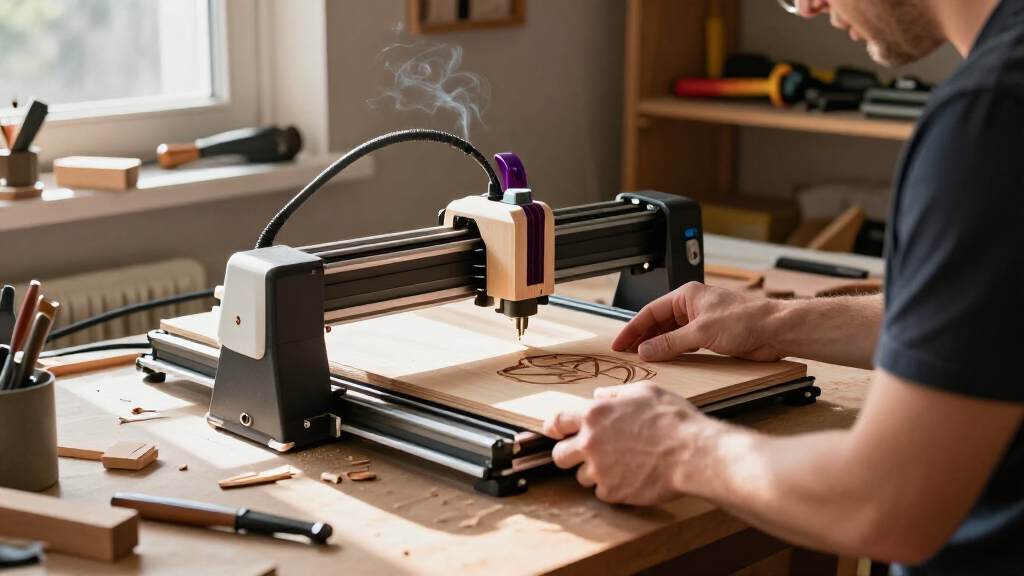

Among these laser engravers for wood, I’d put the xTool S1 40W first for buyers who want higher cutting capacity, an enclosure, and a rotary bundle, while the ATOMSTACK A20 Pro V2 and Creality Falcon Pro 10W stand out for capable open-frame work at different power levels. The main choice is between an open-frame machine that can suit a tighter workspace or budget and an enclosed model that adds containment and convenience but takes up more room. Power, work area, setup, and how often you plan to cut rather than engrave all change which machine makes sense. I’ve compared the full lineup by those buyer priorities; read on for the role each model fills and the tradeoffs behind the ranking.

Get business pricing on tools and workshop supplies
- Business-only prices and quantity discounts
- Tax-exempt purchasing
- Multiple users, one account, clear invoices
Complete the kit



Key Takeaways
The xTool S1 40W leads for cutting headroom. Its higher stated power and enclosed format make it a stronger fit for buyers who plan to cut wood regularly, while the open-frame 20W options may suit engraving-focused projects.
Power is only one part of the choice. The 20W ATOMSTACK and TwoTrees models offer a different balance from the 5W LONGER Ray5 and 5.5W TTS-55 Pro, but the material, thickness, and desired finish still shape results.
Work area separates hobby machines from larger-project picks. The AlgoLaser DIY Kit MK3 lists a 400 × 400 mm area, while the K15 Pro is described as near A4; check usable dimensions against your usual blanks before choosing.
Enclosure and workflow features can matter more than raw power. The xTool S1 and enclosed xTool M2 prioritize a contained setup, while touchscreens on the LONGER Ray5 and AlgoLaser MK3 support a more direct machine-side workflow.
There are several distinct lower-power entry points. The ACMER S1, ELIDOR Z6 6W, LaserPecker LP1 Plus, and Twotrees TTS-55 Pro are better approached as compact or engraving-oriented choices than as substitutes for a higher-power cutter.
| ACMER S1 2500mW Laser Engraver and Cutter |  | Best Compact Starter | Laser power: 2500 mW | Machine output: 24 W | Working area: 130 × 130 mm | VIEW LATEST PRICE | See Our Full Breakdown |
| Creality Falcon Pro 10W Laser Engraver with Air Assist |  | Best for Cleaner Wood Engraving | Laser output power: 10 W | Laser spot size: 0.06 mm | Air assist: Included | VIEW LATEST PRICE | See Our Full Breakdown |
| K15 Pro Laser Engraver 10W Laser Engraving Machine for Coated Metal, Wood, Acrylic, Glass & Stone – Near A4 Work Area, Offline CNC DIY Cutter for Home & Crafting |  | Best for App-Assisted Beginners | Laser power: 10 W | Work area: 11.8 × 7.9 inches (A4 size) | Engraving accuracy: 0.01 mm | VIEW LATEST PRICE | See Our Full Breakdown |
| LONGER Ray5 5W Laser Engraver with 3.5-Inch Touch Screen |  | Best Large-Format Wood Engraver | Laser power: 5 W | Working area: 400 × 400 mm | Laser spot size: 0.08 × 0.08 mm | VIEW LATEST PRICE | See Our Full Breakdown |
| ATOMSTACK A20 Pro V2 20W Laser Engraver and Cutter |  | Best for Higher-Power Wood Cutting | Laser output power: 20,000 mW | Maximum engraving speed: 400 mm/s | Engraving accuracy: 0.01 mm | VIEW LATEST PRICE | See Our Full Breakdown |
| LaserPecker LP1 Plus Mini Laser Engraver with Adjustable Stand |  | Best Compact Pick | Model: LP1 Plus | Weight: 2.4 lb | Listed dimensions: 1 × 1 × 1 in | VIEW LATEST PRICE | See Our Full Breakdown |
| TwoTrees TTS-20 Pro 20W Laser Engraver |  | Best for Large Wood Projects | Optical power: 20 W | Wavelength: 450 ± 5 nm | Working area: 418 × 418 mm | VIEW LATEST PRICE | See Our Full Breakdown |
| xTool S1 40W Laser Cutter and Engraver with Rotary Bundle |  | Best Premium Enclosed System | Laser power: 40 W | Bed size: 23.93 × 15.16 in | Maximum engraving speed: 600 mm/s | VIEW LATEST PRICE | See Our Full Breakdown |
| ACMER S2 7W Laser Engraver and Cutter |  | Best Value for Mixed Craft Materials | Laser output: 7 W | Total system power: 48 W | Laser spot size: 0.08 × 0.08 mm | VIEW LATEST PRICE | See Our Full Breakdown |
| xTool M2 10W Enclosed Laser Engraver with Dual Cameras |  | Best for Precise, Safer Craft Placement | Laser: 10W diode | Safety class: Class 1 | Cameras: Built-in dual cameras | VIEW LATEST PRICE | See Our Full Breakdown |
| AlgoLaser DIY Kit MK3 8W Laser Engraver with 400 × 400 mm Work Area and Touchscreen |  | Best for Computer-Free Wood Projects | Laser power: 8W | Work area: 400 × 400 mm | Maximum speed: 15,000 mm/min | VIEW LATEST PRICE | See Our Full Breakdown |
| ELIDOR Z6 6W Laser Engraver and Cutter |  | Best Compact Pick for Fine Wood Detail | Laser power: 6W (6000mW) | Laser spot size: 0.04 × 0.14 mm | Engraving accuracy: Up to 0.01 mm | VIEW LATEST PRICE | See Our Full Breakdown |
| ELIDOR Z6 12W Laser Engraver and Cutter |  | Best Portable Higher-Power Pick | Laser power: 12W (product information also refers to 6W) | Working area: 300 × 300 mm | Laser spot size: 0.04 × 0.14 mm | VIEW LATEST PRICE | See Our Full Breakdown |
| ACMER S2 12W Laser Engraver and Cutter |  | Best Safety-Included 12W Pick | Laser module power: 12W | Working area: 300 × 300 mm | Laser spot size: 0.08 × 0.08 mm | VIEW LATEST PRICE | See Our Full Breakdown |
| Twotrees TTS-55 Pro 5.5W Laser Engraver |  | Best for Air-Assisted Wood Engraving | Laser power: 5.5W (5500 mW) | Work area: 300 × 300 mm | Laser spot size: 0.08 × 0.46 mm | VIEW LATEST PRICE | See Our Full Breakdown |
| laser engravers for wood | Laser power | Weight |
|---|---|---|
| ACMER S1 2500mW Laser Engraver | 2500 mW | — |
| Creality Falcon Pro 10W Laser | — | 11.24 pounds |
| K15 Pro Laser Engraver 10W Las | 10 W | — |
| LONGER Ray5 5W Laser Engraver | 5 W | 8.26 pounds |
| ATOMSTACK A20 Pro V2 20W Laser | — | — |
| LaserPecker LP1 Plus Mini Lase | — | 2.4 lb |
| TwoTrees TTS-20 Pro 20W Laser | — | — |
| xTool S1 40W Laser Cutter and | 40 W | 86.8 lb |
| ACMER S2 7W Laser Engraver and | — | 7.83 lb |
| xTool M2 10W Enclosed Laser En | — | 36.2 lb |
| AlgoLaser DIY Kit MK3 8W Laser | 8W | — |
| ELIDOR Z6 6W Laser Engraver an | 6W (6000mW) | 4.89 lbs |
| ELIDOR Z6 12W Laser Engraver a | 12W (product information also refers to 6W) | 4.69 lb (2.13 kg) |
| ACMER S2 12W Laser Engraver an | — | — |
| Twotrees TTS-55 Pro 5.5W Laser | 5.5W (5500 mW) | — |
More Details on Our Top Picks
ACMER S1 2500mW Laser Engraver and Cutter
The ACMER S1 is the space-saving choice here: its preassembled 3.98-pound frame is easy to place on a desk or move between work areas, and the 130 × 130 mm bed suits small wood tags, ornaments, and sample pieces. It can also cut thin plywood and MDF, giving it more range than an engraver-only setup, though that cutting claim is limited to thin stock. Compared with the LONGER Ray5, the S1 gives up a much larger work area but takes up less room and supports macOS, Windows, and Linux. Its 2.5W laser output also makes it a less suitable pick for faster or more demanding wood cutting than the 10W and 20W machines in this group. I’d choose it for modest projects, not production-sized panels.
Pros:- Compact, lightweight frame arrives 99% preassembled
- Engraves wood and can cut thin plywood and MDF
- Works with Acmerstudio, LightBurn, and LaserGRBL on macOS, Windows, and Linux
- Accepts common image and design formats including PNG, JPG, and DXF
Cons:- Small 130 × 130 mm work area restricts project size
- 2.5W laser output and thin-stock cutting scope limit demanding wood work
Best for: Desk-based hobbyists making small wooden signs, tags, and ornaments who want a preassembled machine and broad computer compatibility.
Not ideal for: Woodworkers handling large panels or expecting frequent, substantial cutting; the 130 × 130 mm bed and thin-material cutting scope are limiting.
- Laser power:2500 mW
- Machine output:24 W
- Working area:130 × 130 mm
- Maximum engraving speed:Up to 10,000 mm/min
- Positioning accuracy:0.01 mm repeatable
- Machine dimensions:250 × 250 × 162 mm
- Item weight:3.98 lb
- Software compatibility:Acmerstudio, LightBurn, LaserGRBL
Our verdict“Choose the ACMER S1 for small wood projects in a tight workspace, but pick a higher-output model for larger or heavier cutting jobs.”
Creality Falcon Pro 10W Laser Engraver with Air Assist
The Creality Falcon Pro 10W stands out for wood projects where smoke and residue can muddy fine details: its included air assist helps clear the engraving area as the laser works, while the 0.06 mm spot is suited to intricate designs. The emergency stop, laser protection cover, and safety lock add useful safeguards, and one-button controls make pausing or stopping a job straightforward. Against the K15 Pro, this model has a clearer emphasis on air-assisted engraving and physical controls, while the K15 Pro offers app-based design features and a stated A4 work area. The Falcon’s described offline workflow depends on a TF card, and the supplied product information does not specify its work area, so I would not choose it when project dimensions are the deciding factor. Its 10W output also sits below the ATOMSTACK A20 Pro V2’s 20W.
Pros:- Included air assist helps clear smoke and debris from wood engraving
- 0.06 mm laser spot supports fine detail
- Emergency stop, protective cover, and safety lock are included
- TF-card offline operation and one-button job controls
Cons:- The described offline workflow requires a TF card
- Product data does not specify a working area, making project-size fit hard to judge
- 10W output is less suited to demanding cuts than the 20W ATOMSTACK A20 Pro V2
Best for: Wood crafters focused on detailed engraving who want included air assist and direct machine controls for managing jobs.
Not ideal for: Buyers who need a clearly specified large work area, or who want stronger cutting capability than a 10W diode provides.
- Laser output power:10 W
- Laser spot size:0.06 mm
- Air assist:Included
- Offline operation:TF card
- Dimensions:12.2 × 24.21 × 7.68 inches
- Weight:11.24 pounds
- Supported materials:Paper, wood, leather, plastic, dark acrylic, metal, and glass
- Warranty:1 year
Our verdict“Pick the Falcon Pro for detailed, air-assisted wood engraving and built-in controls, but look elsewhere if you need a documented large bed or higher cutting power.”
K15 Pro Laser Engraver 10W Laser Engraving Machine for Coated Metal, Wood, Acrylic, Glass & Stone – Near A4 Work Area, Offline CNC DIY Cutter for Home & Crafting
The K15 Pro is the beginner-oriented pick for wood crafters who want design help as well as a laser: its free software includes AI design generation, and wireless app control can make it easier to start a project without building a workflow around desktop software. Its A4-size bed is more practical for common craft pieces than the ACMER S1’s 130 × 130 mm area, while the stated 0.01 mm accuracy and 15,000 mm/min speed support detailed, brisk hobby work. The 10W diode is still the ceiling: buyers wanting more cutting headroom should compare it with the 20W ATOMSTACK A20 Pro V2. The optional IR head expands material options, but it is an extra purchase rather than a built-in capability. The compact bed also rules out larger signs and panels, and offline batch work relies on a TF card.
Pros:- Free software includes AI design generation and wireless app control
- A4-size work area accommodates many common craft projects
- Stated 0.01 mm accuracy and speed up to 15,000 mm/min
- Optional IR laser head allows an upgrade path
Cons:- 10W base laser limits cutting headroom compared with the 20W ATOMSTACK A20 Pro V2
- Optional IR head is needed for the described expanded metal capability
- A4 work area is too small for large signs or panels, and offline batches rely on a TF card
Best for: New hobbyists making A4-sized wooden crafts who value app control and built-in design assistance over a larger bed or higher laser output.
Not ideal for: Makers cutting thick wood, engraving large panels, or expecting metal engraving without buying the optional IR laser head.
- Laser power:10 W
- Work area:11.8 × 7.9 inches (A4 size)
- Engraving accuracy:0.01 mm
- Maximum speed:Up to 15,000 mm/min
- Cooling:Dual-fan system
- Item weight:2.68 kg
- Control:Wireless app control
- Warranty:1 year
Our verdict“Choose the K15 Pro if app-led setup and AI design tools matter for small wood crafts, but skip it for large pieces or higher-power cutting.”
LONGER Ray5 5W Laser Engraver with 3.5-Inch Touch Screen
The LONGER Ray5 earns its place through bed size, not laser strength: the 400 × 400 mm work area can handle broad wooden boards and multi-part layouts that would not fit on the ACMER S1 or K15 Pro. A 0.08 mm spot and stated 0.01 mm engraving accuracy suit detailed artwork, while USB, TF card, Wi-Fi, and app connections let buyers choose between a computer-based setup and offline operation. Its 5W output is the main compromise. Compared with the Creality Falcon Pro 10W, the Ray5 gives much more room for the workpiece but less laser output, so I would favor it for large surface engraving rather than tougher cutting tasks. It also requires installation and setup, unlike the mostly preassembled ACMER S1. Safety provisions include motion and overheating protection, emergency shutdown, covers, and goggles.
Pros:- 400 × 400 mm work area fits large wooden pieces and broad layouts
- 0.08 mm laser spot and stated 0.01 mm engraving accuracy
- USB, TF card, Wi-Fi, and app connectivity support varied workflows
- Includes emergency shutdown, motion protection, overheating detection, covers, and goggles
Cons:- 5W laser power can limit cutting capability on wood
- Requires installation and setup
- Larger work area takes more space than compact options such as the ACMER S1
Best for: Woodworkers engraving large boards, panels, or multiple small pieces in one layout who prioritize bed size and flexible connectivity.
Not ideal for: Buyers whose main goal is cutting thicker wood or who want a machine ready to use with minimal assembly.
- Laser power:5 W
- Working area:400 × 400 mm
- Laser spot size:0.08 × 0.08 mm
- Engraving accuracy:0.01 mm
- Maximum speed:10,000 mm/min
- Display:3.5-inch touchscreen
- Connectivity:USB, TF card, Wi-Fi, app
- Weight:8.26 pounds
Our verdict“Choose the Ray5 for large-format wood engraving and flexible offline use, but favor a higher-output machine if cutting is central to your work.”
ATOMSTACK A20 Pro V2 20W Laser Engraver and Cutter
The ATOMSTACK A20 Pro V2 is the high-output choice in this set: its 20W laser gives woodworkers more cutting headroom than the 5W LONGER Ray5 and the 10W K15 Pro, while speeds up to 400 mm/s suit repeated engraving jobs. The aluminum-alloy frame and linear-guide motion are aimed at a more substantial machine than the lightweight ACMER S1, and compatibility with LightBurn, LaserGRBL, and ATOMSTACK software leaves room to choose a workflow. It is not the pick for someone seeking the quickest start, though: assembly is required, and the stated 0.01 mm accuracy can depend on setup and operating conditions. The listed data does not give a work-area measurement, so buyers planning large boards should confirm usable dimensions before choosing it. Its stronger output makes it a better candidate for cutting than the lower-powered models, but does not remove the need to match material and settings to the job.
Pros:- 20W laser output offers more cutting headroom than the 5W and 10W models here
- Maximum engraving speed reaches 400 mm/s
- Aluminum-alloy frame and linear-guide motion
- Works with ATOMSTACK software, LightBurn, and LaserGRBL
Cons:- Requires assembly before use
- Listed 0.01 mm accuracy may vary with setup and operating conditions
- Product data does not specify the work area
Best for: Woodworking hobbyists who want more laser output for engraving and cutting projects and are comfortable assembling and tuning a frame machine.
Not ideal for: Beginners who want minimal setup, or buyers who need a confirmed bed size before planning large wood pieces.
- Laser output power:20,000 mW
- Maximum engraving speed:400 mm/s
- Engraving accuracy:0.01 mm
- Frame material:Aluminum alloy
- Connectivity:Type-C, USB
- Software compatibility:ATOMSTACK App/PC software, LightBurn, LaserGRBL
- Product dimensions:22.83 × 9.84 × 6.69 inches
- Item weight:13.67 pounds
Our verdict“Pick the A20 Pro V2 for higher-output wood engraving and cutting if you can handle assembly and verify that its work area fits your projects.”
LaserPecker LP1 Plus Mini Laser Engraver with Adjustable Stand
The LP1 Plus suits small wood projects where portability and flexible positioning matter more than a large work area. Its adjustable 360° stand and magnetic base give beginners more options for placing the engraver than a fixed-frame machine, while power-bank compatibility makes it easier to work away from a permanent bench. It also handles compatible leather and acrylic, so it can serve a mixed-material craft setup.
Compared with the larger ACMER S2, this LaserPecker is built around compact jobs rather than a 300 × 300 mm work area or cutting capacity. The tradeoff is a firm 200 mm lens-to-material distance, which may take extra setup and limits flexibility with thicker or awkwardly shaped pieces. It cannot engrave metal, either. I’d choose it for portability, not for batch production or broad material ambitions.
Pros:- Compact 2.4-pound design is easier to move and store than larger frame engravers.
- Adjustable stand and magnetic base support multiple engraving angles.
- Can run from a power bank for portable projects.
- Supports compatible wood, leather, acrylic, and other non-metal materials.
Cons:- Requires a 200 mm lens-to-material distance, which restricts setup flexibility.
- Metal engraving is not supported.
- Compact format is less suited to large panels or production batches.
Best for: Beginners making small wood, leather, or acrylic crafts who need a portable engraver and flexible positioning.
Not ideal for: Woodworkers who need a large work area, frequent cutting, metal engraving, or a setup that accommodates varied material heights without a fixed spacing requirement.
- Model:LP1 Plus
- Weight:2.4 lb
- Listed dimensions:1 × 1 × 1 in
- Supported materials:Wood, leather, acrylic, and other compatible non-metal materials
- Metal engraving:Not supported
- Required lens-to-material distance:200 mm
- Stand:Adjustable, 360° multi-angle engraving
- Power:Can be powered by a power bank
Our verdict“Choose the LP1 Plus for portable, small-scale wood crafts; pick the ACMER S2 instead if you need a larger work area and more cutting capability.”
TwoTrees TTS-20 Pro 20W Laser Engraver
The TTS-20 Pro earns its place for woodworkers who need room for broad panels, signs, or several smaller pieces in one layout. Its 418 × 418 mm work area is substantially larger than the ACMER S2’s 300 × 300 mm bed, while the 20W diode gives it more power for engraving and light cutting than compact beginner machines such as the LaserPecker LP1 Plus. The aluminum-alloy frame and automatic X/Y homing also support repeatable positioning.
Workflow flexibility is another strength: Wi-Fi, USB, and TF card operation pair with LightBurn and LaserGRBL across Windows, macOS, and Linux. There are meaningful setup costs in accessories, though: the touchscreen, air assist, and honeycomb panel are not included. I’d also treat the speed claims cautiously because the supplied data lists both 10,000 and 30,000 mm/min. Its Class 4 laser calls for a careful safety setup.
Pros:- 418 × 418 mm work area accommodates larger wood pieces than the ACMER S2.
- 20W optical power supports engraving and light cutting on wood.
- Wi-Fi, USB, and offline TF card operation provide several job-transfer options.
- LightBurn and LaserGRBL compatibility spans Windows, macOS, and Linux.
Cons:- Air assist, honeycomb panel, and touchscreen are optional rather than included.
- Class 4 laser requires careful handling and a suitable safety setup.
- Published maximum speed is inconsistent: 10,000 versus 30,000 mm/min.
Best for: Experienced hobbyists and small-shop makers engraving large wooden signs, panels, or batches who want a broad bed and desktop software choice.
Not ideal for: First-time users seeking a ready-to-run enclosed machine, or buyers who need included air assist, a honeycomb panel, and straightforward safety containment.
- Optical power:20 W
- Wavelength:450 ± 5 nm
- Working area:418 × 418 mm
- Engraving precision:±0.1 mm
- Listed maximum engraving speed:10,000 mm/min in product description; 30,000 mm/min in feature data
- Connectivity:Wi-Fi, USB, TF card
- Compatible software:LightBurn, LaserGRBL
- Frame material:Aluminum alloy
- Dimensions:695 × 620 × 125 mm
Our verdict“Pick the TTS-20 Pro for a large, open wood-working area and flexible software, provided you are prepared to supply key accessories and manage Class 4 laser safety.”
xTool S1 40W Laser Cutter and Engraver with Rotary Bundle
For wood projects that move beyond surface decoration into substantial cutting, the xTool S1’s 40W laser and enclosed build set it apart from the open-frame ACMER S2 and TwoTrees TTS-20 Pro. The listed ability to cut up to 18 mm cherry wood in one pass gives it a different role: it can make thicker wood components as well as engrave them. A 23.93 × 15.16-inch bed and 118-inch passthrough also suit long workpieces that do not fit on a typical desktop bed.
Autofocus, guided software, and positioning features make a powerful machine less hands-on to set up, while flame sensors and lid-open stopping add safeguards. The costs in space and handling are physical as well as practical: at 86.8 pounds, it is not a portable choice. Its listed product depth of 0.04 inches appears incomplete, so verify the machine’s actual footprint before planning a bench. Compared with the xTool M2, this is the stronger choice for cutting and oversized work, not compact craft use.
Pros:- 40W laser and listed 18 mm one-pass cherry cutting capacity suit substantial wood work.
- Large bed and 118-inch passthrough handle broad or long materials.
- Enclosed design includes flame sensors and lid-open stopping.
- Autofocus and guided software help simplify setup and material placement.
Cons:- At 86.8 pounds, it is difficult to move and needs a sturdy permanent location.
- The listed 0.04-inch product depth appears malformed and makes footprint planning uncertain.
- Its size and cutting power may be excessive for small decorative engraving jobs.
Best for: Woodworkers and small production studios needing an enclosed machine for larger pieces, long stock, and deeper cutting.
Not ideal for: Craft beginners with limited bench space, frequent portability needs, or projects limited to light engraving on small blanks.
- Laser power:40 W
- Bed size:23.93 × 15.16 in
- Maximum engraving speed:600 mm/s
- Listed maximum cutting thickness:18 mm cherry wood in one pass
- Maximum passthrough length:118 in (3000 mm)
- Weight:86.8 lb
- Bundle:Rotary
- Power source:Corded electric
Our verdict“Choose the S1 if enclosed operation, long stock, and serious wood cutting justify its weight and bench footprint; choose the xTool M2 for lighter craft engraving.”
ACMER S2 7W Laser Engraver and Cutter
The ACMER S2 is a flexible entry point for makers who want to engrave wood and occasionally cut thinner stock without moving to a higher-power machine. Its 300 × 300 mm work area gives it more room than the compact LaserPecker LP1 Plus, and the stated 7W output supports both engraving and cutting across a broad material list. For wood, the claimed cutting capacity reaches 13 mm paulownia with multiple passes, so it can handle more than marking—but thicker cuts take time.
Beginner-oriented AI software sits alongside LightBurn and LaserGRBL support, giving newcomers a guided start and more experienced users familiar tools. The included anti-UV shield, goggles, and motion-detection pause are practical safety additions, though they do not replace sensible operating precautions. Rotary hardware, risers, an enclosure, and air assist are optional, making this less complete as a cutting station than the enclosed xTool S1. Its best fit is varied hobby crafting, not fast, deep wood cutting.
Pros:- 300 × 300 mm work area offers more room than the LaserPecker LP1 Plus.
- Supports wood engraving and multi-pass cutting, plus a wide range of other materials.
- AI-assisted software is complemented by LightBurn and LaserGRBL compatibility.
- Anti-UV shield, safety goggles, and motion-detection auto-pause are included.
Cons:- Thicker wood cuts require multiple passes and can be slower than with the 40W xTool S1.
- Rotary module, risers, enclosure, and air-assist pump are optional.
- Open-frame configuration requires a suitable workspace and careful operating practices.
Best for: New and intermediate makers who want one open-frame machine for wood engraving, occasional multi-pass cutting, and other craft materials.
Not ideal for: Buyers who regularly cut thick wood, want an enclosed all-in-one setup, or need rotary and air-assist accessories included.
- Laser output:7 W
- Total system power:48 W
- Laser spot size:0.08 × 0.08 mm
- Engraving accuracy:Up to 0.01 mm
- Working area:300 × 300 mm
- Maximum engraving speed:10,000 mm/min
- Listed cutting capacity:Up to 13 mm paulownia wood or 6 mm black acrylic with multiple passes
- Weight:7.83 lb
- Compatible operating systems:Windows, macOS, Linux
Our verdict“Choose the ACMER S2 for versatile wood-and-craft projects with occasional cutting, but move to the xTool S1 for frequent thick-stock cutting or enclosed operation.”
xTool M2 10W Enclosed Laser Engraver with Dual Cameras
The xTool M2 is aimed at craft makers who value controlled placement and an enclosed workspace more than raw cutting power. Its dual cameras provide workspace previews to help position artwork on wood blanks, a practical advantage for personalized signs, tags, and repeated designs. The Class 1 enclosure and real-time monitoring distinguish it from open-frame choices such as the ACMER S2, while the 10W diode suits engraving and lighter cutting across wood and other craft materials.
That power rating makes it a different proposition from the 40W xTool S1: the M2 is better matched to smaller craft work than deep or frequent cuts in thick boards. Templates and an AI image generator can help users get from design to layout, but add-on modules are not included. Full-color printing and fine engraving on metal or plastic require separate purchases, as do the rotary attachment and IR laser. I’d favor it for contained, camera-assisted craft work, not an expandable cutting-focused setup.
Pros:- Class 1 enclosed design supports a more contained craft workspace than open-frame engravers.
- Dual cameras help preview the work area and position designs on wood blanks.
- 10W diode works across wood, leather, felt, fabric, and paper.
- Software includes templates and an AI image generator.
Cons:- Less suited to thick-wood cutting than the 40W xTool S1.
- CMYK inkjet, 3W IR laser, and rotary attachment are separate add-ons.
- At 36.2 pounds, it is not as portable as compact options such as the LaserPecker LP1 Plus.
Best for: Home craft makers personalizing wood pieces who want an enclosed Class 1 machine and camera-assisted artwork placement.
Not ideal for: Woodworkers focused on deep cuts, long or oversized stock, or buyers expecting rotary, color-printing, or IR modules in the base package.
- Laser:10W diode
- Safety class:Class 1
- Cameras:Built-in dual cameras
- Weight:36.2 lb
- Package dimensions:28 × 25 × 12 in
- Included:xTool M2 machine and base material kit
- Optional add-ons:CMYK Inkjet module, 3W IR laser, RA3 Lite Rotary
- Warranty:1 year
Our verdict“Pick the M2 for enclosed, camera-guided wood crafting and accurate placement; choose the xTool S1 if cutting power and larger stock matter more.”
AlgoLaser DIY Kit MK3 8W Laser Engraver with 400 × 400 mm Work Area and Touchscreen
The MK3 stands out for combining an 8W diode laser with a 400 × 400 mm work area, the largest listed here. That extra room is useful for signs, panels, and batches of smaller wooden pieces, while the touchscreen and AlgoOS let you run designs without keeping a computer connected. Compared with the smaller-bed ELIDOR Z6 models, it gives up some portability for a more generous work surface and a more self-contained workflow.
Its 95% pre-assembly, material presets, and visual positioning tools may make setup less demanding, and flame detection, overheat alerts, and an emergency stop add useful safeguards. The tradeoff is output: 8W suits engraving and lighter projects better than demanding cutting work. I’d also check that any wood or coating is laser-safe and prepared for engraving.
Pros:- 400 × 400 mm work area accommodates larger wooden projects than the 300 × 300 mm models here.
- Touchscreen and AlgoOS can run designs without a connected computer.
- Wi-Fi, USB, and SD card support provide several ways to transfer work.
- Includes material presets, visual positioning tools, and multiple safety features.
Cons:- 8W output is better suited to engraving and light batch work than demanding cutting tasks.
- Its larger work area makes it less compact than the ELIDOR Z6 engravers.
- Some materials need preparation, and buyers must use laser-safe stock.
Best for: Woodworking hobbyists making larger signs or repeated small pieces who want touchscreen operation without a dedicated computer.
Not ideal for: Buyers who need a portable machine, extensive cutting capacity, or a compact footprint; the large work area comes with a wider frame, and 8W is aimed at engraving and lighter work.
- Laser power:8W
- Work area:400 × 400 mm
- Maximum speed:15,000 mm/min
- Display:3.5-inch HD touchscreen
- Software:AlgoOS; compatible with LightBurn and LaserGRBL
- Connectivity:Wi-Fi, USB, SD card
- Material presets:400+
- Warranty:2 years
Our verdict“Choose the MK3 if you value a roomy wood-engraving bed and touchscreen workflow more than portability or heavier cutting power.”
ELIDOR Z6 6W Laser Engraver and Cutter
The 6W Z6 is the detail-focused, compact option in this group. Its 0.04 × 0.14 mm spot size and stated accuracy up to 0.01 mm make it a sensible fit for fine linework, lettering, and small illustrations on wood. Unlike the larger-bed AlgoLaser MK3, its 300 × 300 mm frame takes less space and weighs under five pounds, though it leaves less room for oversized signs.
It works with LightBurn and LaserGRBL across Windows, macOS, and Linux, which gives experienced users familiar software choices. The tradeoff is lower laser power than the 12W ELIDOR Z6 and ACMER S2: this is the more restrained choice for engraving rather than faster, more demanding cutting. The supplied details also don’t specify included accessories or safety features, so I would check what is provided before buying.
Pros:- Fine stated spot size suits small text and detailed wood artwork.
- 300 × 300 mm work area fits many hobby projects without the MK3’s larger footprint.
- Lightweight frame is easier to move between work areas.
- Compatible with LightBurn and LaserGRBL on Windows, macOS, and Linux.
Cons:- 6W output is less suited to demanding cutting than the 12W ELIDOR Z6 or ACMER S2.
- Working area is smaller than the AlgoLaser MK3’s 400 × 400 mm bed.
- Provided product details do not specify included accessories or safety features.
Best for: Detail-oriented makers with limited workshop space who mainly engrave small to medium wooden pieces and already use desktop laser software.
Not ideal for: Buyers prioritizing faster cutting, a larger bed, or clearly specified included safety equipment; the 6W output and missing accessory details may not fit those needs.
- Laser power:6W (6000mW)
- Laser spot size:0.04 × 0.14 mm
- Engraving accuracy:Up to 0.01 mm
- Working area:300 × 300 mm
- Maximum speed:10,000 mm/min
- Compatible software:LaserGRBL, LightBurn
- Supported operating systems:Windows, macOS, Linux
- Weight:4.89 lbs
Our verdict“Pick the 6W Z6 for compact, detailed wood engraving, but choose a higher-power model if cutting capacity matters more.”
ELIDOR Z6 12W Laser Engraver and Cutter
The 12W Z6 is the more capable wood-work choice in the ELIDOR pair: it keeps the 300 × 300 mm work area and stated 0.01 mm accuracy of the 6W model but doubles the listed laser power. That gives buyers a stronger starting point for projects that mix engraving with cutting, without stepping up to the larger AlgoLaser MK3. Its 4.69-pound weight also makes it notably portable for a machine in this power class.
LightBurn and LaserGRBL support across Windows, macOS, and Linux broadens its software options. There is, however, a specification caveat: the product information inconsistently refers to both 12W and 6W, so I’d verify the delivered version before relying on the higher figure. No enclosure or safety features are specified, and the 10,000 mm/min maximum speed matches the 6W Z6 rather than exceeding it.
Pros:- Listed 12W power offers more headroom than the 6W ELIDOR Z6 for mixed engraving and cutting tasks.
- Light 4.69-pound weight suits portable or shared workspaces.
- Stated 0.01 mm accuracy and a fine spot size support detailed designs.
- Works with LightBurn and LaserGRBL across three major operating systems.
Cons:- Product information inconsistently identifies the laser as both 12W and 6W.
- No protective enclosure or safety features are specified in the supplied details.
- The 300 × 300 mm bed is smaller than the AlgoLaser MK3’s work area.
Best for: Makers who need a lightweight engraver for wood projects and want more listed laser power than the 6W Z6 while keeping a 300 × 300 mm bed.
Not ideal for: Buyers who need unambiguous power specifications, a protective enclosure, or a work area larger than 300 × 300 mm.
- Laser power:12W (product information also refers to 6W)
- Working area:300 × 300 mm
- Laser spot size:0.04 × 0.14 mm
- Engraving accuracy:Up to 0.01 mm
- Maximum speed:10,000 mm/min
- Weight:4.69 lb (2.13 kg)
- Compatible software:LaserGRBL, LightBurn
- Supported operating systems:Windows, macOS, Linux
Our verdict“Consider this Z6 if portability and the listed 12W output appeal, but verify the power specification before choosing it over the 6W model.”
ACMER S2 12W Laser Engraver and Cutter
The ACMER S2 pairs 12W laser power with a 300 × 300 mm bed, making it a stronger fit for wood projects that include both engraving and lighter cutting than the 6W ELIDOR Z6. Its anti-UV shield, safety goggles, and motion protection are a meaningful distinction in this lineup, where the ELIDOR 12W listing does not specify safety equipment. A 0.08 × 0.08 mm spot and stated positioning accuracy up to 0.01 mm also suit detailed designs.
It supports ACMER Studio, LightBurn, and LaserGRBL on Windows, macOS, and Linux. The frame weighs 7.98 pounds, so it is less portable than either Z6, and thicker cuts may require multiple passes. Rotary modules, risers, and air assist are optional, adding equipment to source if a project needs those capabilities. I’d favor it when included safety accessories matter more than minimum weight.
Pros:- 12W laser power gives it more listed output than the 6W ELIDOR Z6.
- Includes an anti-UV shield, safety goggles, and motion protection.
- 0.08 × 0.08 mm spot and stated 0.01 mm positioning accuracy support detailed work.
- Supports ACMER Studio, LightBurn, and LaserGRBL across Windows, macOS, and Linux.
Cons:- At 7.98 pounds, it is heavier than either ELIDOR Z6 model.
- Thicker material cuts may require multiple passes.
- Rotary modules, risers, and air assist are optional accessories.
Best for: Home makers seeking a 12W wood engraver with included basic protective accessories and support for familiar design software.
Not ideal for: Buyers who need a lightweight machine or expect thick wood cuts in one pass; it is heavier than the ELIDOR Z6 and may need repeated passes.
- Laser module power:12W
- Working area:300 × 300 mm
- Laser spot size:0.08 × 0.08 mm
- Positioning accuracy:Up to 0.01 mm
- Maximum speed:10,000 mm/min
- Software compatibility:ACMER Studio, LightBurn, LaserGRBL
- Included safety features:Anti-UV protective shield, safety goggles, motion protection
- Item weight:7.98 pounds
Our verdict“Choose the ACMER S2 if you want 12W output with specified protective accessories and can accept a heavier machine and multi-pass cutting.”
Twotrees TTS-55 Pro 5.5W Laser Engraver
The TTS-55 Pro’s standout wood feature is its included air-assist nozzle, paired with a red laser shield. Air assist can help manage smoke and debris around the engraving area, a useful addition for wood work that the supplied details do not list for the ELIDOR Z6. It also offers a 300 × 300 mm bed and Wi-Fi or TF-card offline engraving, so a project need not depend on a constant computer connection.
Compared with the 12W ACMER S2, its 5.5W output is a more modest fit for cutting: the listed limits are 5 mm plywood, 3 mm acrylic, and 0.7 mm leather. Its 30,000 mm/min maximum speed is high on paper, but the 0.08 × 0.46 mm spot and 0.1 mm stated accuracy are less fine than the ELIDOR Z6’s listed spot and accuracy. LaserGRBL is listed for Windows only.
Pros:- Includes an air-assist nozzle and red laser shield.
- 300 × 300 mm work area accommodates a range of hobby wood projects.
- Wi-Fi and TF card support allow offline engraving workflows.
- LightBurn compatibility offers an alternative to LaserGRBL.
Cons:- 5.5W output and listed plywood limit make it a weaker cutting choice than the 12W ACMER S2.
- 0.08 × 0.46 mm spot and 0.1 mm stated accuracy are less suited to the finest detail than the ELIDOR Z6.
- LaserGRBL compatibility is listed for Windows only.
Best for: Wood hobbyists who value included air assist, offline job transfer, and a 300 × 300 mm work area for engraving and thinner stock.
Not ideal for: Buyers focused on thicker wood cutting, fine micro-detail, or LaserGRBL use on macOS or Linux; the listed output, spot, and software support may fall short.
- Laser power:5.5W (5500 mW)
- Work area:300 × 300 mm
- Laser spot size:0.08 × 0.46 mm
- Engraving accuracy:Up to 0.1 mm
- Maximum speed:30,000 mm/min
- Controller:Dual-core 32-bit MCU
- Connectivity:Wi-Fi, online engraving, TF card offline engraving
- Compatible software:LaserGRBL, LightBurn
Our verdict“Pick the TTS-55 Pro for wood engraving with included air assist and offline control, not for thick-stock cutting or the finest detail.”
How We Picked
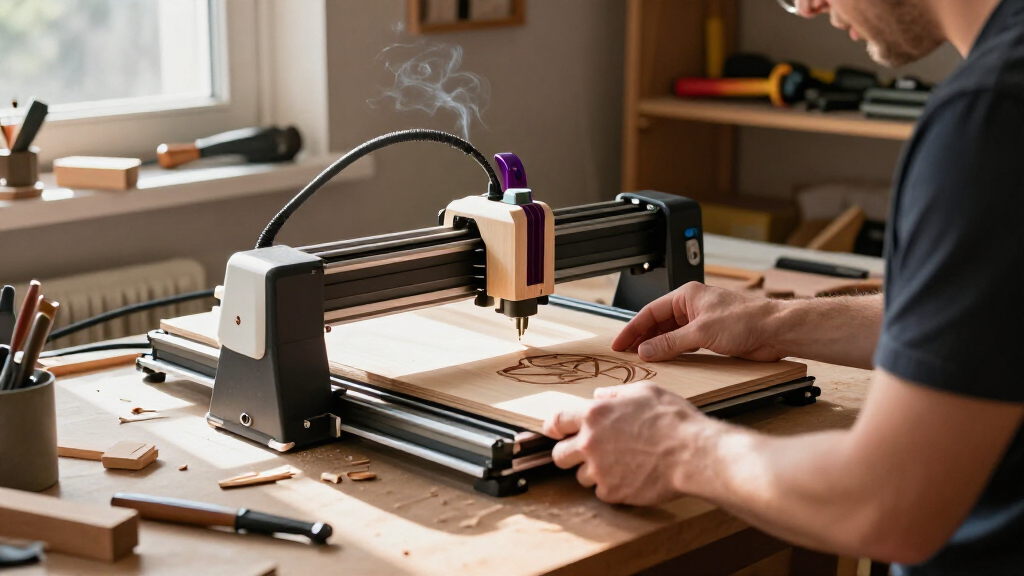
I ranked these wood-focused machines by how well their stated power, work area, and design match common jobs: engraving signs and gifts, handling larger panels, and cutting wood stock. I also weighed setup and operation features, including enclosure, air assist, touchscreen controls, camera positioning, portability, and included accessories where specified. Because published wattage alone cannot establish cut quality across different wood types and thicknesses, I treated power as a guide to intended workload rather than a guarantee of results.
The order favors machines that offer a convincing balance of capability, workflow, and practical fit for a wood-focused buyer. That puts the xTool S1 40W first for its higher stated power and enclosed format, followed by models that make a clear case through 20W output, air assist, or a useful work area. Compact, lower-power, and kit-style options rank better for buyers whose priorities are space, entry-level engraving, or hands-on building—not for someone seeking the strongest cutting setup. I also account for tradeoffs: an open frame needs more attention to workspace and eye protection, while an enclosure can add bulk and may not suit every budget or work area.
Factors to Consider When Choosing Laser Engravers For Wood
Before choosing a machine, I’d start with the wood projects you actually plan to make, then match the engraver’s workspace and safety setup to where it will run. These broader points help prevent a common mismatch: buying for a headline wattage or feature list instead of the size, thickness, and volume of work you expect.
Decide Whether You Need Engraving, Cutting, or Both
Engraving dark artwork, lettering, or shallow patterns is a different workload from cutting pieces out of a board. A lower-power diode machine can suit decorative work, but cutting generally calls for more power, slower passes, and careful material testing. Don’t assume a wattage label guarantees a clean cut through a particular thickness; wood species, glue, moisture, focus, and air flow all affect the result. If most projects are signs or personalized gifts, prioritize reliable positioning and a suitable work area over the largest power figure. If cutting is central to your plans, leave extra capacity rather than buying exactly for your thinnest material. That headroom can reduce the need for repeated passes, though it does not remove the need for test cuts and fire precautions.
Match the Work Area to Your Largest Blank
Measure the largest board or assembled item you expect to engrave, not just the average coaster or ornament. A generous frame can handle larger flat pieces, while a compact unit may be easier to store but force you to reposition work or split a design. Check the machine’s usable engraving dimensions, since frame size and practical work area are not always identical. Also allow room around the device for loading material, access to controls, and ventilation. Buyers often focus on maximum area and overlook the table or bench needed to support the whole machine. If your work is small and repetitive, a smaller footprint may be the more useful tradeoff.
Treat Enclosure, Ventilation, and Fire Safety as Buying Criteria
Laser engraving wood creates smoke and can ignite material, so workspace planning belongs in the purchase decision. An enclosure can help contain stray light and smoke, but it does not remove the need to manage exhaust or supervise a job. Open-frame machines usually give easier access to larger or awkward pieces, yet they demand more attention to eye protection and keeping other people away from the work area. Check what ventilation equipment is included and what must be supplied separately. Avoid placing any laser where smoke can collect or where a cut could run unattended. A safer, better-ventilated setup may matter more to daily use than a modest increase in speed.
Check the Workflow You’ll Actually Use
Software compatibility, connection options, and alignment tools affect how quickly a design becomes a finished piece. A touchscreen or offline controls can help when a computer is not convenient beside the machine, while cameras can make positioning easier for irregular layouts. Those features do not replace learning the software or setting focus correctly, so check the supported workflow before buying. Air assist can help clear smoke and debris from the engraving zone, which may improve consistency and reduce scorching during some jobs. Look at whether the feature is built in, bundled, or sold separately rather than assuming the product name includes every accessory. For repeat production, a predictable setup process often saves more effort than a feature that is impressive but rarely used.
Choose the Right Balance of Portability and Rigidity
Compact engravers are attractive when storage space is limited or projects need to move between locations. A smaller unit, however, may limit the dimensions of your work or feel less convenient for repeated large-panel jobs. Larger open-frame machines can support broader material, but need a stable, level surface and enough room around the gantry. Kit-style models may suit buyers who enjoy assembly and adjustment, while a more finished system can reduce setup work. Think about who will operate the machine and how often it will be moved before prioritizing portability. A machine that stays aligned in a dedicated workspace can be a better fit for production than one that is easy to carry but awkward to set up repeatedly.
Budget for Materials, Exhaust, and Maintenance
The machine is only one part of a wood engraving setup. You may also need suitable exhaust, a stable work surface, protective equipment, test material, and accessories for holding or rotating objects. Smoke residue and debris can build up, so routine cleaning and lens care are part of keeping results consistent. Before choosing a model, check the availability of replacement parts and the manufacturer’s guidance for cleaning and alignment. A lower-cost or lower-power engraver can make sense for occasional personalization, but it may be a poor fit if frequent cutting leads to long jobs or repeated passes. Compare the full setup and ongoing effort, not just the machine’s listed specifications.
Frequently Asked Questions
Is a 5W or 6W engraver enough for wood projects?
A 5W or 6W model can suit engraving names, artwork, and decorative patterns on appropriate wood, especially when the work is small and occasional. It is a less convincing choice if cutting thick stock is a regular requirement, since lower power can mean slower work and more passes. Results vary with the wood, focus, settings, and ventilation, so test on offcuts from the same material. In this lineup, the LONGER Ray5 5W, Twotrees TTS-55 Pro 5.5W, and ELIDOR Z6 6W are better treated as engraving-oriented choices than direct alternatives to the 20W and 40W machines. Choose by your most demanding recurring job, not by the easiest one.
Should I choose an enclosed laser or an open-frame machine for a home workshop?
An enclosure can make it easier to contain stray laser light and manage smoke, which may be appealing in a shared or compact home workspace. It still needs appropriate exhaust and supervision, and it does not make laser operation risk-free. Open-frame designs can provide easier access to large boards and unusual shapes, but require a more carefully controlled area and suitable eye protection. In this roundup, the xTool S1 and xTool M2 offer enclosed formats, while many other picks use open-frame layouts. Decide based on your ventilation options, available space, and the size of the material you need to load.
Does a higher wattage always mean cleaner wood cuts?
No. Higher stated power can offer more cutting headroom, but clean results also depend on wood type, thickness, focus, speed, air assist, and machine setup. Glue, knots, and moisture can change how a board responds, even when it looks similar to another piece. A powerful machine may still leave char or require multiple passes if the material and settings are poorly matched. Use manufacturer guidance as a starting point, then test settings on scrap from the actual stock. For buyers choosing between models, weigh power alongside work area, safety, and workflow rather than treating it as a standalone quality measure.
How much work area do I need for a wood laser engraver?
Start with the largest flat piece you expect to engrave, then add room for positioning and handling. Small items such as tags and coasters rarely require a large frame, while signs, panels, or batches of pieces can benefit from more usable area. This lineup includes the AlgoLaser DIY Kit MK3 with a stated 400 × 400 mm work area and the K15 Pro with a near-A4 area, illustrating how differently sized projects can lead to different machine choices. Confirm the usable engraving dimensions rather than relying only on the product’s outer frame measurements. If you regularly work with oversized boards, check whether the machine supports pass-through or repositioning workflows before purchase.
What should I prioritize if I’m new to laser engraving?
For a first machine, prioritize clear setup instructions, a manageable software workflow, safety provisions, and a work area that fits your planned projects. A touchscreen or camera can help with operation and positioning, but neither guarantees a short learning curve. Start with simple designs and known materials, and learn how focus, speed, power, and ventilation affect the result before attempting cuts. A lower-power machine can be a sensible entry point for engraving, while buyers who already expect regular cutting may prefer to avoid outgrowing it quickly. Also check the support and maintenance guidance available for the exact model you choose.
Conclusion
For the broadest wood-focused capability in this lineup, I’d choose the xTool S1 40W as best overall and best premium, particularly for buyers who want an enclosed machine with greater stated cutting power and a rotary bundle. For a more affordable open-frame route, the ACMER S1 2500mW is the best value direction for modest engraving needs, not demanding cuts; buyers seeking stronger output should compare the Creality Falcon Pro 10W with the 20W ATOMSTACK and TwoTrees models. Beginners who want a direct machine-side workflow can look at the LONGER Ray5 5W or AlgoLaser DIY Kit MK3, choosing between a touchscreen-focused setup and a larger stated work area. For specific needs, the xTool M2 is the enclosed choice with dual cameras, the LaserPecker LP1 Plus suits compact projects, and the AlgoLaser MK3 is worth a look for larger flat work. Match the final pick to your actual wood size and cutting frequency, then plan for ventilation, supervision, and test runs.