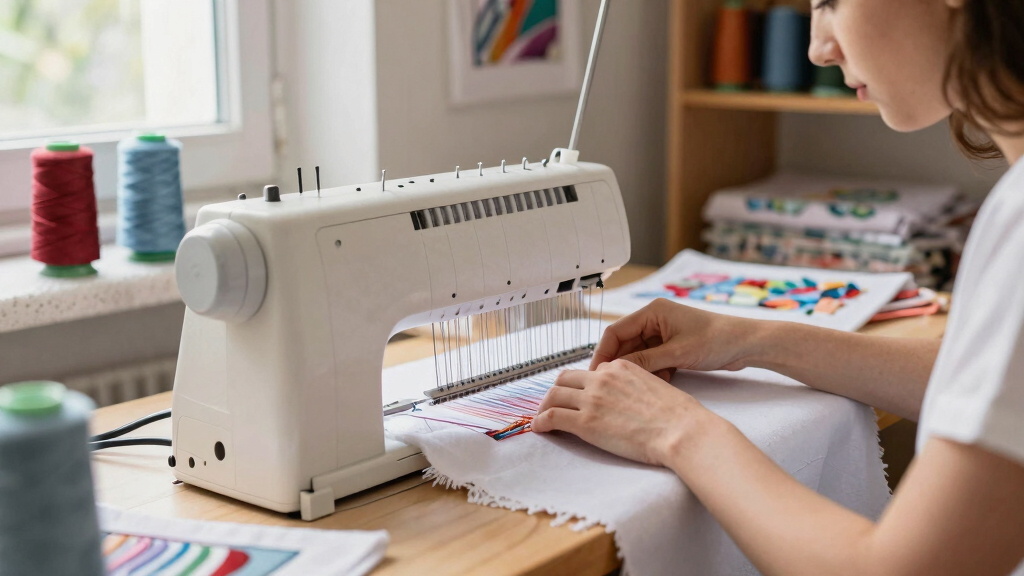
Choosing the best embroidery machine for monograms involves balancing ease of use, embroidery area, design options, and connectivity features. The Brother PE900 stands out as the best overall pick for its reliable performance and extensive design library. For those seeking high-speed production, the Poolin EOM 15-Needle Commercial Machine offers impressive size and efficiency, ideal for small business needs. Meanwhile, the PooLin EOC05 makes a strong case for beginners with its simple interface and WiFi transfer. The main tradeoffs include balancing advanced features against ease of use and cost. Continue reading for an in-depth breakdown of each option to match your specific monogramming goals.
Key Takeaways
- The top picks excel in either ease of use, design variety, or embroidery area, depending on the user’s focus.
- Connectivity features like WiFi and USB transfer are common among the best models, facilitating seamless design loading.
- Commercial-grade machines prioritize larger embroidery areas and durability, but come with higher price tags.
- Beginners benefit from simpler interfaces and built-in tutorials, which most premium models lack.
- Tradeoffs often involve size, price, and complexity—more advanced machines tend to have a steeper learning curve.


More Details on Our Top Picks
PooLin EOC03 Embroidery Machine with 4×4 & 4×9.25 Inch Embroidery Areas, WiFi Transfer, and Starter Kit
This model stands out for its user-friendly interface and versatility in small-scale projects, making it ideal for those new to embroidery. Compared with the PooLin EOC06, it offers a simpler setup but with a smaller embroidery area, limiting larger monograms. Its WiFi transfer simplifies pattern sharing, though it requires an internet connection, which could be a drawback for some. The included starter kit means users can start creating right away, but advanced users might find the design options limited. This pick makes the most sense for hobbyists or small home projects who prioritize ease of use over expansive design capacity.
Pros:- Very user-friendly interface suitable for beginners
- Includes a variety of designs and fonts for customization
- WiFi transfer for quick pattern sharing
- Starter kit enables immediate use
Cons:- Limited embroidery area for larger monogram designs
- Requires internet for WiFi features, which may be inconvenient
Best for: Beginners or hobbyists focusing on small monograms and personalized projects
Not ideal for: Experienced users needing large embroidery areas or advanced customization features
- Embroidery Area:4×4 inches and 4×9.25 inches
- Built-in Designs:130
- Fonts:8
- Connectivity:WiFi
- Included Components:embroidery machine, table, thread stand, embroidery threads, stabilizers, bobbins, tool kit
- Model Number:EOC03
Bottom line: This machine is perfect for newcomers wanting easy setup and small monogram projects without complicated features.
Smartstitch S-1001 Upgraded Commercial Embroidery Machine with 10 Needles and 7″ Touch Screen
This machine excels with its high stitch capacity, large embroidery area, and automation features like auto thread trimming, making it ideal for small businesses or serious hobbyists. Unlike the PooLin EOC06, it offers 10 needles for multi-color work without frequent thread changes, but it comes with a higher price tag and a steeper learning curve. The 7-inch touch screen enhances ease of design editing, though beginners may need time to master its advanced functions. This pick suits those seeking professional-grade features in a compact form, though it’s less suited for casual users or beginners.
Pros:- 10 needles for multi-color embroidery without frequent thread changes
- Large embroidery area suitable for various designs
- Advanced automation features like auto trimming and laser positioning
- High stitch memory capacity for complex projects
Cons:- Expensive compared to entry-level models
- Steep learning curve for new users
- Requires regular maintenance and setup knowledge
Best for: Small business owners or experienced hobbyists wanting high-speed, multi-color embroidery
Not ideal for: Beginners or users with limited budgets, due to its complexity and cost
- Needles:10
- Max Speed:1200 SPM
- Touch Screen:7 inches
- Embroidery Area:9.5″ x 14.2″
- Stitch Memory:up to 100 million stitches
- Features:Auto thread trimming, auto color changing, laser positioning
Bottom line: Ideal for experienced users or small businesses needing rapid, multi-color, large-area embroidery with professional features.
Brother PE900 Embroidery Machine Bundle – 5″ x 7″ Embroidery Field, Wireless LAN, 193 Built-in Designs, Includes 4 Hoops & Premium Threads
The Brother PE900 offers a generous 5″ x 7″ embroidery area, making it a clear choice for larger monograms and detailed designs. Its extensive library of 193 designs and wireless transfer capabilities make it more flexible than smaller models like the PE545. The inclusion of multiple hoops and premium threads adds value, but the size and complexity might be overwhelming for absolute beginners. Compared to the PE545, it provides more space and design options, but its price and feature set are better suited for users who plan to create frequent, larger monograms or intricate projects.
Pros:- Large 5″ x 7″ embroidery area ideal for big monograms
- Extensive 193 built-in designs and 13 fonts
- Wireless LAN for easy design transfer
- Includes multiple hoops and premium threads
Cons:- Higher cost compared to smaller machine models
- More complex operation may be challenging for beginners
Best for: Enthusiasts or small business owners wanting larger monogram capacity and design variety
Not ideal for: Complete beginners or those with limited space, due to its size and learning curve
- Embroidery Area:5″ x 7″
- Built-in Designs:193
- Connectivity:Wireless LAN
- Included Hoops:4
- Threads Included:20
- Display:3.7″ LCD Touch Screen
Bottom line: Perfect for users seeking a larger workspace and diverse design options for intricate monogramming projects.
PooLin EOC06 Computerized Embroidery Machine, 11″x7.9″ Max Embroidery Area, 7″ Touchscreen, 200 Built-in Designs, Wireless & USB Connectivity
This machine shines with its expansive 11″ x 7.9″ embroidery area and large 7-inch color touchscreen, making it ideal for larger monograms and detailed designs. It surpasses the PooLin EOC03 in size and features, offering more design capacity and flexible file transfer options via wireless or USB. However, its advanced features and larger size may be intimidating for complete beginners without prior experience. It’s a suitable choice for hobbyists or DIYers who want to create sizable, complex monograms with ease, but less so for those seeking a simple, budget-friendly option.
Pros:- Largest embroidery area among the lineup, perfect for big monograms
- 7-inch touchscreen for easy design editing
- Supports wireless and USB file transfer
- Includes multiple hoops and extensive built-in designs
Cons:- Price point is higher compared to smaller models
- Steeper learning curve for new users without prior experience
Best for: DIY enthusiasts or hobbyists planning large monogram projects and detailed embroidery
Not ideal for: Beginners or users on a tight budget, due to its higher price and complexity
- Max Embroidery Area:11 x 7.9 inches
- Built-in Designs:200
- Touchscreen:7-inch LCD color
- Connectivity:Wireless LAN, USB
- Included Accessories:multiple hoops, threads, stabilizers
- Warranty:1 year
Bottom line: Best suited for hobbyists or DIYers who want large-scale embroidery with advanced features and ample design options.
Brother PE545 Embroidery Machine with Wireless Connectivity and 135 Built-in Designs
The Brother PE545 proves ideal for those seeking a compact, budget-conscious embroidery machine with reliable features. Its 4″ x 4″ embroidery area is smaller than larger models like the PE900 but still sufficient for small monograms and logos. Wireless transfer and a colorful 3.7-inch LCD make design customization straightforward, especially for beginners. Compared with the PE900, it’s more affordable but limits design size and versatility. This machine suits casual users or hobbyists focusing on small, frequent monogramming tasks without the need for extensive design space or advanced features.
Pros:- Wireless connectivity for easy design transfer
- Bright, large 3.7-inch LCD touchscreen
- 135 built-in designs and 10 font styles
- Compact size suitable for small spaces
Cons:- Limited to 4″ x 4″ embroidery area, restricting larger monograms
- Not suitable for complex or large-scale projects
Best for: Beginners or hobbyists wanting a compact, easy-to-use machine for small monograms
Not ideal for: Users needing large embroidery areas or extensive design libraries
- Embroidery Area:4″ x 4″
- Built-in Designs:135
- Touchscreen:3.7-inch LCD
- Connectivity:Wireless LAN, USB
- Font Styles:10 (7 English, 3 Japanese)
- Included Accessories:needles, bobbins, spool caps
Bottom line: Great for beginners or small-scale monogram projects where space and budget are limited, but not for large designs.
PooLin EOC05 Embroidery Machine for Beginners, 7-Inch Touchscreen, 4×9.25 Inch Embroidery Area, WiFi Design Transfer
The PooLin EOC05 stands out for its user-friendly interface with a large 7-inch touchscreen, making it particularly suitable for those new to embroidery. Unlike the Brother SE2000, which offers a larger embroidery field, the EOC05 is tailored for smaller, detail-focused monograms, and its WiFi transfer simplifies design sharing without needing a PC. However, its exclusive focus on embroidery means it lacks sewing functions, which might limit options for multi-purpose users. The learning curve for software is present but manageable for beginners willing to explore. Compared with more advanced combo models, this machine emphasizes ease of use over extensive design options, making it ideal for hobbyists focused solely on monograms and small embellishments.
Pros:- Large 7-inch touchscreen simplifies design navigation
- Wireless WiFi transfer for quick design sharing
- Ideal for personal monogram projects and gifts
- Simple interface for users with no prior experience
Cons:- Limited to embroidery only, no sewing capabilities
- Requires learning software for design transfer and editing
- Not suitable for large or commercial projects
Best for: Beginners or hobbyists who want an easy-to-use embroidery-only machine for personal monogram projects.
Not ideal for: Seamstresses who need a versatile machine with sewing and embroidery functions or those interested in larger embroidery designs.
- Embroidery Area:4 x 9.25 inches
- Touchscreen:7-inch color touchscreen
- Connectivity:WiFi and USB
- Design Software:Free embroidery design software
- Operation System:Institch OS2
- Type:Embroidery-only machine
Bottom line: This machine is perfect for beginners focused on creating detailed monograms and small embroidery designs without the need for sewing functions.
Brother SE700 Combo Embroidery & Sewing Machine with 4 Embroidery Hoops, Thread Set & Accessories
The Brother SE700 combines sewing and embroidery functions, making it suitable for users wanting flexibility, especially with its 4×4 inch embroidery area compared to larger options like the Brother SE2000. Its 135 built-in designs and 103 stitches provide a broad creative palette, but the smaller embroidery field limits size for larger monograms, positioning it better for intricate, small-scale embellishments. The LCD touchscreen allows easy editing, and wireless transfer speeds workflow, yet the higher price point can be a barrier for hobbyists on a budget. This model excels for those who want a multifunctional machine with a focus on detailed monograms and small projects rather than large designs.
Pros:- Combined sewing and embroidery capabilities
- Comprehensive accessory bundle included
- Wireless design transfer simplifies workflow
- User-friendly LCD touchscreen for editing
Cons:- Limited embroidery area for larger monograms
- Higher cost compared to single-function embroidery machines
- Steeper learning curve for beginners
Best for: Small business owners or serious hobbyists seeking a combination sewing and embroidery machine with versatile design options.
Not ideal for: Users needing large embroidery areas or primarily focused on monogramming large initials or extensive designs.
- Embroidery Area:4 x 4 inches
- Built-in Embroidery Designs:135
- Built-in Sewing Stitches:103
- LCD Display:3.2 x 1.8 inch color touchscreen
- Wireless LAN:Enabled
- Included Hoops:2x 4×4, 1x 4×6.75, 1x 1×2.5 inches
Bottom line: This machine fits those who want a versatile, compact solution for small-scale embroidery and sewing projects, including monograms.
Brother SE2000 Sewing and Embroidery Machine
The Brother SE2000 offers a larger 5″ x 7″ embroidery field, making it a better choice for bigger monograms compared to 4×4 models. Its 241 built-in stitches and 193 embroidery designs cater to creative versatility, but this added complexity may pose a challenge for complete beginners. Its automatic features like jump stitch trimming streamline workflow, and its intuitive interface helps manage larger projects. Compared with the SE700, it’s more suited for users who want to handle bigger, more elaborate monograms and are comfortable learning advanced features. The tradeoff is a higher price point and a steeper initial learning curve, but the larger embroidery area appeals to those who want to create more prominent monograms.
Pros:- Large 5″ x 7″ embroidery field for bigger designs
- Wide variety of built-in stitches and designs
- Automatic jump stitch trimming speeds production
- Intuitive interface for managing complex projects
Cons:- Higher price point due to advanced features
- Learning curve may be steep for novices
- Size and weight may be less portable
Best for: Experienced hobbyists or small business owners needing larger monogram designs and advanced embroidery features.
Not ideal for: Absolute beginners or casual users who won’t utilize the larger embroidery area or advanced features.
- Embroidery Field Size:5″ x 7″
- Built-In Embroidery Designs:193
- Built-In Stitches:241
- Automatic Jump Stitch Trimming:Yes
- Connectivity:Wireless
- Included Accessories:Various embroidery hoops and accessories
Bottom line: This model is suited for users who need a larger embroidery area for prominent monograms and are comfortable with more complex features.
Brother SE700 Sewing and Embroidery Machine with Touchscreen, USB, and Wireless Connectivity
The Brother SE700 combines both sewing and embroidery, making it appealing for users who want one machine for multiple tasks. Its 3.2 x 1.8 inch LCD touchscreen allows for straightforward editing of 135 designs, but its 4″ x 4″ embroidery area limits size for larger monograms, compared to models like the SE2000. Wireless connectivity simplifies design transfer, and the large workspace supports larger projects. The presence of over 103 stitches and automatic threading provides convenience, but the machine’s complexity might challenge first-time users. Compared with dedicated embroidery-only models such as the PooLin EOC05, it’s better suited for users who want to combine sewing with embroidery, rather than focusing solely on monograms of substantial size.
Pros:- Combines sewing and embroidery functions
- Large color LCD touchscreen for editing
- Wireless transfer for design convenience
- Over 103 stitches for sewing versatility
Cons:- Limited embroidery size for large monograms
- More complex operation may overwhelm beginners
- Higher price for dual-functionality
Best for: Users who want a dual-function machine for small to medium monogram projects and sewing tasks, comfortable with a slightly complex interface.
Not ideal for: Pure embroidery enthusiasts or those requiring large monogram designs who prefer dedicated embroidery-only machines.
- Embroidery Area:4″ x 4″
- Built-in Embroidery Designs:135
- Built-in Stitches:103
- Touchscreen Size:3.2 x 1.8 inches
- Connectivity:Wireless LAN, USB
- Included Accessories:Sewing and embroidery bundle
Bottom line: Ideal for sewists seeking a combined machine that handles small to medium monograms alongside sewing projects.
Brother SE700 Sewing and Embroidery Machine, Wireless LAN Connected, 135 Built-in Designs, 103 Stitches, 4″ x 4″ Embroidery Area, 3.7″ Touchscreen, White
The Brother SE700 (not to be confused with the SE2000) offers a 4″ x 4″ embroidery area and a larger 3.7-inch touchscreen, making it more accessible for users who prefer a bigger, clearer display. Its 135 built-in designs and 103 stitches cover a wide range of creative needs, with wireless connectivity facilitating quick and easy design transfers through mobile apps like Artspira. Although the embroidery size is smaller than larger models, the machine’s intuitive operation and integrated features appeal to hobbyists who value simplicity combined with modern tech. Compared to the SE2000, it’s more straightforward but less suited for large monogram designs, making it a good choice for those focusing on smaller, detailed embroidery work.
Pros:- Large 3.7-inch touchscreen for easy editing
- Wireless connectivity with mobile app integration
- Wide variety of built-in designs and stitches
- Simple interface suitable for casual users
Cons:- Limited embroidery area size for large monograms
- Less suited for high-volume or commercial use
- Features may be overkill for minimal users
Best for: Hobbyists who want a straightforward, easy-to-use machine with mobile app support for small monograms and creative projects.
Not ideal for: Users needing large embroidery areas or complex, high-volume embroidery projects, as the 4″ x 4″ size may be limiting.
- Built-in embroidery designs:135
- Built-in stitches:103
- Embroidery area:4″ x 4″
- Touchscreen display:3.7 inches
- Connectivity:Wireless LAN, USB
- Included features:Mobile app support, multiple stitches
Bottom line: This machine is a solid pick for hobbyists wanting an easy, connected embroidery experience for small monogram projects.
Poolin EOM 15-Needle Commercial Embroidery Machine, 14.2″x9.5″ Large Embroidery Area for Small Business
The Poolin EOM 15-Needle stands out for its ability to handle large, multi-color monogram projects efficiently, thanks to its 14.2″x9.5″ embroidery area and 15-needle setup. Compared with the Brother PE900, which offers a smaller 5″x7″ field and fewer needles, this model is better suited for businesses that need to produce multiple monograms quickly and in various colors. Its automatic color changes and thread trimming streamline workflow, but the machine’s size and weight mean it requires dedicated space and a learning curve for setup, making it less ideal for small, casual crafters. The heavy-duty metal frame and continuous operation capability support daily production, although the higher price tag may be a hurdle for hobbyists or those just starting out. This pick makes the most sense for small embroidery shops or entrepreneurs focused on monogramming services at scale.
Pros:- High-speed embroidery with 15 needles for complex, multi-color monograms
- Large embroidery area accommodates bigger projects and multiple designs
- Automatic color changes and thread trimming for increased productivity
- Supports custom and third-party hoops for versatile projects
Cons:- Requires significant setup time and a learning curve for new users
- Heavy and bulky, demanding dedicated space and stable footing
- Higher price point may be a barrier for small-scale or casual users
Best for: Small business owners or entrepreneurs who need fast, multi-color monogram production with large embroidery areas
Not ideal for: Hobbyists or crafters with limited space or those seeking a budget-friendly, entry-level machine
- Needles:15
- Embroidery Area:14.2″ x 9.5″
- Included Hoops:5 standard hoops (14″×7.9″, 12″×7.9″, 7″×5″, 4″×4″, 2.4″×1.6″), 1 cap station, 2 cap hoops
- Material:Heavy-duty metal frame
- Power System:Stable, designed for 24+ hour continuous operation
- Connectivity:WiFi, USB
- Warranty:1 year
- Year:2025
Bottom line: This machine is ideal for established small businesses aiming for high-volume, multi-color monogram embroidery with efficiency in mind.
How We Picked
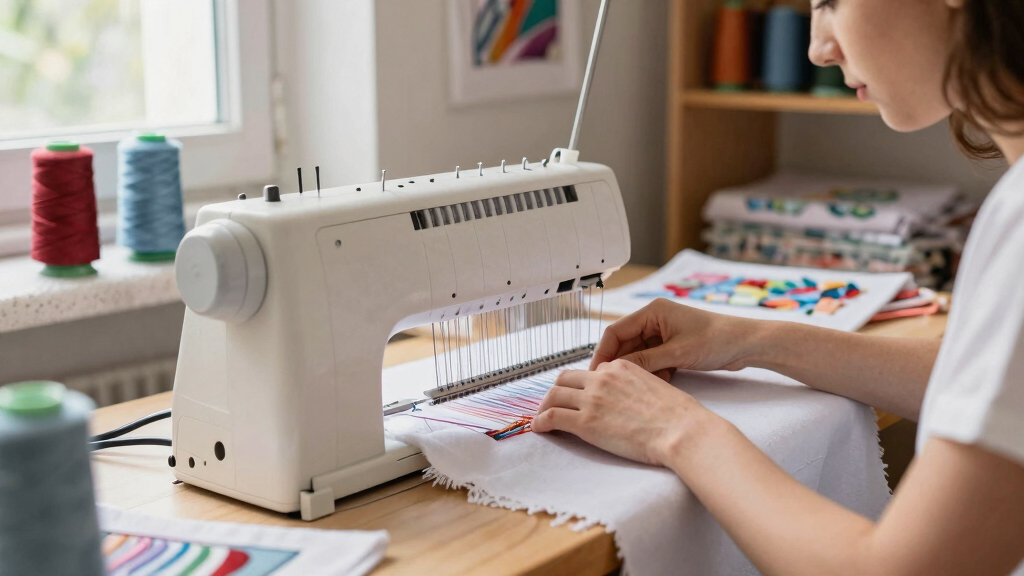
I evaluated each embroidery machine based on key factors that matter most for monogramming: embroidery area size, ease of use, design library, connectivity options, build quality, and value for price. Machines with larger embroidery fields are prioritized for monogramming larger or multiple initials at once, but they tend to be more expensive and bulky. Ease of operation, including touchscreen controls and guided tutorials, help beginners and casual users. Connectivity features like WiFi or USB transfer improve workflow efficiency, especially for frequent design updates. The ranking reflects a balance between performance, usability, and price, aiming to recommend options suitable for a range of skill levels and needs.Factors to Consider When Choosing Best Embroidery Machine For Monograms
When selecting the best embroidery machine for monograms, consider several critical factors beyond just the machine’s specs. The size of the embroidery area determines how large your monograms can be, and a larger field allows for more flexibility in design placement. Ease of use is vital if you plan to do frequent or complex monogramming, making touchscreen controls, tutorials, and intuitive interfaces worth prioritizing. Connectivity options like WiFi and USB make transferring new designs faster, saving time on each project. Budget considerations should match your intended usage—more advanced, larger machines come at a higher cost, but they offer greater versatility and durability for sustained use.Embroidery Area Size
The size of the embroidery area is a critical factor when monogramming, as it limits the maximum dimensions of your initials or decorative monograms. Smaller machines with 4×4 inch fields are suitable for simple, small monograms, but larger projects may require 5×7 inches or more. Keep in mind that bigger embroidery areas often mean increased machine size and higher cost, so balance your monogramming needs with available space and budget. If you plan to do frequent larger monograms or multiple initials in one design, investing in a machine with a larger field is advisable to avoid frustration and rehooping.
Ease of Use & Learning Curve
For those new to embroidery or monogramming, a user-friendly interface can make all the difference. Features like a color touchscreen, built-in tutorials, and guided step-by-step instructions help reduce the learning curve. More complex machines with advanced features often require a steeper learning curve, which can be discouraging for beginners. Choosing a model with intuitive controls and comprehensive support can save time and prevent frustration, especially if you plan to do monogramming as a hobby or occasional project. For professional use, however, investing in a more advanced machine might be worthwhile despite the initial complexity.
Design Library & Customization Options
The variety and quality of built-in designs directly impact your creative options for monograms. Machines with extensive design libraries or the ability to import custom designs give you more flexibility to personalize projects. Consider whether you need specific font styles, decorative elements, or the ability to create your own designs. Some machines offer downloadable design packs or compatibility with external design software, which can expand your options significantly. Remember, a larger or more diverse design library can justify a higher price, especially if monogramming is a core hobby or business activity.
Connectivity & Transfer Methods
Efficient design transfer methods like WiFi, Bluetooth, or USB are vital for streamlining your workflow. Wireless connectivity allows quick access to new designs and updates without reconnecting cables, which is particularly helpful for frequent monogram projects. USB transfer remains reliable and straightforward if your design files are stored on external drives or computers. Some models also support SD cards, adding to versatility. Consider your preferred workflow and the ease of design management when choosing a machine, as connectivity can significantly influence your productivity and convenience.
Price & Value
Pricing varies widely, from budget-friendly beginner models to high-end commercial machines. While more expensive machines often offer larger embroidery areas, faster speeds, and more features, they may be unnecessary for casual monogramming. Conversely, opting for a cheaper model might limit your design options or ease of use, potentially leading to frustration. Think about how often you plan to monogram, your skill level, and whether you need professional-grade durability. Finding a machine that balances features with your budget will ensure satisfaction without overspending on capabilities you won’t use.
Frequently Asked Questions
Can I add custom fonts to my embroidery machine?
Many modern embroidery machines support importing custom fonts via USB, SD card, or WiFi transfer, depending on the model. This expands your options beyond the built-in fonts, allowing for truly personalized monograms. Some brands offer dedicated software or online platforms to create and upload your own font styles easily. Before purchasing, check if the machine’s software compatibility and transfer methods support your preferred font types. Adding custom fonts can greatly enhance your monogramming versatility and help you develop a unique style.
Is a larger embroidery area always better for monograms?
Not necessarily. While a larger embroidery area provides more flexibility for bigger or more complex monograms, it also means a larger, often more expensive machine that may take up more space and be harder to maneuver. For small initials or simple designs, a 4×4 inch field may suffice and be more manageable. If you often work on larger monograms or need to stitch multiple initials in one session, a bigger area becomes advantageous. Balance your typical project size with your workspace and budget to choose the right size.
Do I need a commercial machine for monogramming at home?
For most home users focused on personal projects, a consumer-grade machine provides ample features, ease of use, and sufficient embroidery area. Commercial machines tend to be larger, faster, and more durable, but they come with a hefty price tag and increased complexity. Unless you plan to run a small business or do high-volume monogramming regularly, a well-chosen home model will meet your needs without unnecessary expense or complication. Consider your volume and future plans before investing in a commercial-grade machine.
How important is stitch quality when monogramming?
Stitch quality impacts the professional appearance of your monograms significantly. Machines with high-quality tension control, precise stitching, and consistent thread feeding produce cleaner, more refined results. Cheaper or lower-end models may struggle with thread breaks or uneven stitches, which can ruin monogram details. For frequent or professional work, investing in a machine with proven stitch quality ensures your designs look polished and consistent. Always check reviews or sample images to gauge the stitch quality of a model before purchasing.
Should I consider machine maintenance and support?
Yes, maintenance and support are important factors, especially if you plan to use your machine regularly. Machines with accessible parts, clear maintenance instructions, and readily available support or service centers can save you time and money in the long run. Regular cleaning, tension adjustments, and software updates help keep your machine running smoothly. Choosing a reputable brand with good customer service can also provide peace of mind, especially for troubleshooting or repairs. Proper maintenance ensures the longevity and consistent performance of your investment.
Conclusion
For those seeking the best overall balance of features, ease of use, and reliability, the Brother PE900 stands out as the top choice, especially for hobbyists and semi-professionals. If you run a small business or need large embroidery areas, the Poolin EOM 15-Needle Commercial Machine offers impressive size and durability. Beginners will find the PooLin EOC05 ideal for its simplicity and affordability. Budget-conscious crafters should consider models with smaller embroidery fields but essential features, while pros needing maximum customization and size might prioritize high-end, commercial options. Match your monogramming goals and skill level to the right machine for the best results.