Maintaining your DEWALT 20V MAX Cordless Drill Driver Set ensures optimal performance and longevity. Whether you’re experiencing issues or just want to keep your drill in peak condition, this comprehensive guide provides practical, step-by-step instructions to troubleshoot common problems and care tips.

Get business pricing on tools and workshop supplies
- Business-only prices and quantity discounts
- Tax-exempt purchasing
- Multiple users, one account, clear invoices
From battery management to motor care, understanding the essentials will help you get the most out of your tool. Follow these guidelines to keep your DEWALT drill working smoothly for years to come.
Key Takeaways
| Battery Care | Proper charging and storage extend battery life. |
| Motor Troubleshooting | Identify common motor issues and solutions. |
| Cleaning & Maintenance | Regular cleaning prevents debris buildup. |
| Safety Precautions | Always follow safety tips to prevent accidents. |
Understanding Your DEWALT 20V MAX Cordless Drill
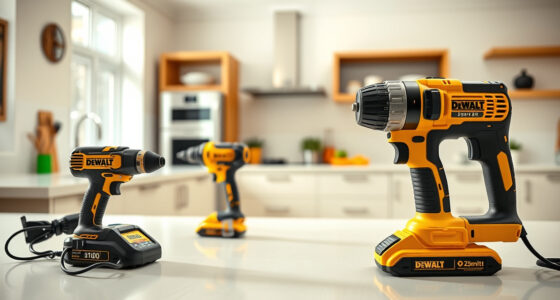
Your DEWALT DCD777D1 features a brushless motor, a 1/2 inch single-sleeve ratcheting chuck, and a 2-speed transmission designed for versatility and durability. Its compact size (7.6 inches front to back) and lightweight build make it ideal for tight spaces. The LED light with a 20-second delay enhances visibility, especially in dim settings.
Knowing how your drill operates helps in effective troubleshooting and maintenance. Familiarize yourself with the power switch, LED indicators, and battery compartment for quick diagnosis and care.
Battery Maintenance and Troubleshooting
- Ensure Proper Charging: Always use the DEWALT charger included with your kit. Avoid overcharging by unplugging the battery once fully charged.
- Check Battery Contacts: Regularly inspect contacts inside the battery slot and on the battery for dirt or corrosion. Clean gently with a dry cloth if needed.
- Test Battery Performance: If your drill runs slowly or not at all, try swapping in a known good battery (such as the DEWALT 20V MAX 5 Ah Lithium Ion Battery 2-Pack) to identify if the issue lies with the battery or the tool.
- Store Batteries Properly: Keep batteries in a cool, dry place, ideally between 40-80°F, and avoid leaving them in extreme heat or cold for extended periods.
- Replace Old Batteries: After about 3-4 years of regular use, consider replacing batteries as they may lose capacity over time.
Warning: Never attempt to open or repair the battery pack yourself. Doing so can be dangerous and voids the warranty.
Motor and Drive System Care
The brushless motor in your DEWALT drill delivers more run time and efficiency, but like all motors, it benefits from regular care. Dirt, debris, and dust can accumulate in the vents and near the motor housing, reducing cooling and performance.
- Clean Vents: Use compressed air to blow out dust from vents and around the motor area every few months.
- Check for Overheating: If the drill feels unusually warm during use, pause and allow it to cool. Overheating can damage the motor and reduce lifespan.
- Inspect the Chuck: Ensure the chuck tightens securely and is free of debris. Lubricate with a light machine oil if it feels stiff, but avoid over-lubricating.
- Replace Worn Parts: If the chuck or other components show signs of excessive wear, contact authorized service for replacement parts.
Warning: Do not attempt to disassemble the motor housing yourself. Internal components should only be serviced by qualified technicians.
Routine Cleaning and Storage
Proper cleaning and storage extend your drill’s lifespan. After each use, wipe down the tool with a dry or slightly damp cloth to remove dust and debris. Never immerse the drill in water or use harsh chemicals.
Store your drill in a cool, dry place, ideally in a case or on a shelf away from moisture and direct sunlight. Remove the battery if not in use for extended periods to prevent battery drain and corrosion.
For added protection, consider using a protective cover or case and keep the LED light lens clean for clear visibility.
Safety Tips for Safe Use and Maintenance
- Wear Safety Gear: Always wear safety glasses and gloves when operating or maintaining your drill.
- Disconnect Power: Remove the battery before cleaning, adjusting, or repairing the tool.
- Avoid Water Exposure: Keep the drill dry and away from wet conditions.
- Use Correct Accessories: Only use compatible drill bits and accessories to prevent damage and accidents.
- Follow Manufacturer Guidelines: Refer to the user manual for specific maintenance instructions and safety warnings.
Warning: Never force the tool or modify it beyond its intended design. Doing so can lead to injury or damage.
The Products in This Guide

DEWALT 20V MAX Cordless Drill Driver Set
- ✔ Battery Capacity: 2.0 Ah
- ✔ Chuck Type: Single-sleeve ratcheting
- ✔ Weight: Lightweight and compact

DEWALT Drill Bit Set
- ✔ Number of Bits: 14
- ✔ Tip Design: Split point
- ✔ Coating: Rust-resistant
DEWALT 20V MAX Cordless Drill Driver Set
The DEWALT 20V MAX Cordless Drill Driver Set offers impressive power, durability, and user-friendly features. With regular maintenance, it remains reliable for tough jobs in tight spaces. Follow this guide to troubleshoot issues and keep your drill running smoothly.
Pros:
- Brushless motor for efficiency
- Compact and lightweight
- LED work light
- Two-speed transmission
Cons:
- Battery life may decline over years
- Chuck can wear out with heavy use
- Limited to 1/2 inch chuck size
Best for: DIY enthusiasts and professionals needing reliable cordless drilling
Not ideal for: Heavy-duty industrial applications or prolonged high-torque tasks
Bottom line: A versatile, durable cordless drill ideal for a wide range of tasks when properly maintained.
DEWALT Drill Bit Set
Pair your DEWALT drill with this 14-piece drill bit set featuring 135-degree split point tips. Perfect for various materials like plastic, wood, and metal, these bits are designed for durability and ease of use.
Pros:
- Durable High-Speed Steel
- Prevents walking with split point
- Easy size identification
- Corrosion-resistant coating
Cons:
- Bulkier bits may require more torque
- Not suitable for heavy industrial use
- Limited to specific bit sizes
Best for: General-purpose drilling and fastening projects
Not ideal for: Heavy industrial drilling or prolonged high-torque applications
Bottom line: A reliable, versatile drill bit set that enhances your drill’s capabilities.
Frequently Asked Questions
Why is my DEWALT drill not turning on?
Check the battery charge level and ensure it is properly connected. Try swapping in a different charged battery to see if the issue persists. Also, inspect the power switch for any damage or debris.
How do I extend my battery life?
Store batteries in a cool, dry place and avoid extreme temperatures. Keep contacts clean and avoid overcharging. Use the battery until fully drained before recharging to prolong overall lifespan.
My drill is overheating during use. What should I do?
Pause and allow the tool to cool down. Check for debris or dust blocking vents, clean if necessary, and avoid overloading the drill beyond its capacity.
How often should I clean my drill?
Clean your drill after each use by wiping it with a dry cloth. Perform a more thorough cleaning every few months, including vent cleaning with compressed air, to prevent debris buildup.
Can I use any drill bits with my DEWALT drill?
Use drill bits compatible with a 1/2 inch chuck and designed for your material. The DEWALT Black & Gold Metal Drill Bits set is recommended for optimal performance.
Keep Your DEWALT Drilling Power Sharp and Safe
Regular maintenance and troubleshooting are key to ensuring your DEWALT 20V MAX Cordless Drill Driver Set remains reliable and efficient. Proper battery care, cleaning, and mindful use prevent most common issues and extend the life of your tool. Remember to always follow safety guidelines and consult the user manual for detailed instructions. With attentive care, your DEWALT drill will serve you well through countless projects, big and small.
Affiliate disclosure: As an Amazon Associate we earn from qualifying purchases. Prices and availability are accurate as of the time of publishing.