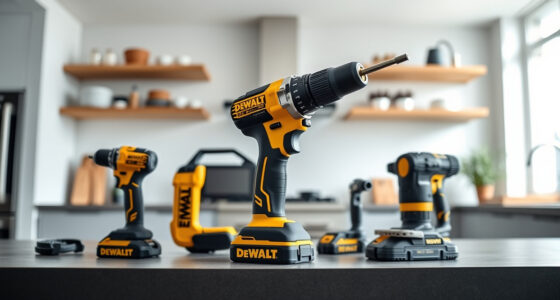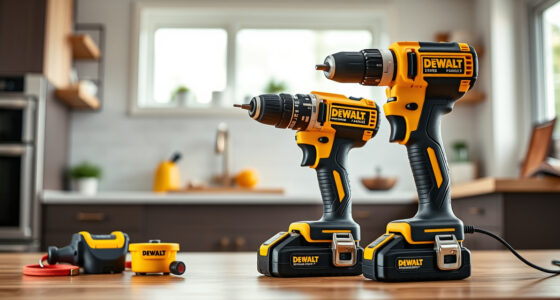
If your DEWALT 20V MAX Cordless Drill and Impact Driver is overheating, it can hinder your work and potentially damage the tool. Proper troubleshooting can prevent costly repairs and extend the lifespan of your power tool.

Get business pricing on tools and workshop supplies
- Business-only prices and quantity discounts
- Tax-exempt purchasing
- Multiple users, one account, clear invoices
In this guide, you’ll find clear, safe steps to identify the cause of overheating and how to fix it effectively, ensuring your tool operates smoothly for your next project.
Key Takeaways
| Overheating causes | Poor ventilation, overuse, or damaged components |
| Initial check | Ensure batteries are charged and properly connected |
| Cleaning | Remove dust and debris from vents and motor |
| Cooling time | Allow the tool to cool down before further use |
| Maintenance | Regularly inspect and replace worn parts |
Step 1: Power Down and Cool Off
- Immediately stop using the tool if it feels excessively hot.
- Disconnect the batteries to prevent further heat buildup.
- Allow the tool to cool down in a well-ventilated area for at least 15-30 minutes before troubleshooting further.
Step 2: Inspect the Ventilation and Airflow
- Check for dust, dirt, or debris blocking the vents on the motor and housing.
- Use compressed air to gently clear out any obstructions, ensuring the airflow isn’t hindered.
- Ensure nothing is obstructing the cooling fan if your model has one.
Step 3: Examine the Batteries and Connections
- Remove the batteries and inspect for swelling, corrosion, or dirt.
- Clean battery contacts with a dry cloth if dirty.
- Reinsert the batteries securely, making sure they are compatible and fully charged.
Step 4: Check for Mechanical Issues and Wear
- Listen for unusual sounds or vibrations during operation.
- Inspect the chuck, gears, and motor for signs of damage or excessive wear.
- Replace any worn or damaged parts before resuming use.
Step 5: Prevent Future Overheating
- Use the tool within its recommended duty cycle, avoiding continuous use for long periods.
- Allow the tool to rest and cool down periodically during intensive tasks.
- Keep the tool clean and well-maintained to ensure optimal airflow and cooling.
The Products in This Guide

DEWALT 20V MAX Cordless Drill and Impact Driver
- ✔ Weight: 3.3 lbs
- ✔ Battery Capacity: 5Ah
- ✔ Chuck Size: 1/2 inch

DEWALT Drill Bit Set
- ✔ Bit Length: 2-3 inches
- ✔ Shank Type: 3-flats
- ✔ Tip Angle: 135 degrees
DEWALT 20V MAX Cordless Drill and Impact Driver
The DEWALT 20V MAX Cordless Drill and Impact Driver combo kit is versatile, lightweight, and designed for ease of use. Proper maintenance helps prevent overheating and ensures long-term performance.
Pros:
- Compact and lightweight design
- Ergonomic comfort grip
- Bright LED for visibility
- Includes 2 batteries and charger
Cons:
- Battery life may vary with heavy use
- Ventilation can clog with dust
- Requires periodic maintenance
Best for: DIY projects, home improvement, light to medium-duty tasks
Not ideal for: Heavy-duty industrial applications or continuous high-power use
Bottom line: A versatile, reliable cordless drill set that benefits from regular maintenance to prevent overheating.
DEWALT Drill Bit Set
This DEWALT Drill Bit Set features 14 high-quality bits with a 135-degree split point, ideal for plastic, wood, and metal. Using quality bits reduces strain on your drill and minimizes overheating.
Pros:
- Corrosion-resistant coating
- Tapered web design
- Easy size identification
- High-speed steel construction
Cons:
- Set limited to common sizes
- Not suitable for heavy-duty industrial drilling
Best for: General purpose drilling in various materials
Not ideal for: Heavy industrial or specialized drilling needs
Bottom line: A reliable drill bit set that complements your DEWALT drill and helps prevent overheating caused by improper bits.
Frequently Asked Questions
Why is my DEWALT drill overheating so quickly?
Overheating can occur due to dust blocking vents, continuous use beyond duty cycle limits, or worn internal parts. Regular maintenance helps prevent this.
How long should I wait before using the drill after it overheats?
Allow at least 15-30 minutes for the tool to cool down in a well-ventilated area before attempting to use it again.
Can I fix overheating issues myself?
Yes, many overheating issues can be addressed by cleaning vents, inspecting batteries, and checking for mechanical damage. However, avoid disassembling the motor or internal components unless qualified.
What regular maintenance can prevent overheating?
Keep vents clean, use the tool within recommended duty cycles, inspect and replace worn parts, and store the tool in a dry, dust-free environment.
Keep Your DEWALT Running Cool and Efficient
Regular maintenance and proper troubleshooting are key to preventing overheating in your DEWALT power tools. By following these steps, you can ensure your tool remains reliable and performs optimally for years to come.
Affiliate disclosure: As an Amazon Associate we earn from qualifying purchases. Prices and availability are accurate as of the time of publishing.