
TL;DR

Get business pricing on tools and workshop supplies
- Business-only prices and quantity discounts
- Tax-exempt purchasing
- Multiple users, one account, clear invoices
Building an AI workstation used to be cheaper, but today prebuilt systems often match or beat DIY on price and reliability. The decision depends on your need for customization, support, and quick deployment. Know what to prioritize before pulling out your toolkit or wallet.
Imagine this: you need an AI workstation fast. You’re ready to dive into training models, but the old debate hits you. Should you build a custom machine, tweaking every part for perfect silence and cooling? Or buy a prebuilt, ready to go, with support and validation? The game has shifted, and in 2026, the answer is no longer clear-cut. Build vs Buy a Prebuilt AI Workstation
Instead of automatically saving money by building, you now need to price both options side-by-side. The heat, noise, and thermal tweaks you once handled yourself are now often pre-tuned and validated at the factory. Knowing which path gives you the best value—cost, speed, support—can save you hours, frustration, and money. Build vs Buy a Prebuilt AI Workstation Let’s break down what really matters in this new landscape.
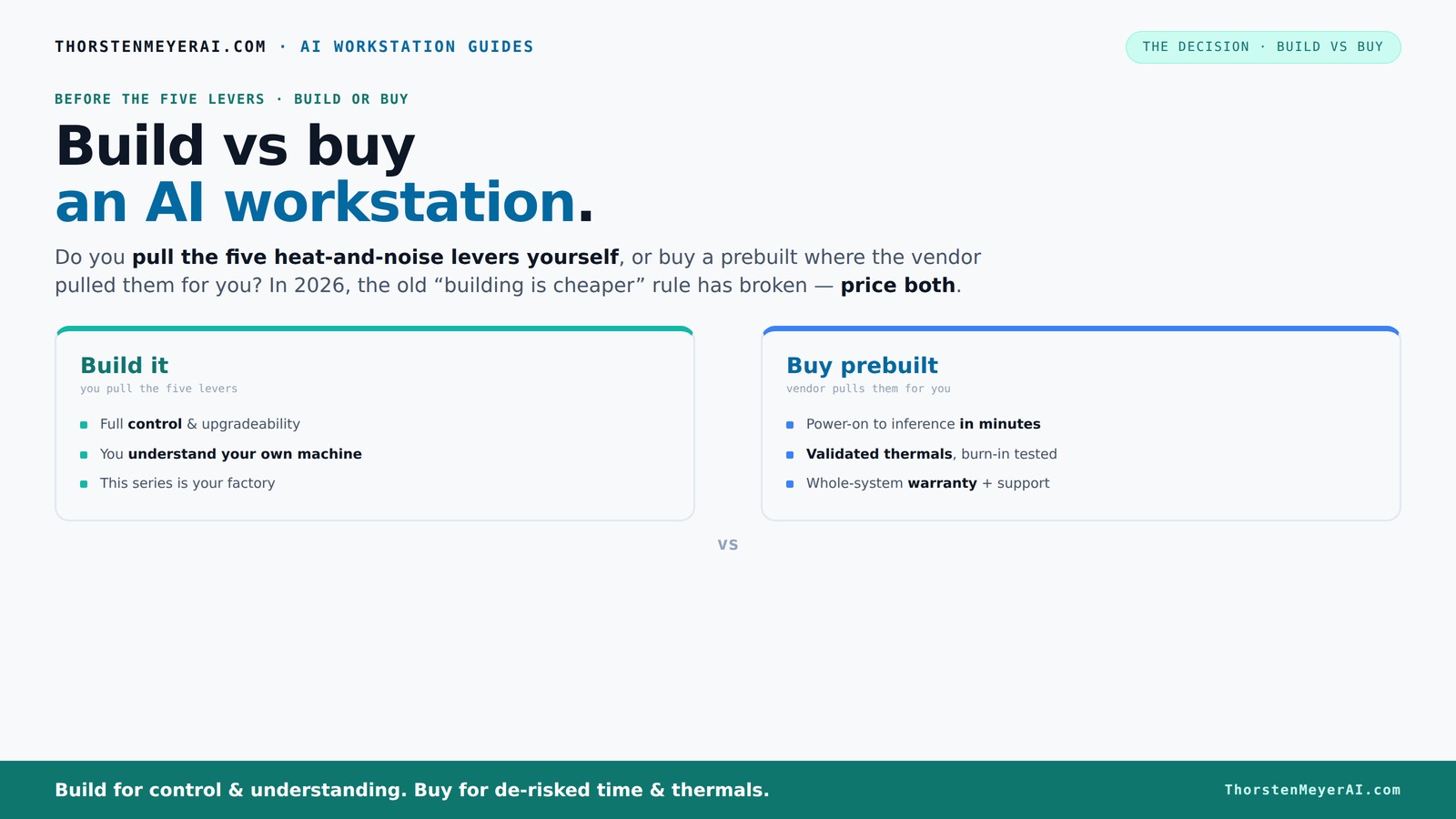
Build vs buy
an AI workstation.
The real question behind this whole series: do you pull the five heat-and-noise levers yourself, or buy a prebuilt where the vendor pulled them for you? And in 2026, the old “building is cheaper” rule has broken. Match your situation in Part 3.
Key Takeaways
- Component shortages in 2026 have leveled the playing field — prebuilt systems often match DIY prices for high-end AI workstations.
- Prebuilts offer validated thermals, support, and quick deployment, making them ideal for teams and professionals who value time and reliability.
- Building your own machine grants maximum control, customization, and upgrade paths, but requires time, expertise, and troubleshooting skills.
- The real decision hinges on your priorities: speed and support versus control and flexibility.
- Always compare total cost of ownership, including support, downtime, and upgradeability, before choosing your path.
As an affiliate, we earn on qualifying purchases.
Why 2026 Changes the Build vs Buy Game—Price, Availability, and Support
Building your own AI workstation used to be cheaper by a wide margin. Build vs Buy a Prebuilt AI Workstation Now, due to supply chain snarls and bulk buying, prebuilt systems often match or beat DIY prices. For example, a custom build with high-end GPUs, 128GB RAM, and fast SSDs that used to cost under $1,200 now easily surpass that, reaching $1,400 or more.
Meanwhile, large vendors like Lambda or BIZON purchase in bulk, locking in lower prices and testing systems extensively. This means they ship systems already tuned for heat and noise, with warranties covering parts and support. Build vs Buy a Prebuilt AI Workstation That’s a big shift — it’s no longer just about saving a buck.
In practical terms, this makes the decision more about support and speed than raw costs. Do you want to spend hours fine-tuning your system, or prefer a plug-and-play setup validated for AI workloads? The answer varies based on your needs and skills.
The Five Levers of a Cool, Quiet AI Workstation—And Who Controls Them
Imagine your AI rig as a high-performance racing car. To keep it from overheating and sounding like a jet, you need to manage five levers: undervolting the GPU, selecting the right cooling, optimizing airflow, tuning fans, and placing it well.
If you buy prebuilt, the vendor pulls these levers. They validate thermals, run stress tests, and often include water-cooling for near-silent operation. This means you get a machine that’s ready to run at full throttle without noise or heat issues.
Build it yourself, though, and you’re the one pulling these levers. You choose a quiet GPU, pick the cooler, and set up airflow — gaining total control and knowledge. The tradeoff: more effort, but also the ability to fine-tune for your exact workload.
So, the real question: do you want the vendor to handle the thermal engineering, or are you comfortable doing it yourself?
Prebuilt AI Workstations: When They Save You Time and Headaches
Prebuilts are designed for speed. You turn on, load your AI stack (like CUDA, TensorFlow), and start training or inference within minutes. the-sound-of-music-guide.com No hunting for parts, no BIOS tweaks, no driver conflicts. For busy professionals or teams, this quick start can be worth the extra cost.
Plus, vendors validate thermals and provide support if something goes wrong. Systems like those from Puget or Lambda undergo 24–48 hours of stress testing, so you’re protected against thermal throttling or early failures.
For example, a company needing to deploy multiple AI rigs for a project can avoid weeks of setup by trusting a vendor’s tested systems. It’s the difference between a headache and a smooth, predictable launch.
Building Your Own AI Workstation: Control, Customization, and Long-Term Flexibility
Building your own AI machine is about control. thisdesigngirl.com Want a specific GPU, extra RAM, or a custom cooling loop? You get to decide. It’s also easier to upgrade later — swap in new GPUs, add more memory, or tweak cooling as your needs evolve.
For example, a hobbyist who loves tinkering might choose a quiet case, undervolt the GPU, and set up custom airflow. They gain a machine tuned exactly for their workload and noise preferences.
But it takes time, skill, and patience. You’ll need to research components, troubleshoot compatibility, and test your system. That’s part of the process — but it pays off in tailored performance and a deeper understanding of your hardware.
Which Is Better for Different Users? A Quick Guide
| User Type | Best Choice | Why |
|---|---|---|
| Beginners or busy professionals | Prebuilt | Ready to go, validated thermals, support, and quick deployment |
| Hobbyists or tech-savvy developers | Build it yourself | Full control, customization, and upgrade options |
| Small businesses or teams | Depends | Prebuilt for speed and support; build for tailored performance |
Hidden Costs and Risks You Need to Know
Building your own system isn’t just about the parts. You might spend extra hours troubleshooting, dealing with compatibility issues, or repairing mistakes. Plus, if you don’t have experience, you risk buying incompatible components or undervolting incorrectly.
Prebuilts reduce that risk. They come fully tested, with a warranty, and support. But beware: some vendors use proprietary parts, which can limit future upgrades. You’ll want to check the upgrade paths and component flexibility before buying.
So, weigh the time and expertise required for DIY against the convenience and support of prebuilts. Sometimes, the hidden costs aren’t dollar amounts — they’re hours, stress, or downtime.
Frequently Asked Questions
Is a prebuilt AI workstation worth it?
Yes, especially if you value quick setup, validated thermals, and support. It’s ideal for professionals who want to start training models without hassle or troubleshooting.Is building cheaper than buying prebuilt for AI work?
Not always. Due to component shortages and bulk buying, prebuilts often match or beat DIY prices today. Always compare both options for your specific configuration.Which is faster for getting started: build or buy?
Prebuilt systems are faster. You can start training or inference immediately, while building takes time for parts selection, assembly, and testing.Will a prebuilt limit GPU upgrades later?
It depends. Some prebuilts use proprietary or non-standard parts, which can make upgrades trickier. Check the upgrade paths before buying.How important is warranty when choosing between build and buy?
Very. Prebuilts usually come with comprehensive support and warranties, reducing downtime risks. DIY builds rely on individual component warranties and personal troubleshooting.Conclusion
In 2026, building isn’t automatically cheaper — it’s about what you value: speed, reliability, or control. If your priority is getting up and running quickly with a proven system, a prebuilt might be your best bet. But if you love tinkering and want a machine tailored exactly to your needs, building remains a strong choice.
Think about your workload, skills, and future plans. The right choice isn’t the same for everyone — it’s the one that fits your work and your life best. After all, your AI workstation is more than a tool — it’s your gateway to the future of AI.
Fall Picks
fall essentials
As an affiliate, we earn on qualifying purchases.